Sysmail OLM to O365 Migration
SysMails OLM to O365 Migration Software is a top- notch program for migrating emails with their attachments from Mac Outlook into Office 365 with emails, contacts, calendars, task, notes, inbox items, outbox items, journals and etc. Software allows you import selective single and multiple OLM Files to your office 365 accounts, PST, MBOX, MSG, HTML, EMLX, EML, PDF, RTF, vCal and vCard format. With using the olm to office 365 converter Software you can Export OLM to Office 365, Live Exchange Server, Gmail accounts and IMAP.
- Allows you Export multiple OLM files to Exchange Online at one time.
- Software can recover the full mailboxes items such as- outbox items, inbox items, journals, notes, draft and other items.
- Software preserve OLM file emails, contacts, calendars, task, notes and other items before conversion Olm to O365.
- Software without data loss, easily Migrate Outlook for Mac OLM to Office 365 Conversion.
- Export OLM to Office 365, MSG, EML, EMLX, MBOX, vCard, PDF, HTML, RTF and another format.
- It gives date filtering option to filter the data between two dates for conversion.
- It is compatible with Mac OS and MS Outlook versions supported- 2021, 2019, 2016, 2013, 2010, 2007 & older versions of olm file.
- Software doesn’t impose any size for OLM File and Export its data into PST.
- It previews all recovered OLM emails, contacts, calendars, task, notes before Convert OLM to Office 365.
- Convert Mac Outlook OLM to Thunderbird MBOX file that you can open any emails clients supported MBOX format.

Maintain Original Folder Structure
The SysMails OLM to Office 365 Migration Tool ensures a smooth conversion by preserving the original folder and subfolder structure of your OLM files. The entire mailboxes remain organized and unchanged during OLM to O365 Migration.
Export Only the Data You Need
With this SysMails OLM to O365 Migration tool, you can effortlessly recover and export selected items from OLM files to Office 365. Use filters such as date range to Export only the specific emails or mailbox items you require, making the procedure efficient.
Preview Items Before Migration
A key benefit of this OLM to Office 365 Migrator Software is the built-in preview feature. With this feature all users can view emails, notes, inbox items, outbox items, contacts, calendars, journals, and other mailbox items before exporting them, guaranteeing full accuracy.
Convert OLM Files into Multiple Formats
SysMails OLM to Office 365 Converter Software provides several other formats such as EMLX, HTML, MSG, RTF, PST, MBOX, EML, vCard, MHTML, and PDF. If you choose PST as the output, the OLM to Office 365 Migration software also allows let you split the file into smaller parts for easier management.
Compatible with Windows and Mac
The SysMails OLM to O365 Migration tool supports both Windows and macOS operating systems. You can download the version suitable for your device and enjoy hassle-free OLM to Office 365 migration or convert data into a single MBOX file as needed.
Effortlessly Handle Large OLM Files
There is no file size restriction when using this SysMails olm to office 365 converter tool that provides easy process for large OLM files to convert into PST File. The software letting you upload and migrate your data to Office 365 rapidly.
SysMail OLM to O365 Migration: Screenshots
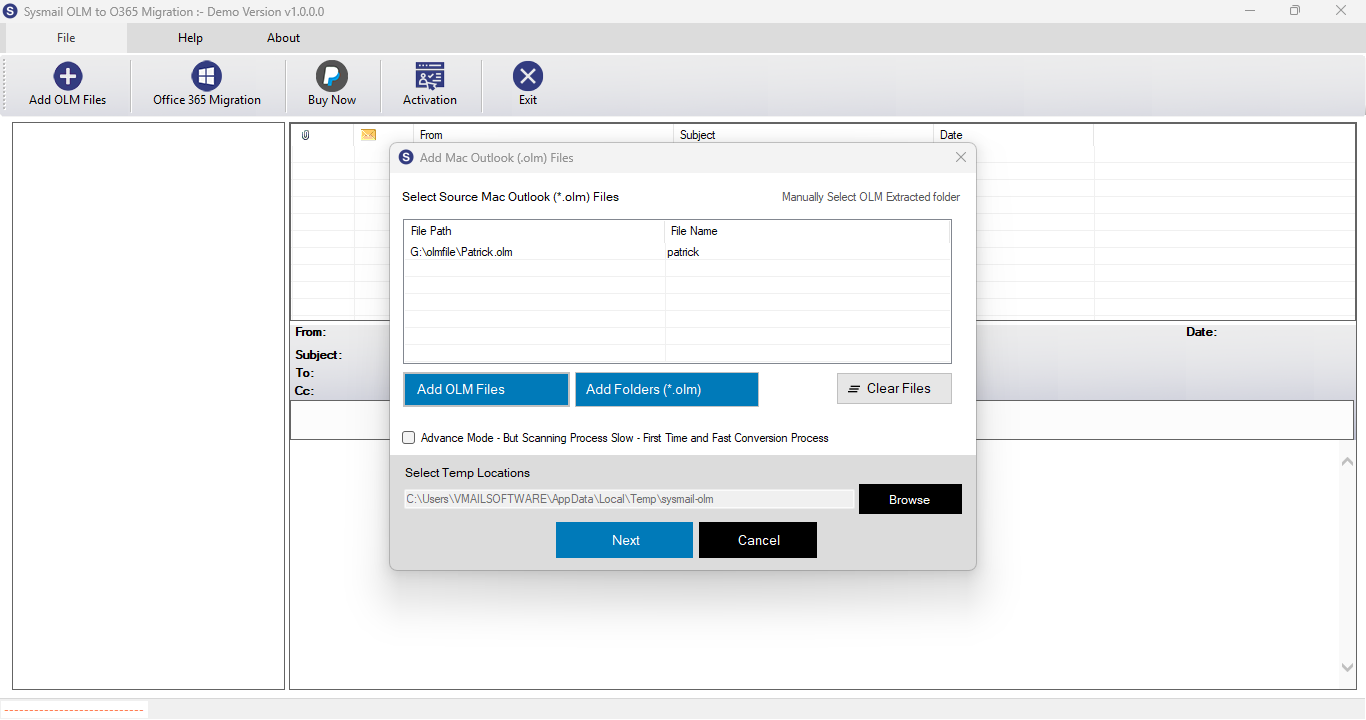
Step-1
Select damage OLM file
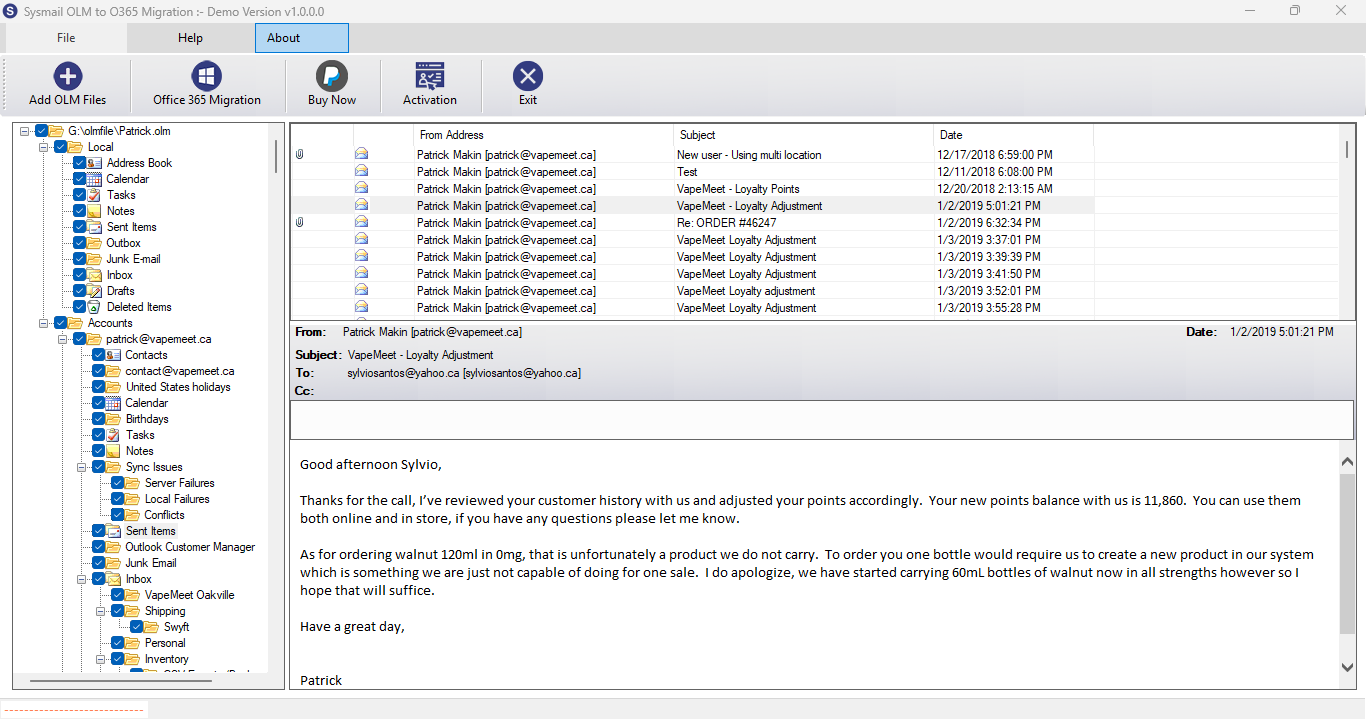
Step-2
View emails data
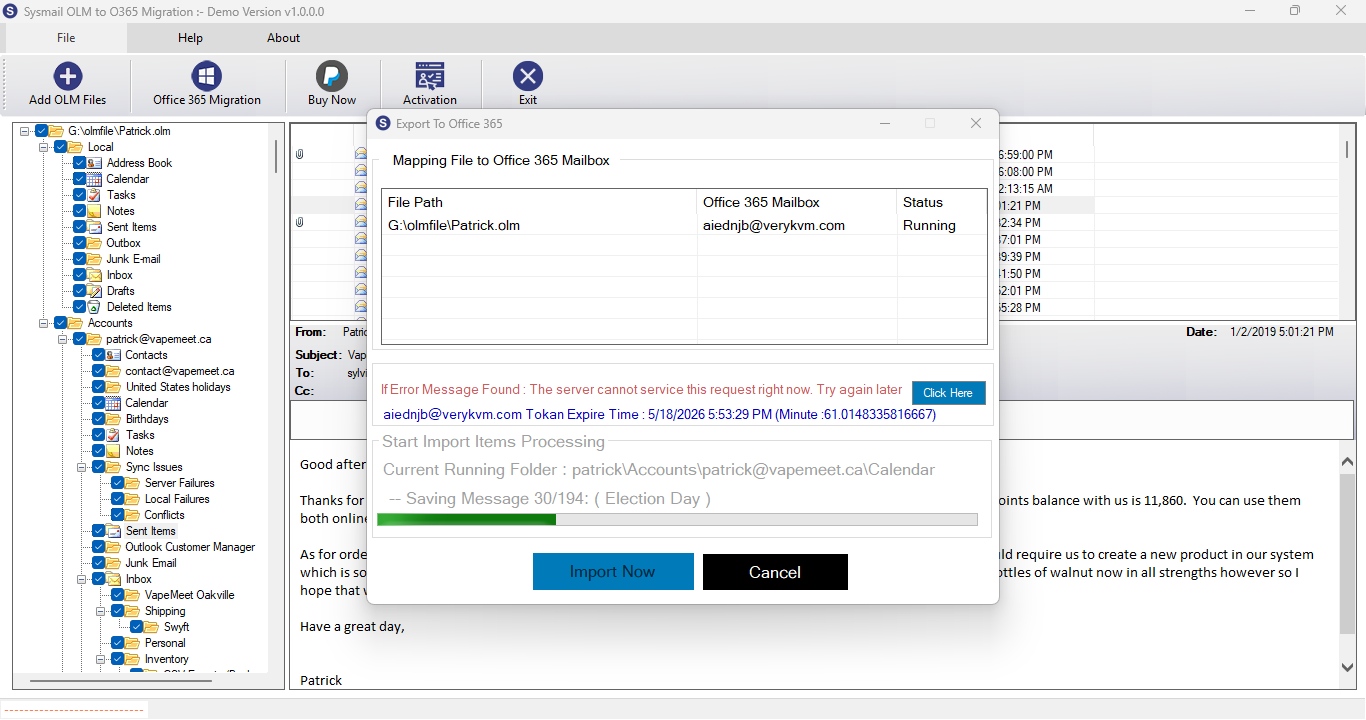
Step-3
Select Export Options
What Our Client Say
“I could easily preview my OLM emails and select specific emails before importing with using this software.”

Niamah Hower
Founder“The ability to import OLM into multiple formats like PST and PST is very helpful. A handy and reliable tool.”

Alivin Corondo
Designer“I migrated a large OLM file without facing any errors. The olm to o365 converter software tool handled everything efficiently.”

Steph Kruse
FounderFrequently Asked Questions