SysMail OLM to IMAP Migration
SysMails OLM to IMAP Migration is 100% trustworthy program that allows users to migrate their emails from OLM for Mac to IMAP Server accounts along with their all emails and attachments. It is a best tool that Export OLM to IMAP, Yahoo, Zoho, Gmail, Yandex and IMAP Supported online Email accounts with preserve data including emails properties- to, bcc, cc, time, subjects, emails formatting, folders/ sub-folders structure in les time. OLM to IMAP Converter Software smoothly Convert OLM Files to PST, MBOX, EML, EMLX, MSG, HTML, MHTML and PDF accounts.
- It smoothly works to Export Outlook OLM for Mac emails into many other email’s services such as- Gmail, Yahoo, AOL, Office 365, Outlook.com and more.
- It previews all OLM file emails, contacts, calendars, Journals, task, notes before OLM to IMAP Conversion.
- Software allows users to Import OLM to IMAP, MBOX, PST, EML, HTML, EMLX, vCard, PDF, RTF, MSG, and MHTML.
- It maintains all folders structure during migration data from OLM file to IMAP Server accounts.
- It effortlessly tracks the conversion process with a log file from OLM Files to IMAP.
- Software supports merge the entire items into single MBOX Files for comfortable managing.
- Select individual and multiple emails items from OLM for Mac files to Export into IMAP Server Accounts.
- Software preserve folders structure, emails formatting and properties- to, bcc, cc, time, subjects and from during conversion.
- Software combine OLM File emails into new or default folders in your IMAP Server Accounts,
- Without problem Import data from Outlook for Mac to an IMAP Server accounts.
- You can also split large PST File into small PST File from 1 GB to 9GB to restore PST File data.

Import Outlook for Mac Emails to IMAP
Instantly recovery of OLM File emails with attachments and Import Outlook for Mac OLM into IMAP Server with using our SysMails OLM to IMAP Migration Software. Enter your login credentials, and the software will Migrate all your mailbox data — including Journals, Inbox, Sent Items, Drafts, and more — to your chosen IMAP account.
Export OLM Emails with Attachments
Our best OLM to IMAP Converter software securely Export the entire mailboxes emails and their attachments and it ensures no to loss any data and Migrate OLM to IMAP Server without worrying about data corruption and missing files.
Multiple Migration Options
By taking help of SysMails OLM to IMAP Migration Software you can recover data from OLM File and Migrate OLM to IMAP and another format such as- PST, EML, MBOX, HTML, EMLX, vCard, MSG, RTF, MHTML and PDF format. And it supports to split large PST File during conversion.
Flexible Folder Export
Now all users can use specific folders, sub-folders and emails to export or create ones in your IMAP Server for your OLM data with this best OLM to IMAP Migration Software. You can directly Migrate emails to default folders — for example, Migrate your OLM Inbox directly into your IMAP Inbox.
Supports All Major IMAP Servers
SysMails OLM to IMAP Conversion Software is compatible with a wide range of IMAP Server such as- G-suits, Gmail, Yahoo, AOL, Outlook.com, Zoho Mail and many other. Just provide the correct IMAP Credentials and the conversion process will run smoothly.
Works on All Windows Versions
Our OLM to IMAP Converter Software is completely compatible with all Windows operating systems, including Windows 11, 10, 8.1, 8, 7, XP, and Vista. It’s designed for a smooth user experience and works efficiently on all Windows devices.
SysMail OLM to IMAP Migration: Screenshots
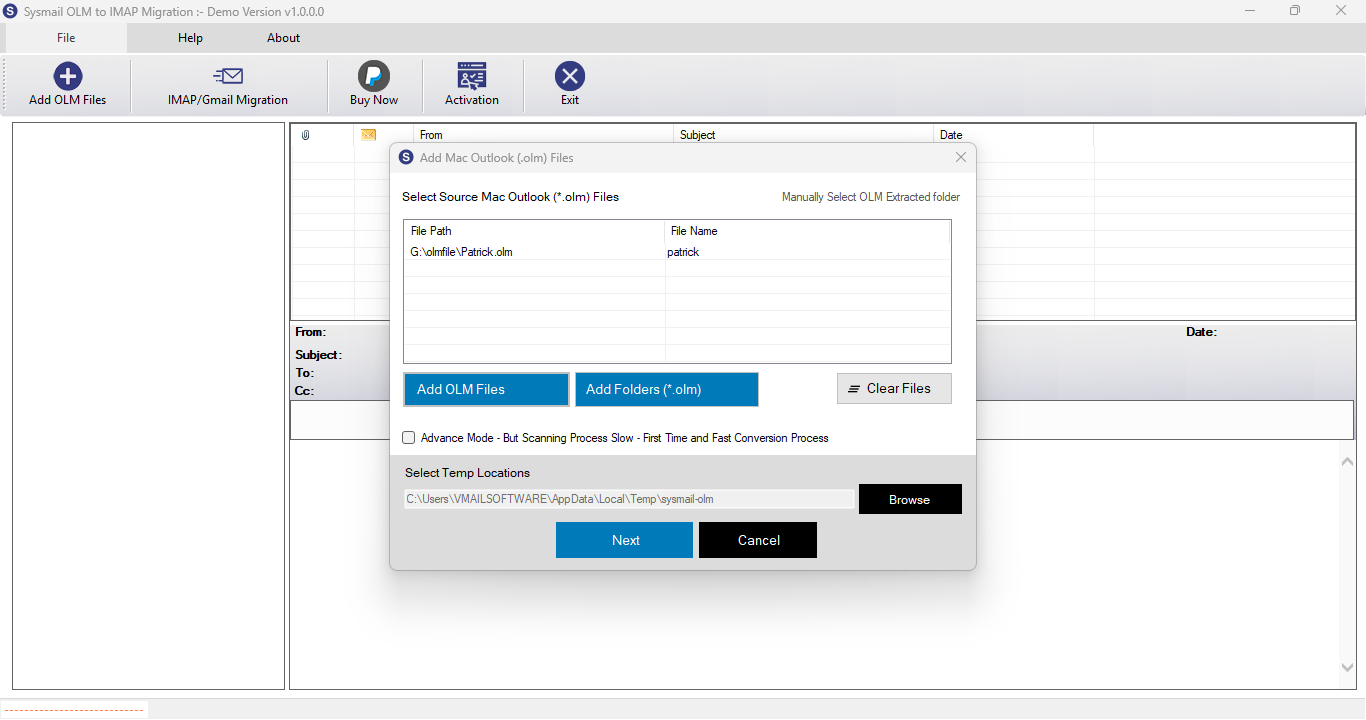
Step-1
Select damage OLM file
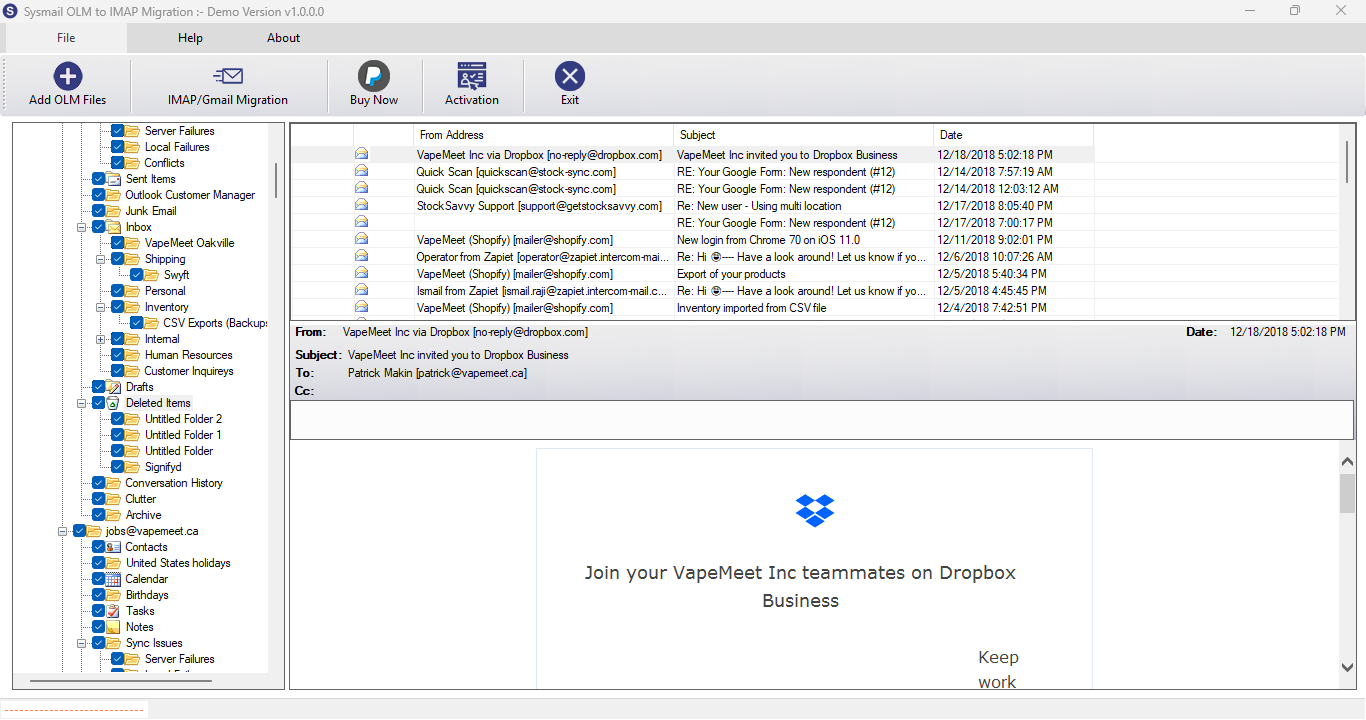
Step-2
View emails data
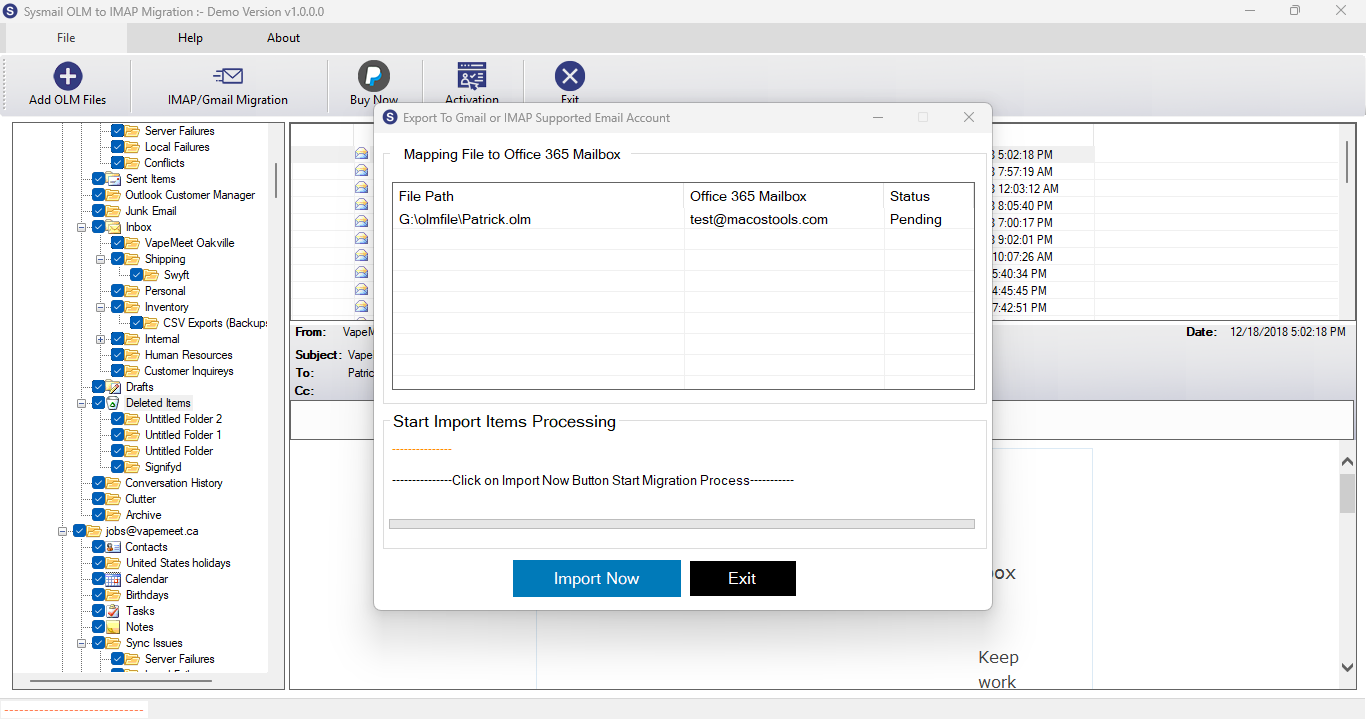
Step-3
Select Export Options
What Our Client Say
“I used SysMails OLM to IMAP Converter Software to Export my data Outlook for Mac emails to Office 365. The process was smooth, fast, and 100% accurate. Highly recommended!”

Niamah Hower
Founder“The OLM to IMAP Converter software works great for large Outlook OLM files. I treasured the folder selection option, which saved me time by converting only what I needed.”

Alivin Corondo
Designer“I exported my OLM files to Zoho Mail using SysMails. The process was rapid, and all my folders remained intact. Fantastic product!”

Steph Kruse
FounderFrequently Asked Questions