- Home
- EML to MSG Converter
- Overview
SysMail EML to MSG Converter
SysMails EML to MSG Converter Software is a trustworthy and easy-to-use solution to convert EML files to Outlook MSG format without any loss of data. The software assists users in migrating emails from EML supporting email clients to Microsoft Outlook by retaining all email properties. The software supports a safe and accurate conversion of emails, along with their attachments and other items from the mailbox. It facilitates users to select and convert single or multiple EML files and folders. Using the preview facility of this software, users can analyse their emails and attachments before saving them to MSG format. SysMails EML to MSG Converter Software performs efficiently with every version of Microsoft Outlook and Windows OS, making it a self-contained solution for EML to MSG conversion.
- 100% safe & secure process to export EML files to MSG, including their attachments.
- Both selective & bulk conversion capabilities for EML files are supported.
- View EML emails prior to initiating the conversion process.
- It allows you recover data from EML File and Covert EML to MSG.
- Supports EML files for Outlook Express, Windows Live Mail, Thunderbird, and Windows Mail, and more.
- It Convert outlook EML to MSG with preserved the entire directory structure, email formats, metadata, and attachments.
- Works with all MS Outlook versions including 2021, 2019, 2016, and earlier (32-bit & 64-bit).
- To export EML to MSG there is Not required to install Microsoft Outlook for conversion
- Supports EML files of any size without restrictions.
- Completely compatible with Windows 11, 10, 8.1, 8, 7,

Our Professional Services
Bulk EML to MSG Conversion
The SysMails EML to MSG Converter Software facilitates the conversion of several EML files or whole folders to the MSG format at the same time. This is quite helpful as it increases efficiency by making the process simpler yet still very effective.
Smooth Email Client Migration
SysMails EML to MSG Conversion acts as an aid for users in transferring their incoming, outgoing, and deleted emails from EML supported email clients like Thunderbird, Mail, Windows Live Mail, and Outlook Express to Microsoft Outlook by converting them into MSG files. The MSG files can then be easily accessed by dragging and dropping them into Outlook.
Complete Email Data Preservation
During the process of conversion, the EML to MSG Migration software preserves all the properties related to the emails such as the sender, receiver, CC, BCC, subject, date, attachments, and formats. The original structure and integrity have been maintained during export EML to MSG.
EML File Preview Support Before Conversion
The “preview” feature allows users to read a mail and its attachments before they are exported as MSG files. The service aids in authenticating data accuracy and in filtering mails needed for processing to MSG format.
Advanced Email Filtering Options
Users have the capacity to filter the EML emails according to sender, recipient, and the time range. This feature is essential in allowing the user to export only the needed emails and preventing the conversion of unnecessary data.
Fully Standalone Utility
SysMails EML to MSG Converter is standalone software, meaning it does not require Microsoft Outlook or any other software. This makes it easy to have a smooth, fast, and trouble-free conversion.
SysMail EML to MSG Converter: Screenshots
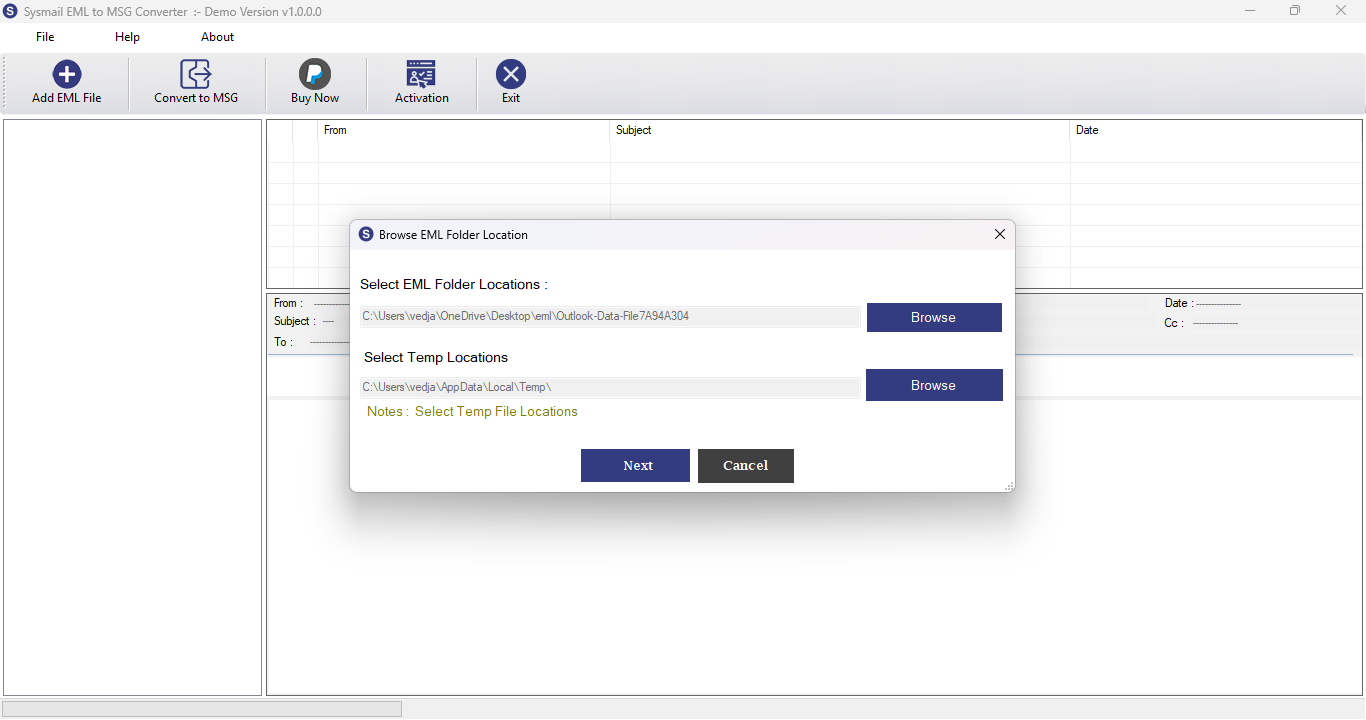
Step-1
Select damage EML file
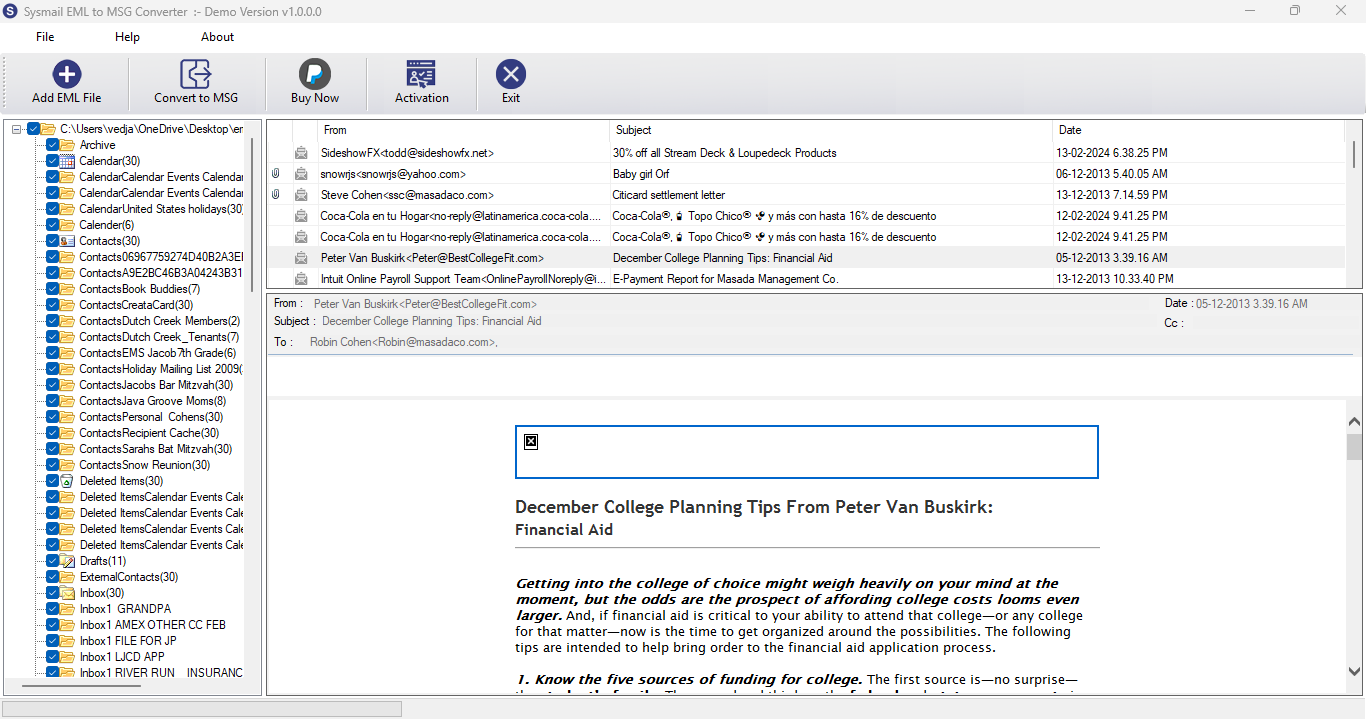
Step-2
View emails data
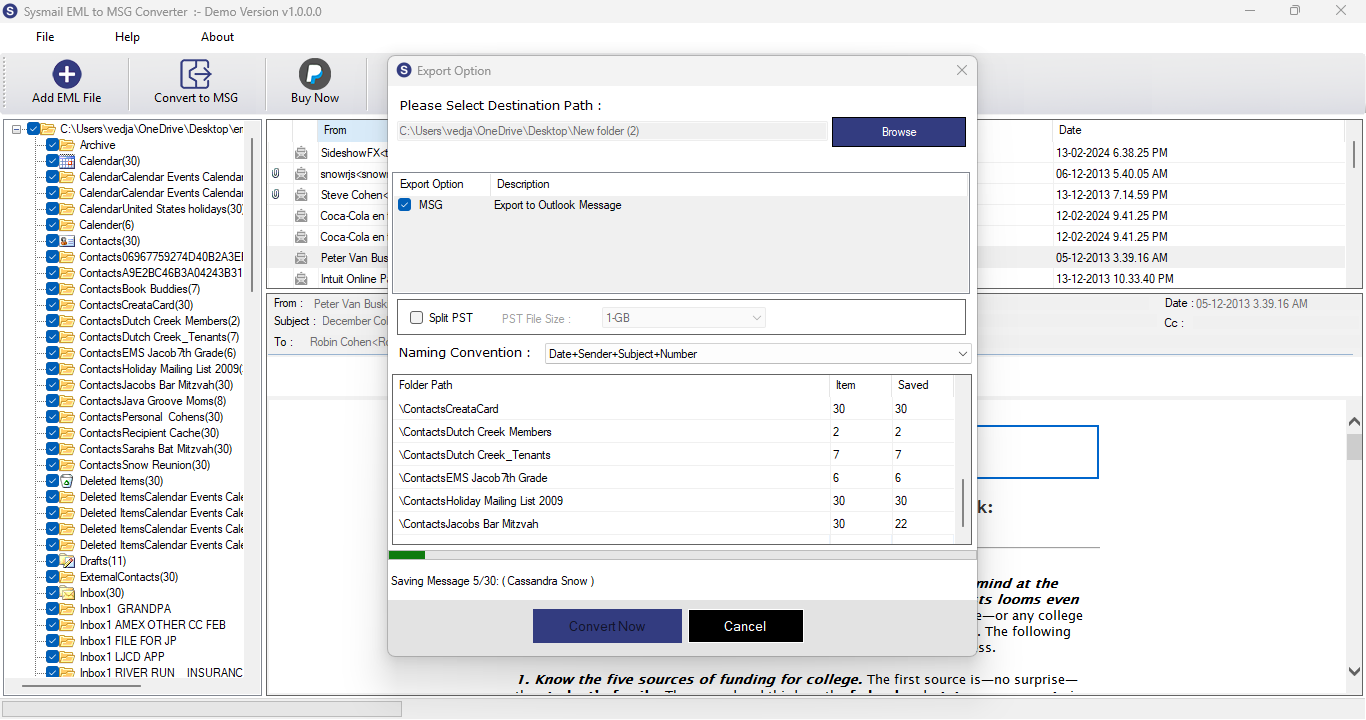
Step-3
Complete Conversion Process
What Our Client Say
“SysMails EML to MSG Converter performed precisely what it claimed to do. I successfully converted thousands of EML files to MSG format with no attachment or formatting lost.”

Niamah Hower
Founder“Bulk conversion and filtering tools work very well for Outlook conversion. The interface is very easy, and what's great about it is that it does not require Outlook on your computer.”

Alivin Corondo
Designer“I liked the 'preview' feature very much. This assisted me in checking my emails before the processing starts. The conversion speed, whether your EML files are of large size or not, is very good.”

Steph Kruse
FounderFrequently Asked Questions