SysMail MSG to Outlook Migration
In case you are looking for a proven means of importing MSG files into Outlook, then SysMails MSG to Outlook Migration is a good and user-friendly application. This is a highly effective Windows based software application, specifically developed for migrating MSG files without losing any significant data contained in the mailbox. The software allows the user to import emails, contacts, calendars, tasks, notes and attachments in MSG files. This software offers different export options such as PST, MBOX, EML, EMLX, vCard, Office 365, Live Exchange Server, Gmail and G-Suite. The software retains the original folder structure and formatting of emails while importing.
- Import MSG files safely into Outlook PST without any data loss.
- Single and batch MSG file migration to PST support.
- The Microsoft Outlook does not require installation for conversion.
- E-mails, contacts, calendars, tasks, notes and attachments support.
- Maintains To, Cc, Bcc, Subject, Date and other e-mail parameters.
- Export options are PST, EML, EMLX, MBOX, vCard, Office 365, Gmail and Live Exchange Server.
- Email and other mailbox item preview before conversion.
- Date filter feature allows email conversion from specific period.

Simple MSG File Selection
The SysMails MSG to Outlook Migration Software facilitates the selection of a single MSG file or several MSG files for the migration process. Batch conversion enables the user to import several MSG files at once, saving a lot of time if there are many files involved. The original layout of emails is retained in the migration process.
Export to Multiple Formats
The MSG to outlook converter has several ways of exporting data for its users. Some of the methods include the conversion of MSG files into PST, EML, EMLX, MBOX, vCard, Office 365, Gmail, G-Suite, and Live Exchange Server formats.
Supports Large MSG Files
It is capable of handling large MSG and mailbox files without any effect on the original data. It can support MSG files of up to 50GB in size and also enables the option for handling large PST files. Large quantities of email data can be handled easily by using this software.
Preview Before Export
Before migration, users have an option to preview their mailbox data. The preview feature helps them view emails, attachments, contacts, calendar, tasks, notes, and other things. This way, it becomes easy for them to choose only the needed information.
Direct Export to Outlook & Cloud Platforms
The tool facilitates the exportation of the MSG file contents to the PST format of Outlook along with cloud-based services like Office 365, Gmail, and Live Exchange Server. Contents of email, attachments, and other important attributes are retained throughout the procedure. The program can be used for multiple versions of Outlook and Windows OS.
Maintains Folder Structure
Original file structure and hierarchy of folders and email is maintained in migration process. Users are able to Migrate MSG to Outlook without any damage to hierarchy of mailbox files. The program also offers functionality of msg to pst conversion, when MSG emails can be saved to PST file format without any damage to file structure.
SysMail MSG to Outlook Migration: Screenshots
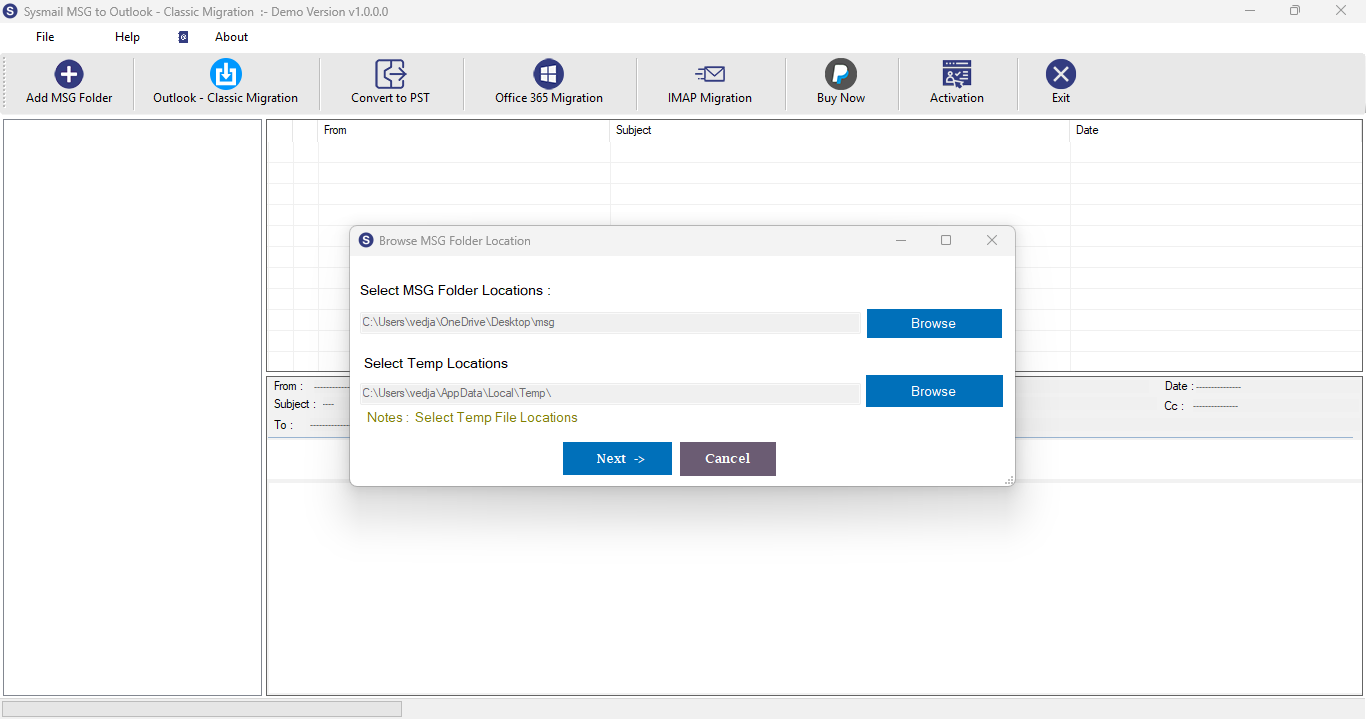
Step-1
Select damage MSG file
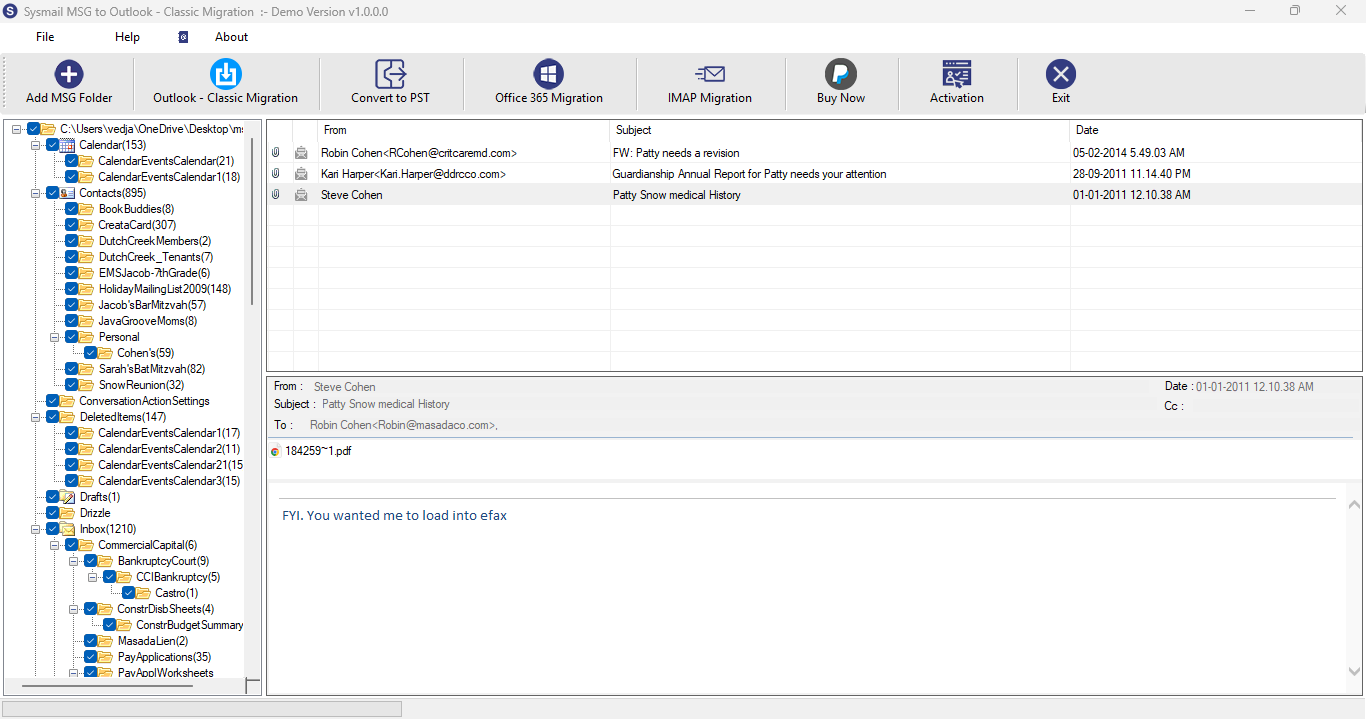
Step-2
View emails data
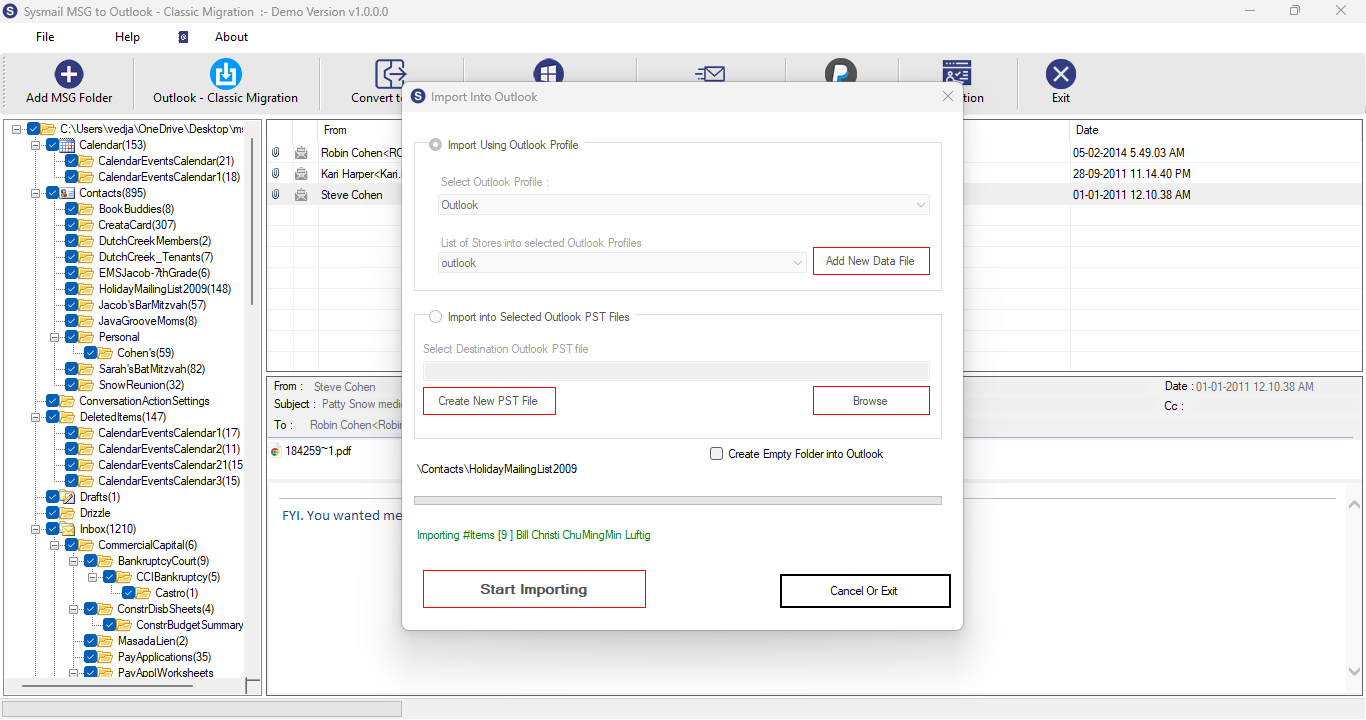
Step-3
Select Export Options
What Our Client Say
"We were easily able to migrate an entire set of MSG files into our Outlook inbox with the help of the software without encountering any big problems. The batch functionality came in really handy for this."

Niamah Hower
Founder"Very user-friendly tool and the preview tool made it very easy to view the MSG files."

Alivin Corondo
Designer"Very user-friendly tool and the preview tool made it very easy to view the MSG files."

Steph Kruse
FounderFrequently Asked Questions