SysMail VCF to O365 Converter
The SysMails CSV to O365 Migration Software is an efficient and accurate application with the ability to migrate data from CSV and Excel files into Office 365 mailboxes with zero data loss. The CSV to O365 converter software has the functionality to browse and import CSV or Excel files and migrate the data into the Microsoft 365 environment with all the internal properties retained. This sophisticated software has the ability to migrate data into various platforms like Live Exchange Server, the existing Outlook profile, the newly created PST, the Microsoft 365 environment, and the Office 365 mailboxes.
- Correctly translates CSV and Excel credentials into Office 365 accounts while maintaining all data.
- Permits the direct importation of CSV and Excel data to the Exchange Online.
- Supports migration to existing Microsoft Outlook profiles as well as new PST files.
- It is best tool for CSV to O365 conversion with all data integrity.
- Eliminates duplicate contacts based on email addresses.
- Allows for the migration of empty email addresses.
- Provides full view of items in the CSV and Excel files for migration.
- Allows saving the converted data at a user-defined path.
- Totally compatible with all Windows releases up until Windows 10.
- Supports all versions of MS Excel, Microsoft Outlook, as well as Live Exchange Server.
CSV to Office 365 Accounts Conversion
CSV and Excel files' contacts and data are migrated by this SysMails CSV to O365 Migration Software efficiently to Office 365 accounts, keeping all the properties of emails and contact information intact. Fast, secure, and reliable conversion of data is offered.
Import Excel File Data to Existing Outlook Profile
Users can import data from CSV and Excel files into an existing Outlook profile or use the data to create a new PST file with the entire process being non-intrusive and safe for the data.
Excel to Outlook Field Mapping
Mapping directly from Excel to Outlook is possible and enables the user to map Excel columns to relevant Outlook fields, ensuring accurate data destination and translation to Office 365.
Multiple Export Destinations
This SysMails CSV to O365 Migration Software has the functionality to export CSV and Excel data to other systems such as the Live Exchange Server, Microsoft 365, the current Outlook profile, a new PST file, or an Office 365 account.
Remove Duplicate Contacts
The best CSV to O365 converter Software allows you to remove duplicate contacts from CSV file. Before migration occurs, there is a function to delete duplicate contact entries that have used the same email address. This will give a clean list.
Preview and Data Integrity Maintenance
The CSV to O365 converter software has a comprehensive preview of the items within the CSV and Excel files during the migration process. The software ensures the integrity of the data is intact without modifying the information.
SysMail CSV to O365 Converter: Screenshots

Step-1
Select CSV file

Step-2
View emails data
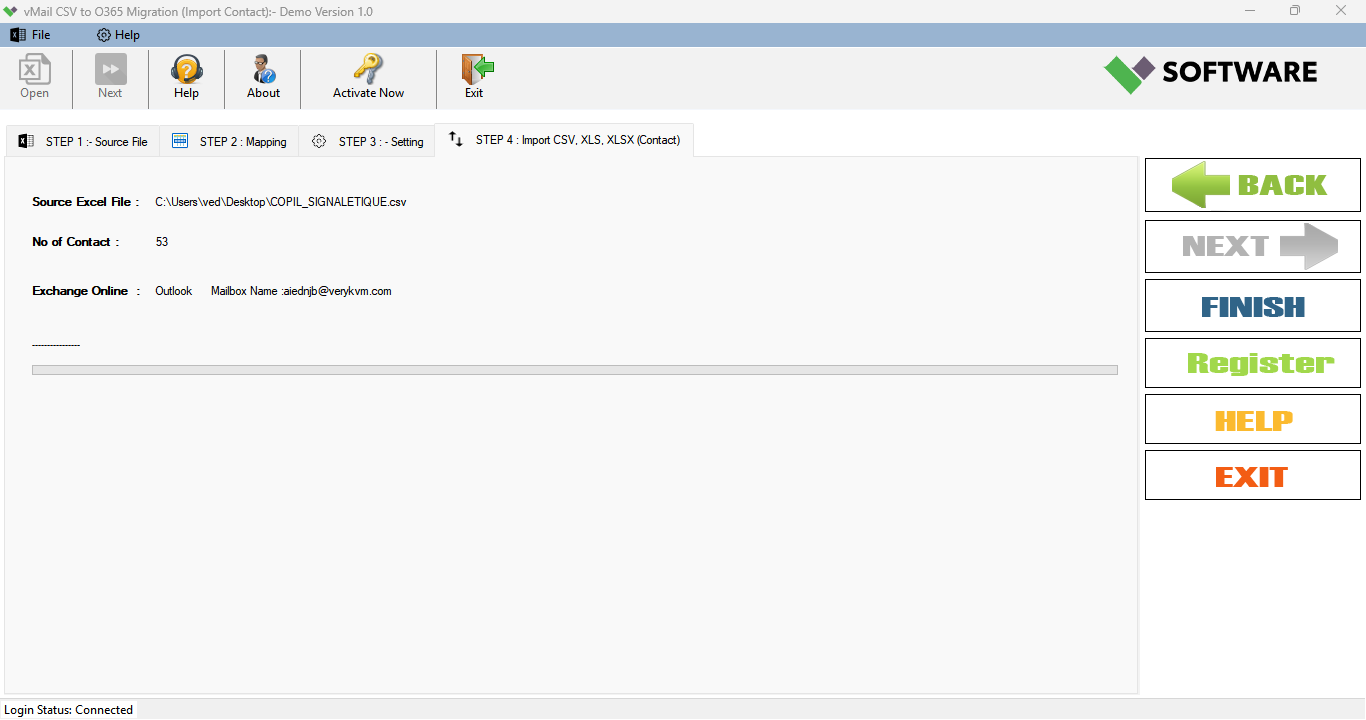
Step-3
Select Export Options
What Our Client Say
“The SysMails CSV to Office 365 Migration Tool has made the migration process of our data seamless. The software retained all the contact information and properties of the emails just the way we needed them. The duplication removal process saved us time and is very useful. Great software to work with, especially when migrating to the enterprise version of Office 365.”

Niamah Hower
Founder“We successfully exported thousands of contacts from Excel to Office 365 without losing any data. The column mapping feature with the preview facility helped us export the correct data. I would recommend this product for migrating CSV/Excel files, which provides the best solution.”

Alivin Corondo
Designer“The CSV to office 365 converter software is straightforward and very powerful. The importation of the CSV files into an existing Outlook profile was seamless. The software has a very intuitive interface and excellent performance, even with larger files.”

Steph Kruse
FounderFrequently Asked Questions