- Home
- EML to MBOX Converter
- Overview
SysMail EML to MBOX Converter
A professional application, SysMails EML to MBOX Converter Software is helpful for all the users who want to Convert the data from EML Files to MBOX format with their all-emails attachments supports. Software works safely Export EML/EMLX files into MBOX format without data loss. EML to MBOX Migration Software supports bulk and selective migration from EML file with maintains emails formatting, properties and attributes. Software works with all major EML based emails clients and doesn’t need of any email client application. It supports both Mac and Windows OS for doing conversion data from EML File to MBOX file without data loss.
- It converts and Migrate EML/ EMLX to MBOX file with all emails and their attachments.
- Software supports multiple EML Files and folders to MBOX format Migration.
- Software allows you choose files and folders to Export EML File to MBOX format.
- During Convert EML to MBOX, it maintains emails formatting and folder’s structure.
- Allows Convert emails from different EML mail clients such as- windows, windows liv email, outlook express and etc.
- Installation of Email Client Not Required for perform EML to MBOX Migration.
- Preserves the "Read/Unread" status and original Date Stamp.
- Converted MBOX Files can be easily imported on Thunderbird, Mac Mail, PocoMail, etc. MBOX Clients.
- Fully compatible with Windows and Mac operating systems.
- It previews all EML emails, contacts, calendars, task, notes before conversion.

Our Professional Services
Import and Load EML & EMLX Files
SysMails EML to MBOX Converter Software facilitates opening and processing entire folders containing EML files, including subfolders, altogether at once, which is helpful in saving processing time and effort for conversions in bulk.
Preview EML Email Before Conversion
EML to MBOX Mac Converter tool also has an in-built preview feature that you can use to preview mails before proceeding with the process. This is an important function that ensures that the content of the mails has been captured correctly. In cases where you may want a particular set of mails, you may select them.
Convert EML Emails with Attachments
SysMails EML to MBOX Converter is able to transfer all emails along with attachments without making any changes or loss of data. The EML Email to MBOX software is capable of handling the migration of emails perfectly without eliminating data.
Preserve Original Email Formatting
The SysMails EML to MBOX Converter Software preserves the original mail formatting, which involves fonts, images, hyperlinks, headers, and text positioning. Every attribute in the mail is unchanged throughout the process.
No File Size Limitation
There is no size limit for the files. Large EML and EMLX files with emails that have oversized attachments can be converted by the SysMails EML to MBOX Converter Software with great efficiency.
Windows Compatibility
SysMails EML to MBOX Conversion Tool is compatible with all major Windows versions such as Windows 11, Windows 10, Windows 8.1, Windows 8, Windows 7, Windows XP, and Windows Vista.
SysMail EML to MBOX Converter: Screenshots
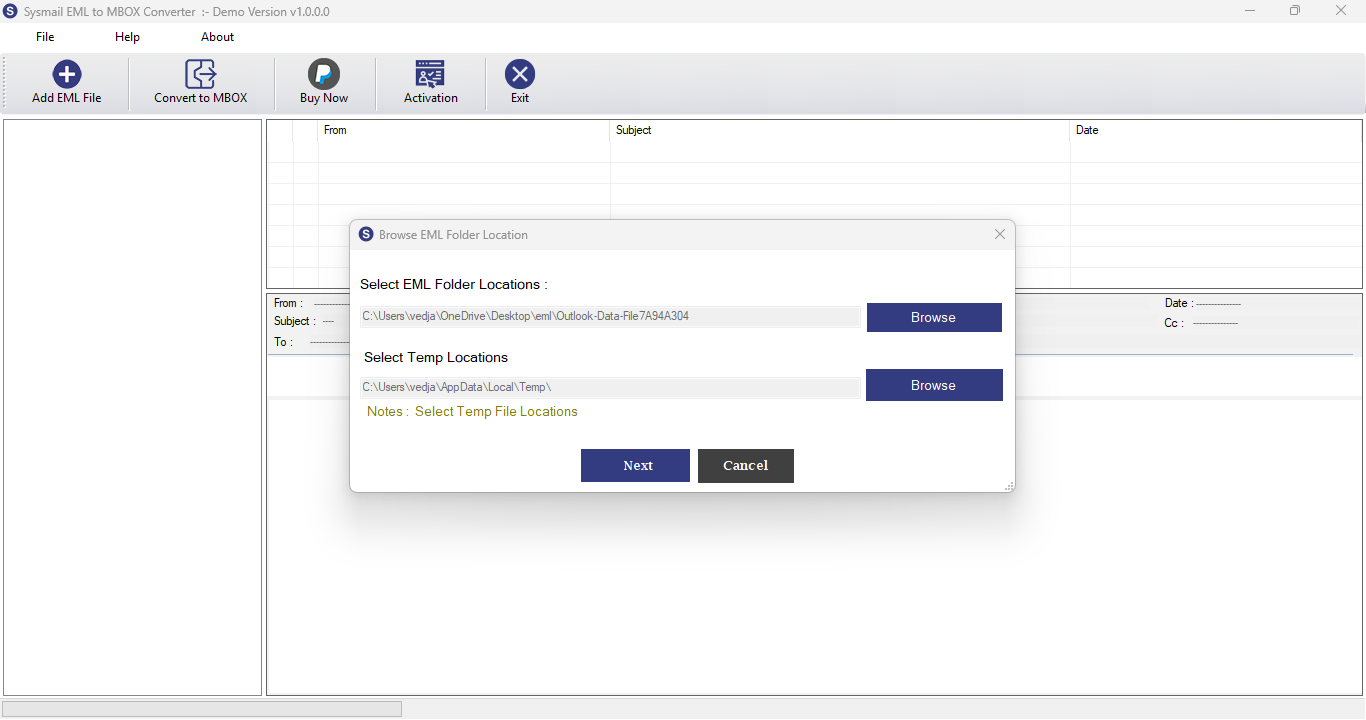
Step-1
Select damage EML file
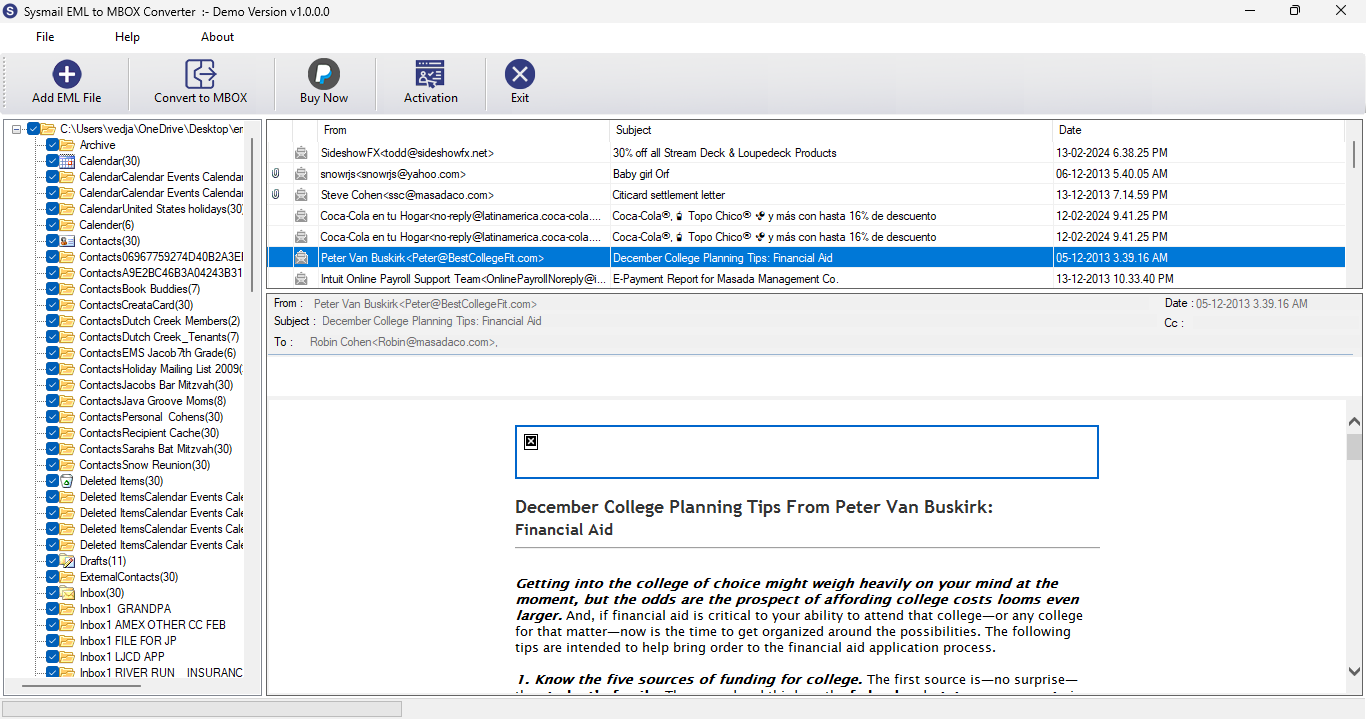
Step-2
View emails data
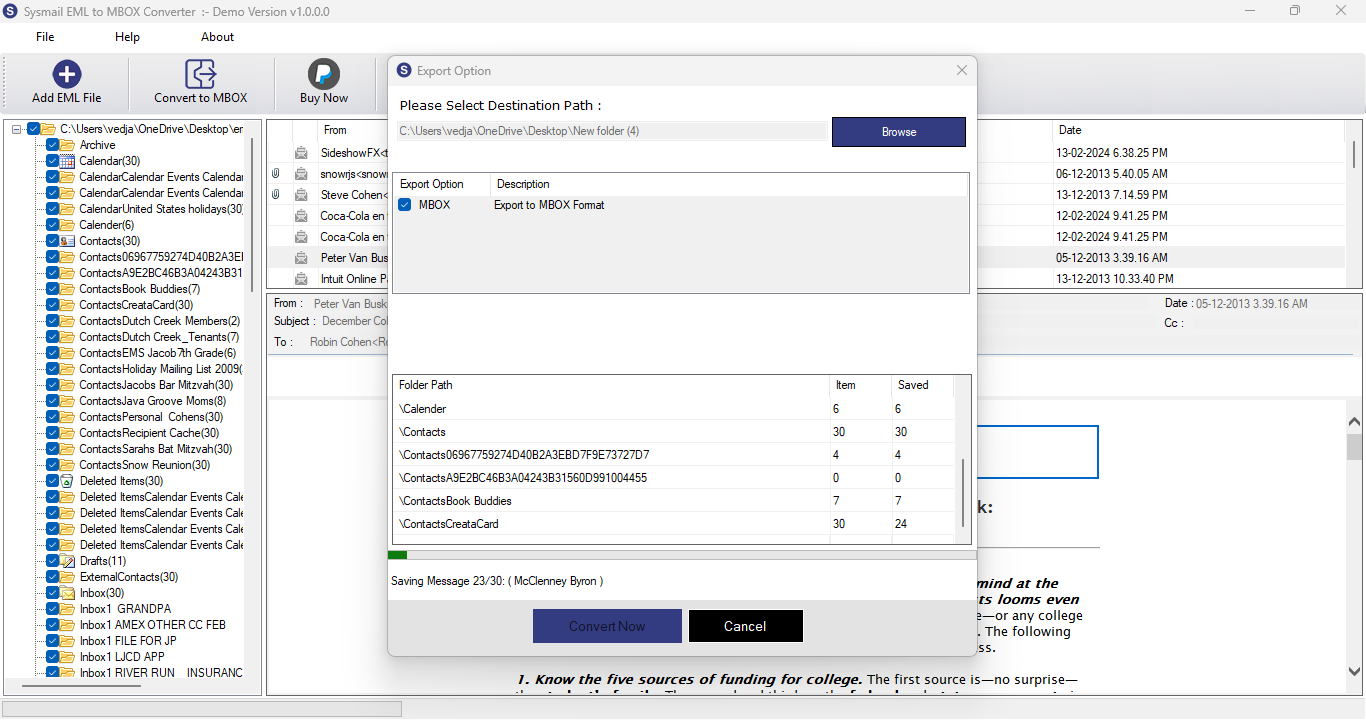
Step-3
Complete Conversion Process
What Our Client Say
“I had numerous EML files for which I wanted to convert some emails to MBOX. The software, SysMails EML to MBOX Converter, is excellent and exceeded my expectations.”

Niamah Hower
Founder“I had tried a few solutions, but I was really impressed with SysMails EML to MBOX Converter because it converted EML to MBOX efficiently with zero data loss.”

Alivin Corondo
Designer“I have tried the demo version, and since it was performing quite well, I bought the full version. The process of converting 1,000 EML files was very smooth for me.”

Steph Kruse
FounderFrequently Asked Questions