Sysmail NSF to IMAP Migration
SysMails NSF to IMAP Migration Software is a user centric program that easily works to Migrate Emails from lotus notes NSF Files into IMAP Server accounts. This professional utility lets migrating mailboxes/emails without limitations on the size and number of mailboxes. NSF to IMAP Converter Software supports users to Migrate and Export lotus notes NSF Files to IMAP and Gmail Server Accounts. It smoothly performs to Import data from NSF Files into PST, EML, MSG and MBPOX with emails, calendars, journals, inbox items and etc.
- It easily recovers data from NSF File and Migrate selective single and multiple NSF File to IMAP Server accounts.
- Displays preview of all lotus NSF Files emails, calendars, task, notes and other items.
- Software preserve the entire data structure during lotus notes NSF Files to IMAP Migration and Conversion.
- It allows users to Migrate and transfer NSF File to IMAP/ Gmail and Live Exchange Server.
- Software let users to add their any size of NSF File to Migrate into IMAP Server accounts.
- For using the software, there is need to install Lotus notes application.
- Allows users to Migrate lotus notes to IMAP, PST, MSG, EML and MBOX format without problem.
- It transfers NSF File to IMAP (Gmail/Gsuite, Zoho Mail, Yahoo! Mail, Yandex ) other webmail IMAP Accounts migration.
- Compatible with lotus notes versions such as- 6.0, 6.5, 7.0, 8.0.2, 8.5, 9.0, 9.0.1, 10.0.1, 11 & 12.

NSF to IMAP Migration Made Simple
SysMails NSF to IMAP Migration Software allowing users transferring their emails from Lotus Notes NSF files to IMAP-compatible email accounts, including Gmail, fast and hassle-free. There is need to enter IMAP credentials, and the software automatically start migrates the emails along with attachments.
Selective Email Migration to IMAP/Gmail
Take control of your migration with the Selective Export feature of the best Lotus notes NSF to PST Converter Software. Choose specific folders, subfolders, or individual emails from your NSF files and migrate them to IMAP or Gmail—whether you're handling a single mailbox or multiple accounts.
Preserves Folder Structure and Email Formatting
Ensure a seamless migration experience. The Lotus NSF to PST Converter tool is 100% safe tool that effortlessly upholds the original folder hierarchy, email metadata, formatting, and attachments, guaranteeing data integrity throughout the migration process.
No File Size Limitation- Convert NSF to IMAP
With downloading the best NSF to IMAP Converter Software, you can effortlessly recover data from NSF File and also migrate NSF files to IMAP—no file size limitations. The tool ensures that all data, including emails and attachments, are transferred accurately without any loss or corruption.
Migrate from HCL Notes to IMAP or Gmail
The NSF to IMAP Converter Software allows users recover all database with preserve data from NSF File and Migrate one or more HCL Notes (Lotus Notes) NSF files to popular platforms like Gmail, Office 365, Live Exchange Server, or any IMAP-based service. The software ensures a smooth and efficient transfer.
Export to Multiple File Formats
The NSF to IMAP Conversion Software allows users to convert lotus notes NSF File into PST, EML, MSG, Gmail/ G-suite accounts, Live Exchange Server, IMAP and MBOX format without loss data in less time.
SysMail NSF to IMAP Migration: Screenshots
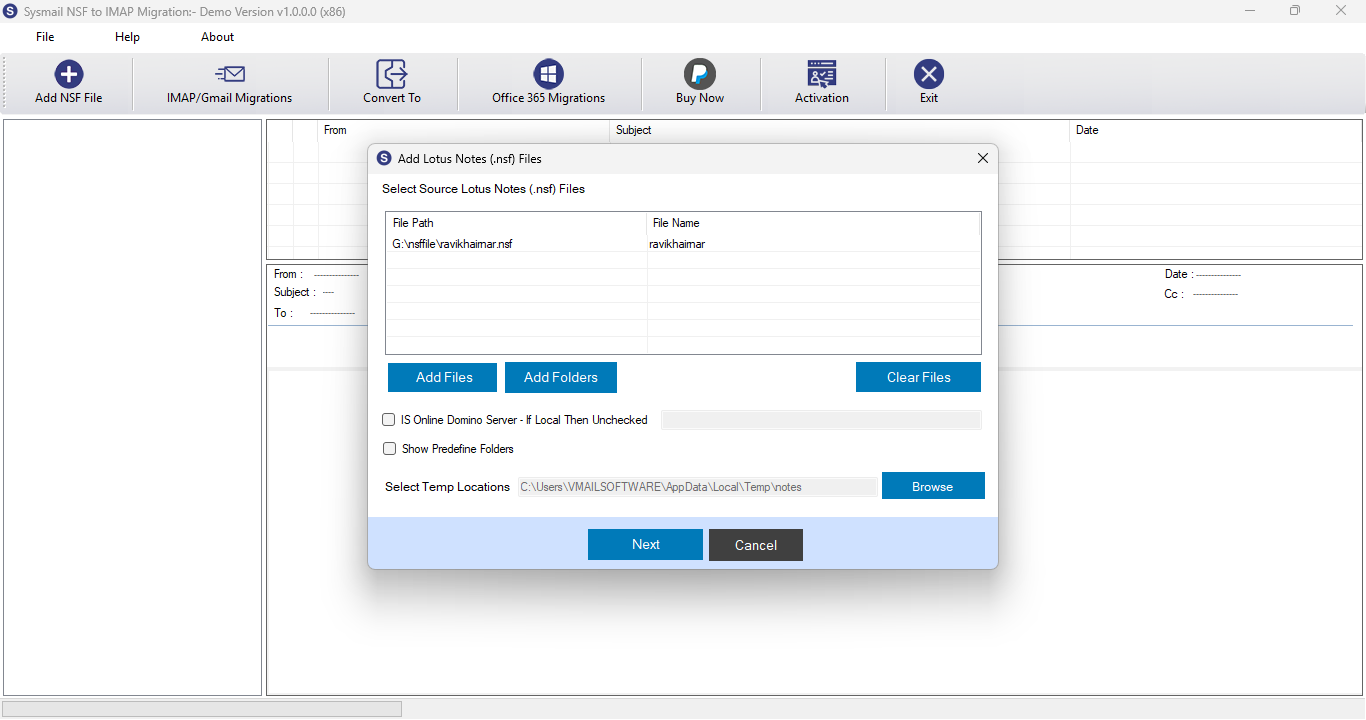
Step-1
Select Lotus Notes NSF file
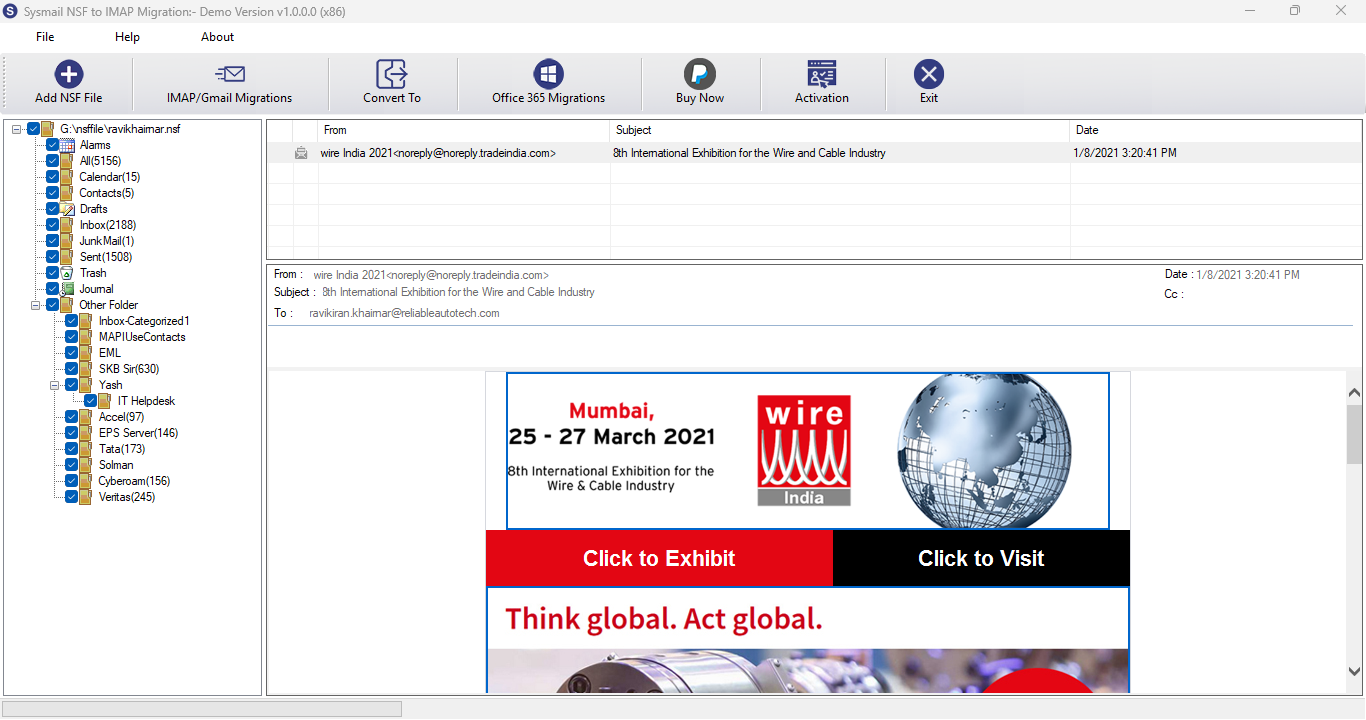
Step-2
View emails data
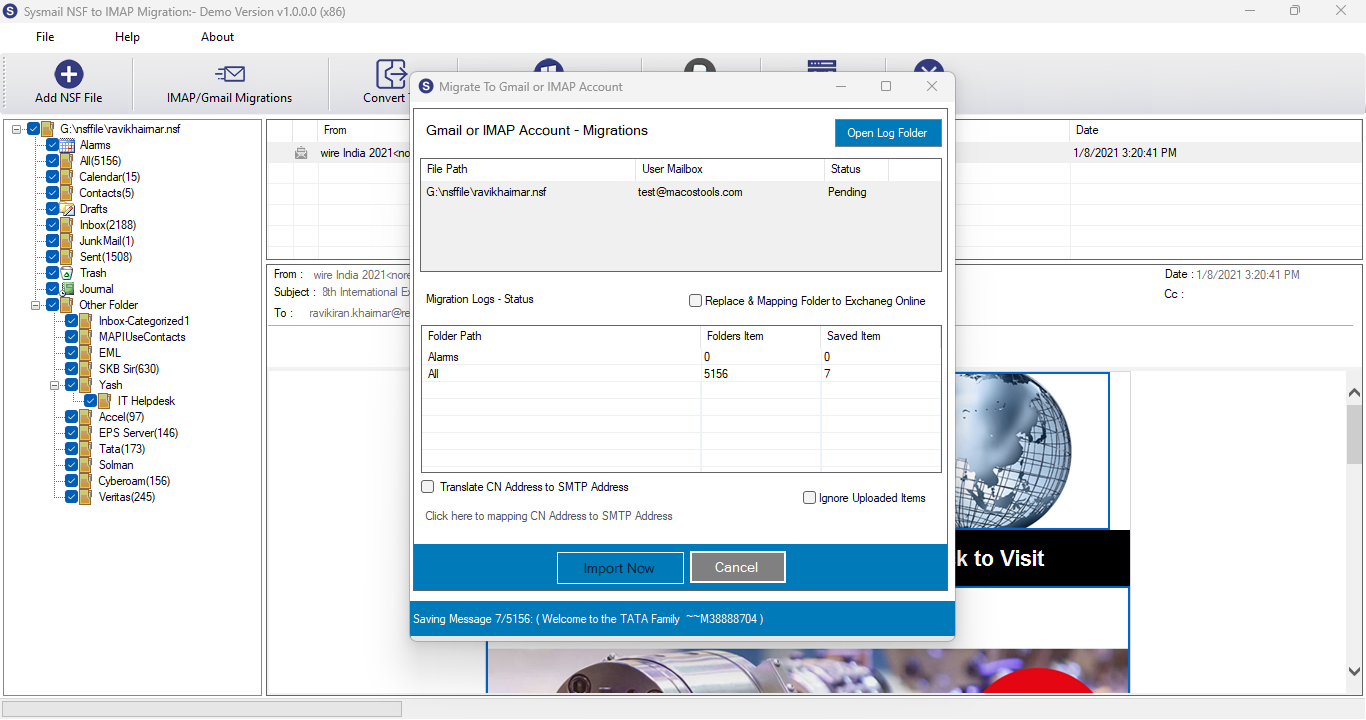
Step-3
Select Export Options
What Our Client Say
"I loved the selective migration feature. It saved us time and helped us move only the necessary folders to IMAP."

Niamah Hower
Founder"This lotus notes NSF to IMAP Migration tool made our Lotus Notes to Gmail migration effortless. We migrated thousands of emails without a single issue."

Alivin Corondo
Designer"I was worried about data loss, but the SysMails NSF to IMAP Converter tool preserved everything—including attachments. Very impressed!"

Steph Kruse
FounderFrequently Asked Questions