SysMail MBOX to O365 Migration
SysMail MBOX to O365 Migration Software
SysMails MBOX to office 365 Migration Utility is a very easy-to-use utility which enables users to migrate MBOX data into Microsoft Office 365. This utility facilitates users in migrating single as well as multiple MBOX files and migration of emails without modifying their original folder hierarchy. Tool enables users to easily Migrate MBOX to O365 from various email clients and MBOX file sources. This tool facilitates bulk and selective migration options, date-based filtering, mailbox mapping, and folder selection.
- Convert MBOX to office 365 for individual or multiple users.
- Bulk migration of MBOX to Office 365 mailboxes.
- Users can import MBOX to office 365 and keep folder structure intact.
- Option of selective migration to import only required emails and folders.
- Email folders and subfolders migration.
- Preview option to review email data in MBOX files prior to migration.
- Import individual MBOX files and folders having MBOX files.
- MBOX files imported from various email clients and email sources.
- Option to Convert MBOX to office 365 easily.
- Option of mailbox mapping to link MBOX data to required office 365 mailbox.
- Incremental migration to migrate only new or unexported data and avoid duplication.
- Option to save MBOX email data in various other file formats like PST, EML, MSG, PDF, HTML, ICS, and VCF.
Bulk MBOX to Office 365 Migration
SysMails MBOX to office 365 Migration enables users to migrate more than one MBOX files to Office 365 simultaneously. Users can import more than one file or an entire folder and migrate emails at once without migrating files individually.
Selective MBOX Migration
Users can migrate only selected MBOX emails or folders in the software itself. Users get a convenient way to transfer MBOX to Office 365 without migrating irrelevant data.
Preserve Folder Structure and Email Details
The SysMails MBOX to Office 365 Migration tool preserves the folder and subfolder hierarchy while migrating from MBOX format to Office 365 format. Important email properties and attachments are retained during the process.
Date-Based Email Filtering
The MBOX to Office 365 Migration software enables the user to use date filter facility for migrating emails of the chosen time period. User has the facility to choose start and end dates as per their requirements and migrate only the emails of those particular dates.
Preview MBOX Data Before Migration
SysMails enables the users to preview MBOX emails, folders, and other available data prior to the migration process. User can view and select the required data before converting MBOX to office 365.
Incremental MBOX Migration
Incremental migration enables users to migrate only those emails which have not been migrated before. This helps prevent duplication and makes it easier to migrate in case of large MBOX files.
SysMail MBOX to O365 Migration: Screenshots

Step-1
Select MBOX file

Step-2
View emails data
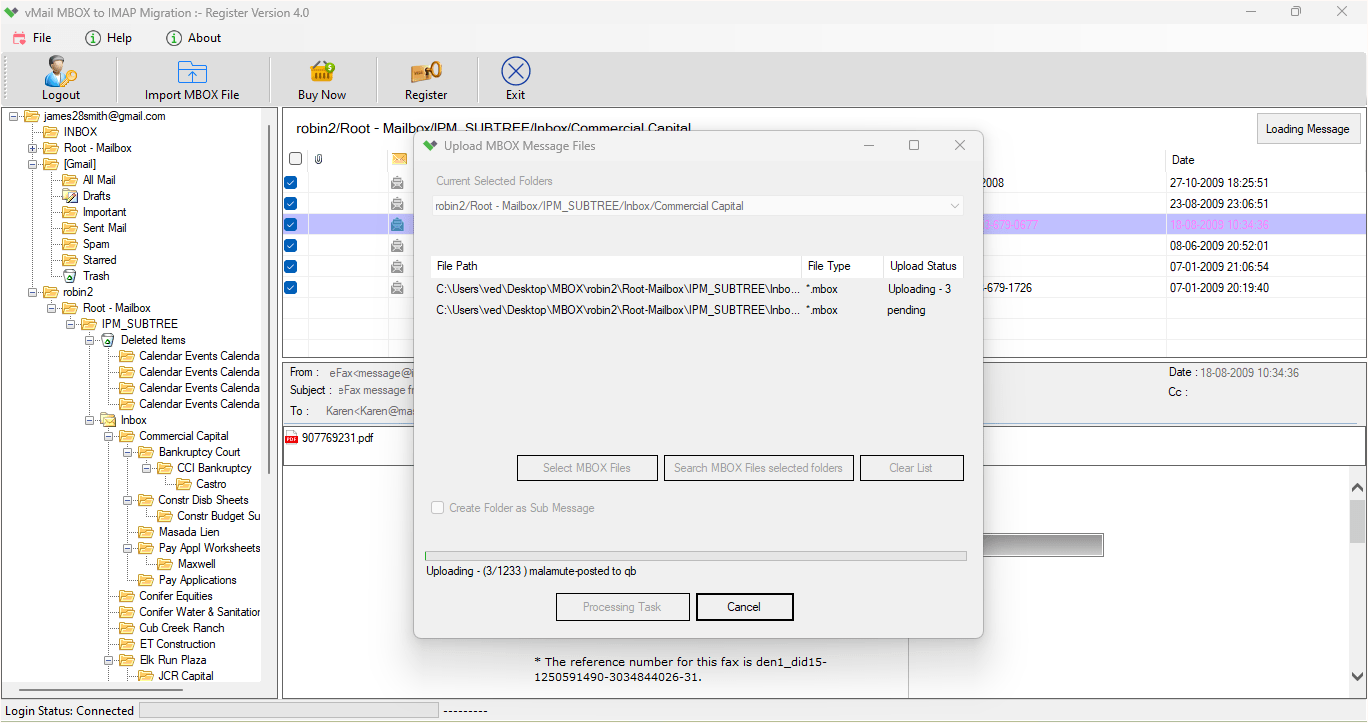
Step-3
Select Export Options
What Our Client Say
"SysMails has made it easy for us to Migrate MBOX to O365. We added all the MBOX files that we needed and transferred the selected emails to Office 365."

Niamah Hower
Founder"The selective migration and the date range filter came as a great feature of email migration. We could pick only the emails that we wanted without migrating the whole MBOX data."

Alivin Corondo
Designer"It is an easy-to-use tool and helped us MBOX to Office 365 Converter."

Steph Kruse
FounderFrequently Asked Questions