Sysmail NSF to O365 Migration
SysMail NSF to O365 Migration Software directly Migrate IBM Lotus Notes NSF Files to Office 365 precisely. The software is made with advanced features to recover data from NSF File and Migrate lotus notes files to Office 365 along with emails, contacts, calendars, journals, notes and many more etc. You can allow you add single and multiple lotus notes NSF Files and Convert NSF to O365, EML, PST, MSG, Gmail/ G-suite, Live Exchange Server and MBOX format without make changes.
- It helps you migrates from Lotus Notes to Office 365 mailboxes with all items
- It supports Export NSF emails, contacts, journals, notes, inbox items, inbox items & calendars from single or multiple NSF to Office 365
- Software Requires Lotus Notes 9.0.1 or above installed on your machine
- The NSF to O365 Migration Software supports Lotus Notes 10.0, 9.0.1, 9.0, 8.5, 8.0, 7,0, 6.5 & 6.0 are supported
- Software supports NSF to Office 365 Migration using App Approval with EWS Full Access and Microsoft's Multi-Factor Authentication (MFA).
- Let you Convert data from NSF File to EML, Live Exchange Server, Office 365, Outlook PST, MSG, MBOX and Gmail/ G-suite format.
- Software previews lotus notes NSF file emails, contacts, inbox items, calendars, journals and other items before NSF to O365 Migration.
- Lotus notes to Office 365 Converter Software supports Export NSF/HCL to O365 & Live Exchange Server.
- Software will support all size of lotus notes NSF file and Export them into multiple format.
- Software maintains all folders, sub-folders and emails properties- to, bcc, time, subjects and from during migration.

Migrate Multiple IBM Notes Accounts with Ease
SysMail NSF to O365 Migration Software makes simplifies the migration of IBM Domino Server or Lotus Notes NSF Files to Office 365—even when handling multiple user accounts under a single domain. You can select and Export any mailbox to the corresponding O365 accounts within the same domain structure.
Filter Emails Before Migration
NSF to Office 365 Converter Software is one of the powerful applications that easily Migrate only required emails and mailboxes items. With advanced emails filtering option of SysMail NSF to O365 Migration Software, you can define a custom date range using “From” and “To” parameters to migrate emails from specific time period.
Complete IBM Notes Mailbox Conversion
SysMail NSF to Office 365 Migration Software supports bulk migration of Domino Server mailboxes and individual NSF files. The software precisely Migrate lotus notes files to office 365 with emails, contacts, calendars, and other mailbox items, ensuring proper user mapping for seamless integration.
Maintains 100% Data Integrity
Engineered with advanced algorithms, SysMail NSF to O365 Converter Software preserves all metadata, folder structures, and properties throughout the migration process. Whether you're migrating one user or an entire organization, your data stays intact—free from corruption or loss.
Multiple Export Options Available
Beyond Office 365, SysMail NSF to O365 Migration Software lets you export NSF files to several popular formats and platforms, including: Outlook PST, MSG, EML, MBOX, Live Exchange Server, Gmail / Google Workspace (G-Suite). This flexibility supports diverse migration and backup needs.
24/7 Technical Support & Regular Updates
Gain peace of mind with 24/7 expert support included with SysMail Lotus notes NSF to PST Converter Software. Plus, stay current with regular software updates that deliver new features, performance improvements, and compatibility enhancements.
SysMail NSF to O365 Migration: Screenshots
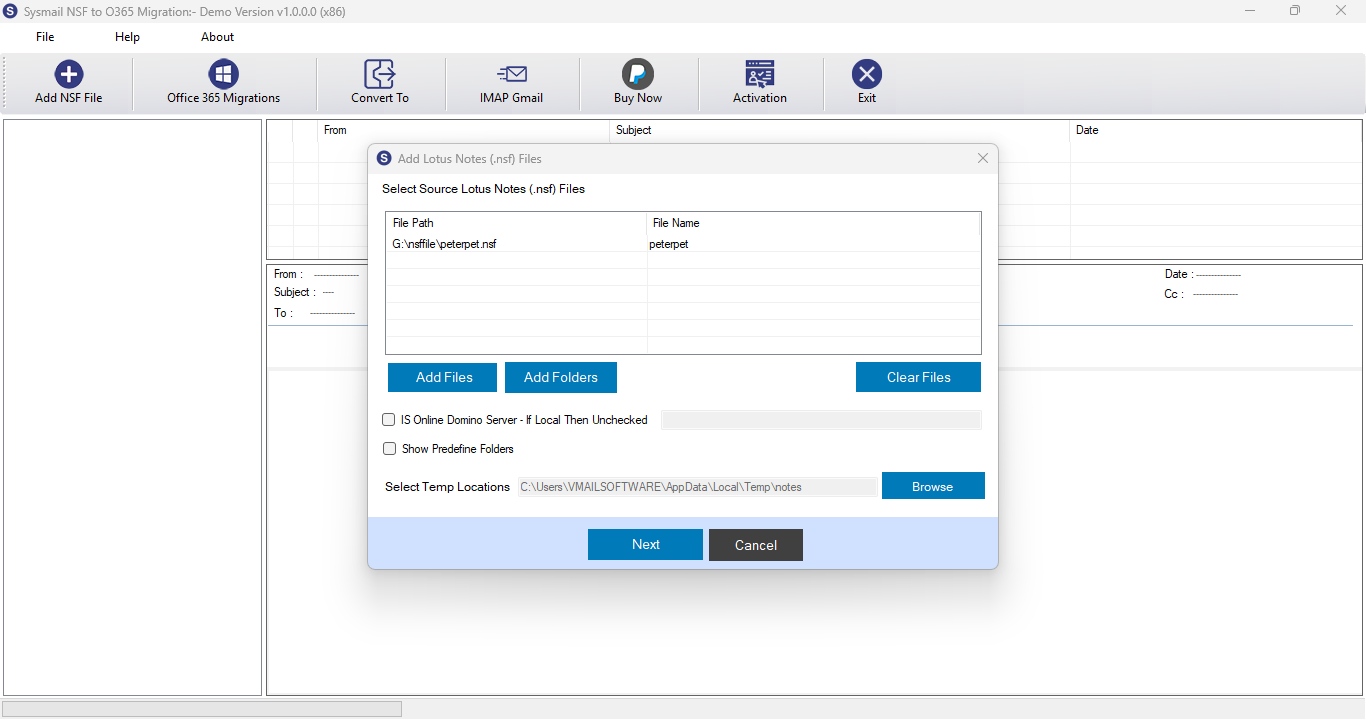
Step-1
Select Lotus Notes NSF file
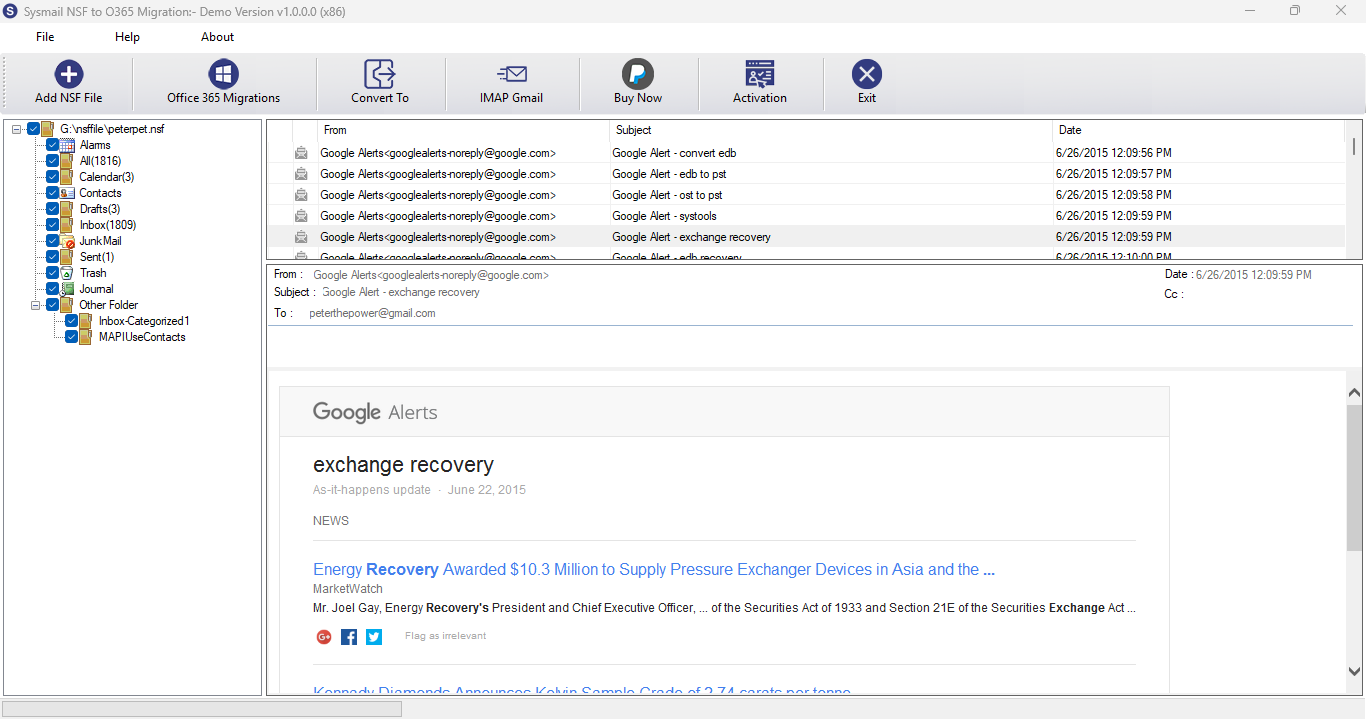
Step-2
View emails data
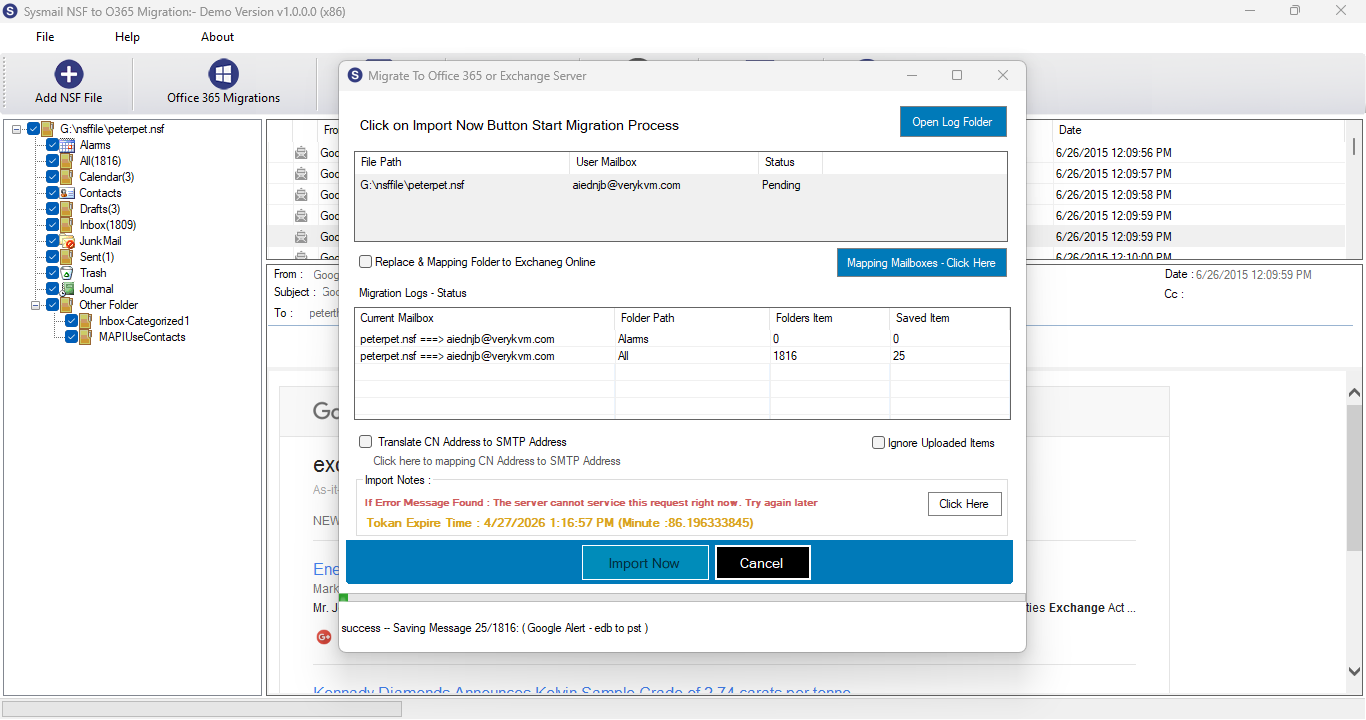
Step-3
Select Export Options
What Our Client Say
"We migrated over 1500 NSF mailboxes to Office 365 with SysMail NSF to O365 Migration Software. The process was seamless and our data integrity was completely preserved"

Niamah Hower
Founder"This SysMail NSF to Office 365 Conversion software not only migrated NSF to O365 but also gave us options to export into PST and Gmail. A true multi-platform solution."

Alivin Corondo
Designer"Even as a non-technical user, I could perform the migration effortlessly. The interface is intuitive and easy to follow."

Steph Kruse
FounderFrequently Asked Questions