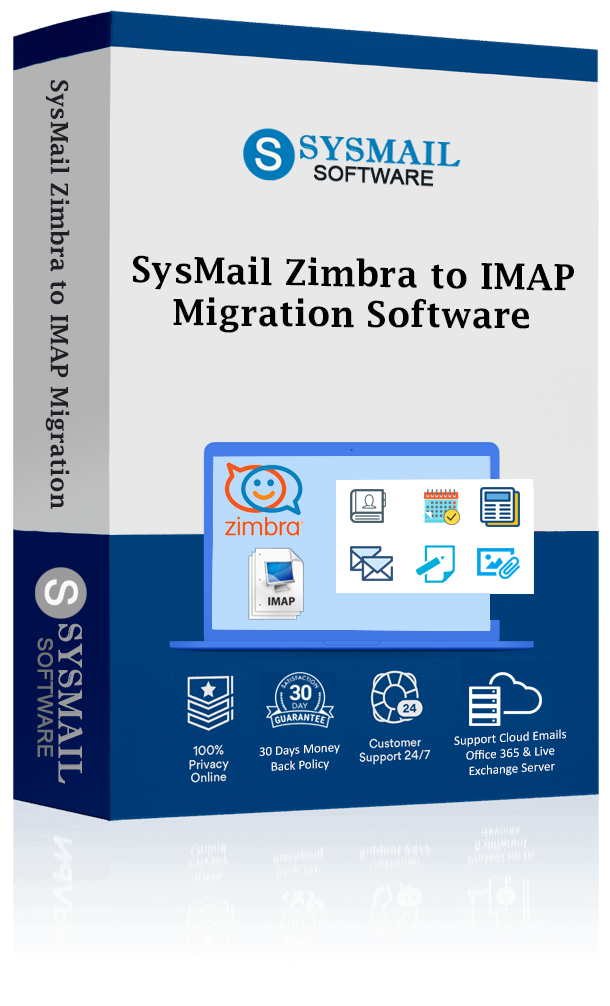
SysMail Zimbra to IMAP Migration
The SysMail Zimbra to IMAP Migration software is a consistent and sophisticated tool designed to migrate Zimbra mailbox data directly into Gmail and all other email clients. The software allows users to migrate a selection of emails and/or multiple emails from the Zimbra mailbox to the desired email client. It is a powerful tool used to migrate data to Gmail IMAP, G Suite (Google Workspace), Mozilla Thunderbird, Office 365, Exchange Server, GoDaddy, Yahoo Mail, IBM Lotus Notes, PST, MBOX, Google Drive, etc. The software provides safe and smooth conversion of Zimbra data into PST and other file formats.
- Easily recovers data from Zimbra files and allows transferring the data to Gmail accounts.
- Permits the addition of many Zimbra files/folders, such as emails with attachments.
- Migrates Zimbra Contacts and Calendars to Gmail in ICS, CSV, and vCard Formats.
- Offers an advanced Date Filter option to export emails based on a specific range of “From” and “To” dates.
- Provides direct export of Zimbra data to Gmail, IMAP, G Suite, and Google Workspace accounts.
- Provides an end-to-end preview of Zimbra mailbox data prior to commencing the migration process.
- Supports Zimbra emails export to Office 365 and Live Exchange Server.
- Migrates emails, contacts, calendars, tasks, notes, among other mailbox components.
- Enables selective migration of particular Zimbra items according to the needs of users.
- Exports files of various formats such as PST, MBOX, EML, MSG, PDF, NSF, ICS, CSV, and vCard from Zimbra emails.
- Facilitates breaking up large PST files based on their size.
- No file size constraint during Zimbra data migration.
- Can be used in conjunction with all existing versions of Zimbra files, both current and future, as it is designed.

Directly Export Zimbra to Gmail Accounts
Zimbra to IMAP Migration Software helps you smoothly recover data from Zimbra file and Import TGZ files to Gmail directly. Just fill all Gmail ID and password for doing migration.
Preserve Original Folder Structure
The zimbra to Gmail converter software preserves the folder hierarchy of the source during the migration process, keeping intact the structure of the mailbox, even after the migration of emails from Zimbra to Gmail.
Bulk Import Zimbra to Gmail
The process can be further simplified and time-saving by migrating several TGZ files at once, as the tool allows the user to do so through batch migration, and the user can effortlessly migrate all the emails from Zimbra to Gmail at once.
Migrate Calendar & Contacts
The SysMail Zimbra to IMAP Migration Software ensures the transfer of the entire data by accurately migrating emails, contact lists, calendars, etc., from the Zimbra account to the Gmail account.
Transfer Selective Data with Date Filter
SysMail Zimbra to IMAP Migration Software gives date filtering option by which you can select the dates “from date” to “to date” to Convert Zimbra to Gmail Server accounts. It helps to Export only required mailboxes and emails from Zimbra file along with preview facility.
Multiple Format Conversion
Other than Gmail migration, the Zimbra to Gmail converter Software allows users to export the data from Zimbra into different file formats such as PST, MBOX, EML, MSG, PDF, NSF, ICS, CSV, and vCard while maintaining the original properties of the data.
SysMail Zimbra to IMAP Migration: Screenshots
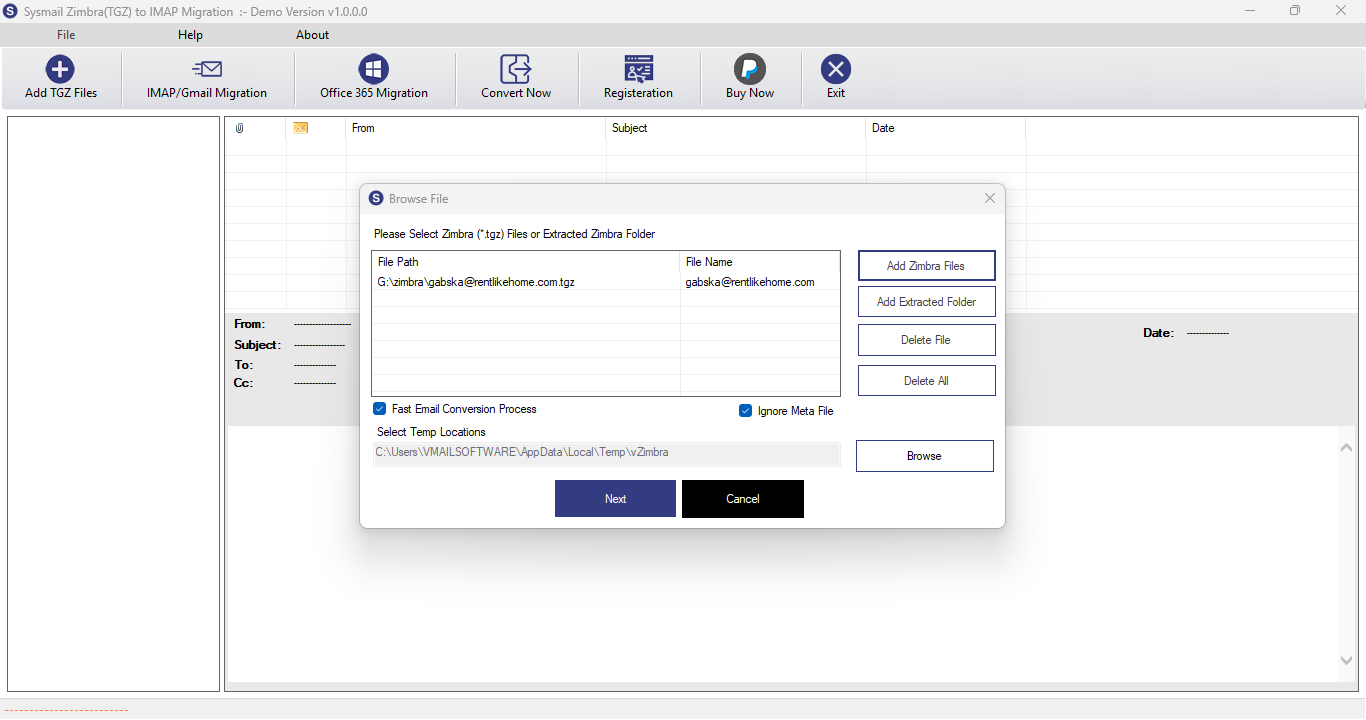
Step-1
Select Zimbra file
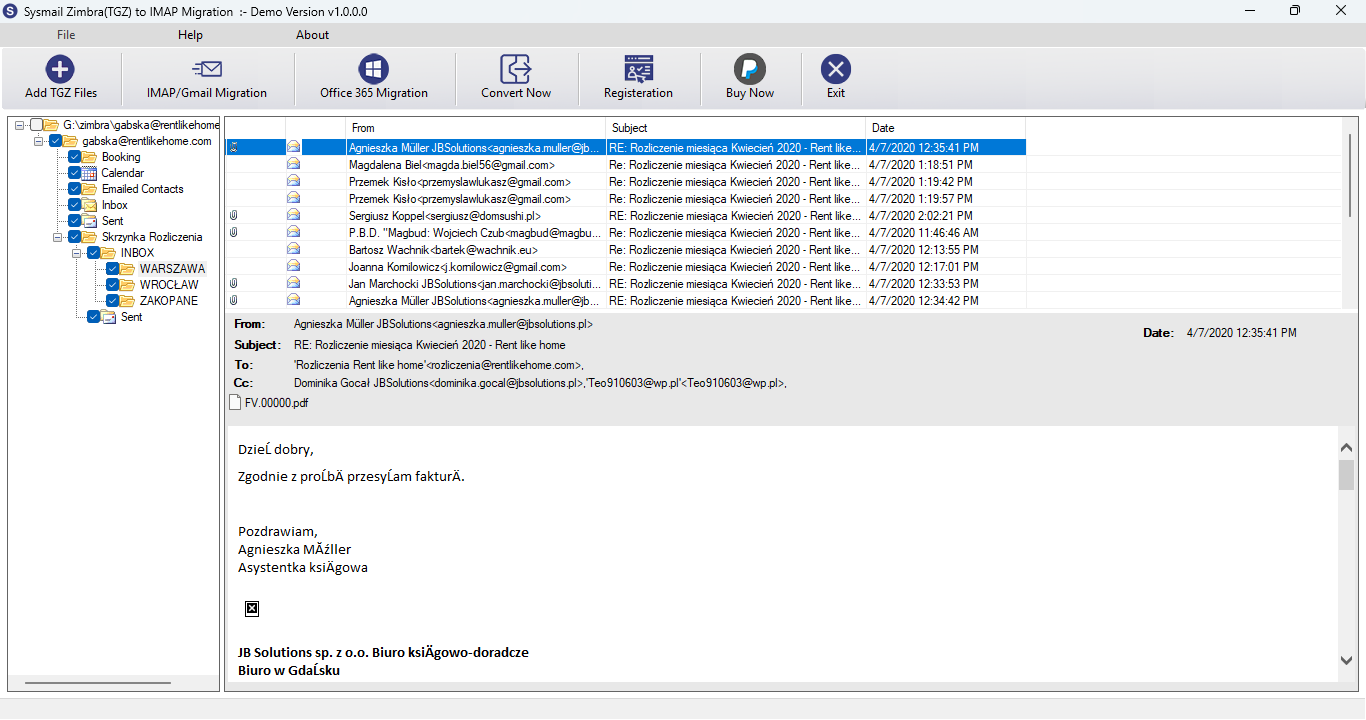
Step-2
View emails data
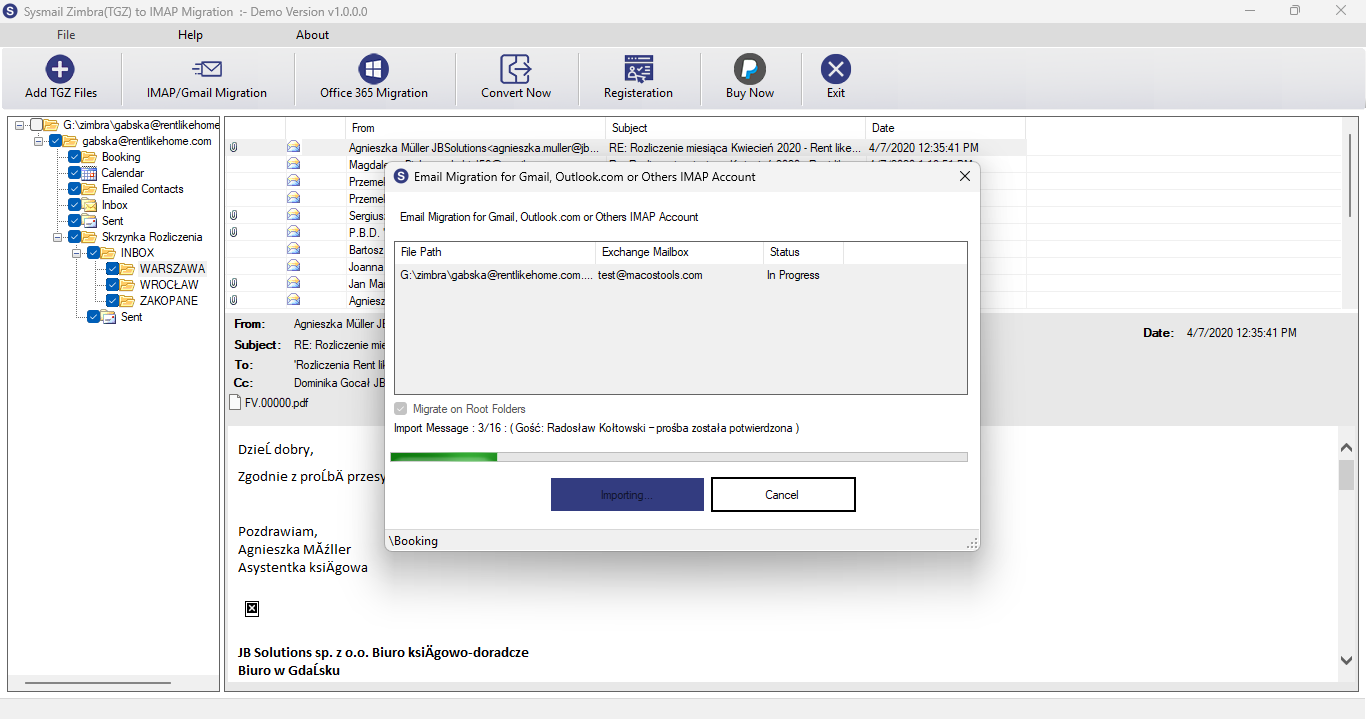
Step-3
Select Export Options
What Our Client Say
"SysMail Zimbra to IMAP Migration Software made the migration process so easy and effective. It maintained my folder hierarchy and performed bulk migration efficiently.

Niamah Hower
Founder“I was able to import my Zimbra mailbox to Google Workspace without any loss of data. The Date Filter feature made it possible to do the migration of only the needed emails."

Alivin Corondo
Designer"This tool successfully transferred all my Zimbra emails, contacts, and calendars to Gmail without any complications. It is friendly and very reliable."

Steph Kruse
FounderFrequently Asked Questions