Sysmail PST to IMAP Migration
Migrate Single and multiple Mailboxes from PST File into IMAP Server accounts with using the best SysMail PST to IMAP Migration Software. It helps you to transfer PST Files to IMAP and Gmail accounts with preserve all folders, sub-folders structure, emails formatting and properties- to, bcc, cc, time, subjects and from etc. Outlook PST to IMAP Migration Tool allows users Move Outlook email data to the IMAP Server along with emails and attachments.
- It gives multiple option for choosing the outlook PST data to Import data into IMAP Server and Gmail accounts.
- Software doesn’t require an Outlook installation to Export Outlook PST data to IMAP Server without data loss.
- It allows users recover the data from PST File and Migrate PST to IMAP Server without data loss.
- Before migration, it previews Outlook PST emails, calendars, contacts, journals, notes, inbox items, outbox items etc.
- It supported corrupted, damaged, password protected PST File for converting data into IMAP and Gmail Server accounts.
- Software folders structure, emails formatting and properties during PST to IMAP Migration.
- Software let users copy their PST Files to the correct folder into their IMAP Accounts.
- Migrate bulk and selective outlook PST Files to your IMAP and Gmail accounts all at once for best conversion.
- It supports all MS Outlook versions included 2021, 2019, 2016, 2013, 2010, 2007 and below versions.
- Software doesn’t save IMAP credentials during process to Import PST to IMAP and Gmail accounts.

Detailed Preview of Migration
SysMails PST to IMAP Migration Software gives you clear view of the conversion process. You can smoothly check the status of all mailbox and confirm that all selected data has been completely converted and migrated. It also shows real-time process of each mailbox being migrated one by one.
Compatible with Different IMAP Servers
Software supports conversion between many IMAP-based email services like Outlook, Gmail, Yahoo, AOL, Zoho, and others. With its smart features, you can Migrate your emails, contacts, calendars, task and other data from one IMAP server to another without any hassle.
Bulk Migration of Mailboxes
The SysMails Outlook PST to IMAP Conversion Software allows you to recover all data of PST File and migrate multiple mailboxes at once. It Export all PST emails, attachments, contacts, and other data into IMAP account with preserve data.
Selective Migration from PST to IMAP Account
If you have Export Outlook PST Files or folders, this best PST to IMAP Migration Software them all together. You can also select specific folders or files for Migration as needed. Even if the PST files are in sub-folders, the software will detect and transfer them carefully. The conversion time depends on the file size.
Import PST to IMAP Server for All Outlook Versions
The SysMails Outlook PST to IMAP Migration Tool works with almost all versions of Microsoft Outlook, including 2019, 2016, 2013, 2010, and 2007. It performs works to Export PST files to an IMAP server without any file size limits. It ensures a smooth conversion experience for all Outlook users.
Maintains Email Attributes and Data Security
PST to IMAP Conversion Software ensures that no data is lost during migration. It allows you add and upload Outlook PST Files to IMAP Server with maintains emails properties such as- to, bcc, time, subjects, bcc, attachments and hyperlinks. The software maintains the complete structure and integrity of your data.
SysMail PST to IMAP Migration: Screenshots
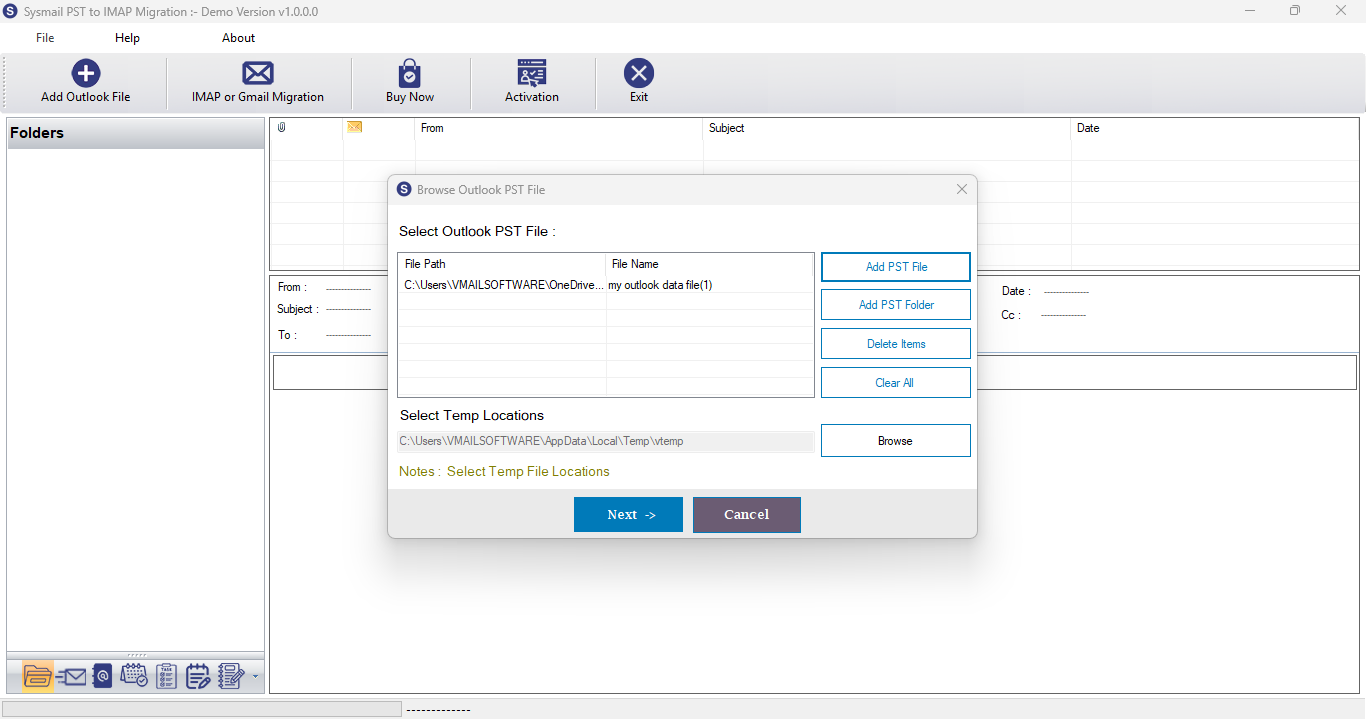
Step-1
Select Outlook PST file
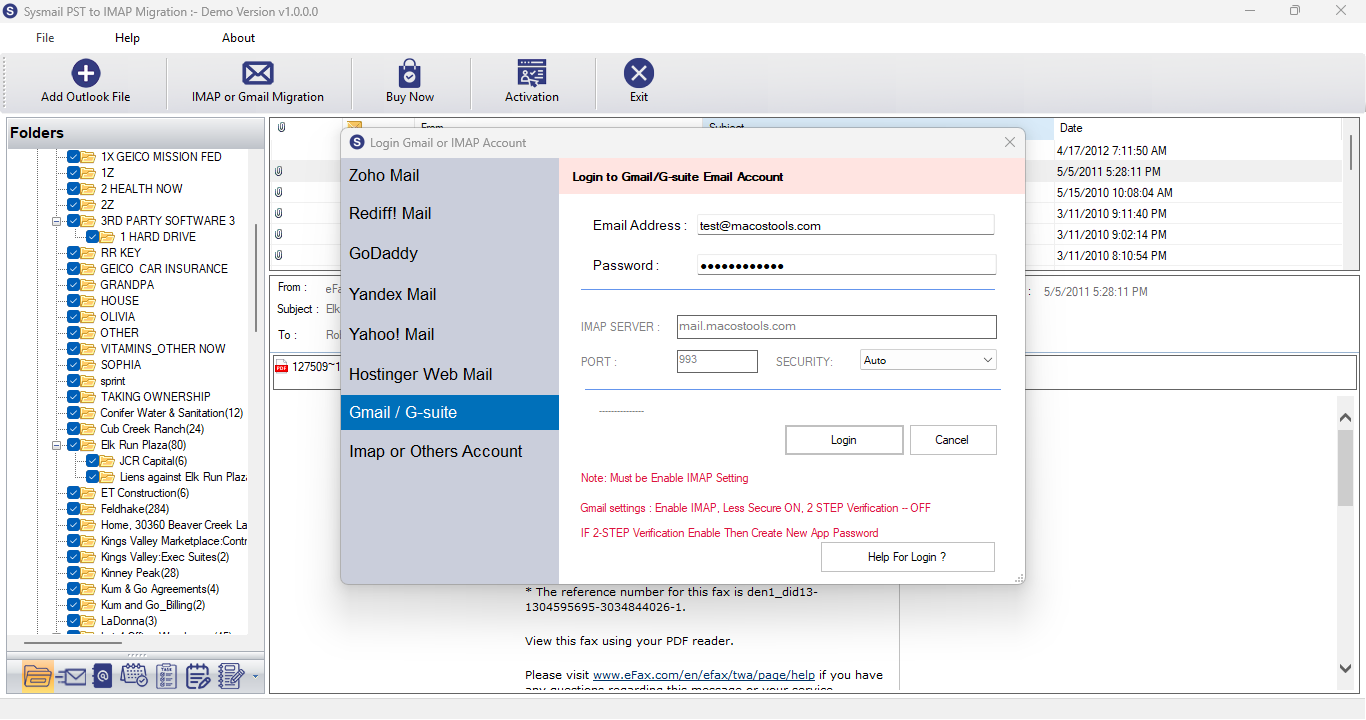
Step-2
View emails data

Step-3
Select Export Options
What Our Client Say
“I have used this SysMails PST to IMAP migration tool and it worked flawlessly for converting data from PST File to IMAP. No data loss or duplication issues. Great software!”

Niamah Hower
Founder“Modest interface and influential performance. This PST to IMAP migration software did exactly what it assured without any errors.”

Alivin Corondo
Designer“This is Very consistent tool for converting PST files to the IMAP server effortlessly. The step-by-step process was easy to follow.”

Steph Kruse
FounderFrequently Asked Questions