SysMail MSG to Office 365 Migration
If you are searching for an effective and hassle-free way to migrate MSG files to Office 365, SysMails MSG to Office 365 Migration is the perfect choice for you. SysMails MSG to Office 365 Migration can migrate emails as well as other mailbox items with ease. The software offers support to single or multiple MSG files, which include emails, attachments, contacts, calendars, tasks, and notes. You can choose desired folders, have preview of MSG data before migration, and also migrate ANSI and Unicode MSG files. This migration tool doesn’t require the installation of Microsoft Outlook and keeps all essential email properties safe. It supports MSG to Office 365 Conversion without affecting the original mailbox information.
- Import one or several MSG files into Office 365 mailboxes.
- Selective and bulk migration of MSG files to Office 365 is supported.
- ANSI and Unicode MSG files are supported.
- There is no need to have Microsoft Outlook installed for migration.
- E-mails, attachments, contacts, calendar, tasks and notes are supported.
- Migration preserves To, Cc, Bcc, Subject, Date, Time and other e-mail properties.
- Users can preview MSG emails and items of MSG mailboxes before migration.
- Unlimited migration of MSG files by size is supported.
- Office 365 log-in support with Multi-Factor Authentication is provided.

Convert MSG to Office 365 Cloud
The MSG to Office 365 Converter enables users to easily convert MSG email files and their attachments in the Office 365 cloud mailbox. It preserves the original folder hierarchy of MSG files during migration. It is beneficial for keeping mailbox details organized post migration.
Convert Selective MSG Folders
In the software, there is a facility for selecting particular MSG folders for the migration process. The user has the ability to either select or deselect the folders from the MSG folder structure. In this way, it becomes convenient for the user to migrate selected emails and attachments instead of migrating the whole MSG files.
Batch Conversion of MSG Files
SysMails MSG to Office 365 Migration helps convert MSG files in bulk to Office 365. In addition, users can import multiple MSG files or folders and get a preview of the data present in those MSG files before migrating them to Office 365. This feature makes MSG to O365 Migration easier for users handling multiple MSG files.
ANSI and Unicode MSG Support
The program allows for ANSI and Unicode MSG files. It enables the migration of MSG files that have been generated using Outlook in other platforms to Office 365 without having to change the MSG file type.
No Outlook Installation Required
It is not necessary to have Microsoft Outlook installed on the PC while using MSG to Office 365 Converter software. This is because users can simply browse for MSG files on their computer and then convert them to Office 365.
Preserve MSG Header & Metadata
The software preserves all key MSG properties in the process of conversion. The properties like To, Subject, Cc, Bcc, Date, and Time are all retained by it. It also retains embedded images and e-mail attachments in the process of conversion.
SysMail MSG to O365 Migration: Screenshots
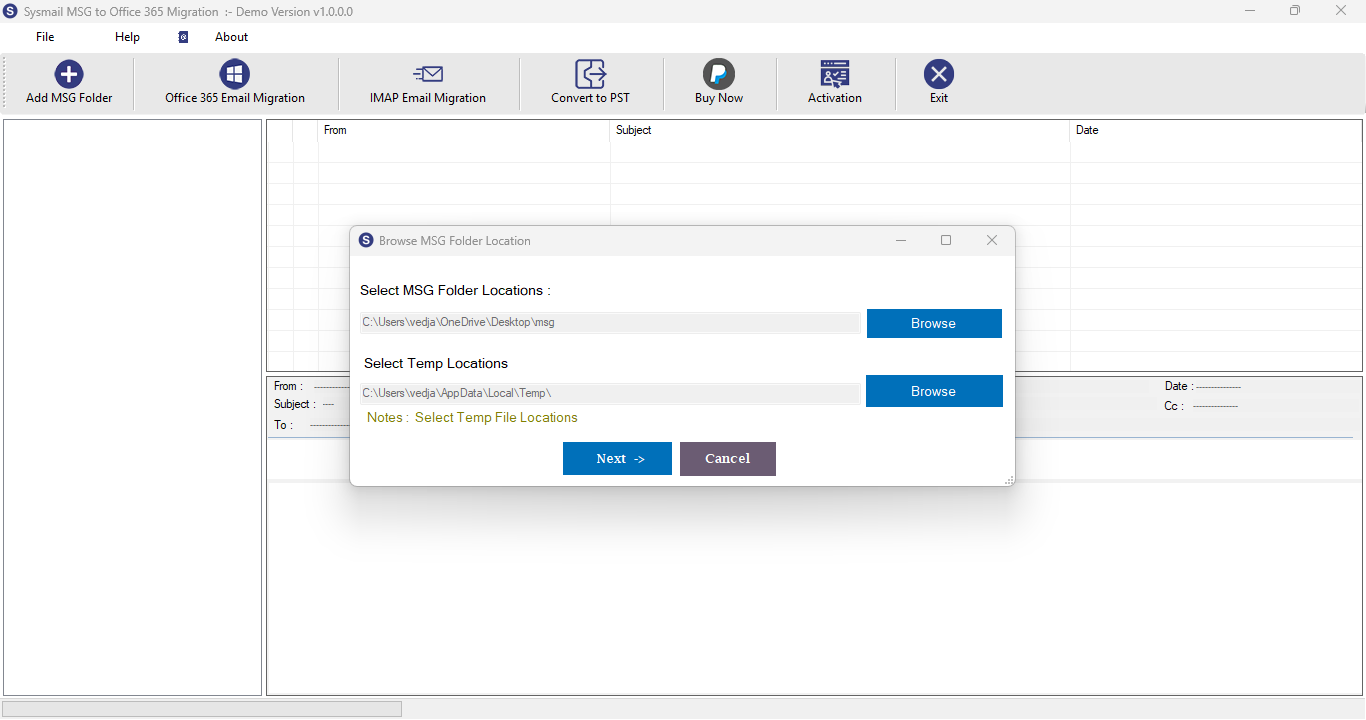
Step-1
Select damage MSG file
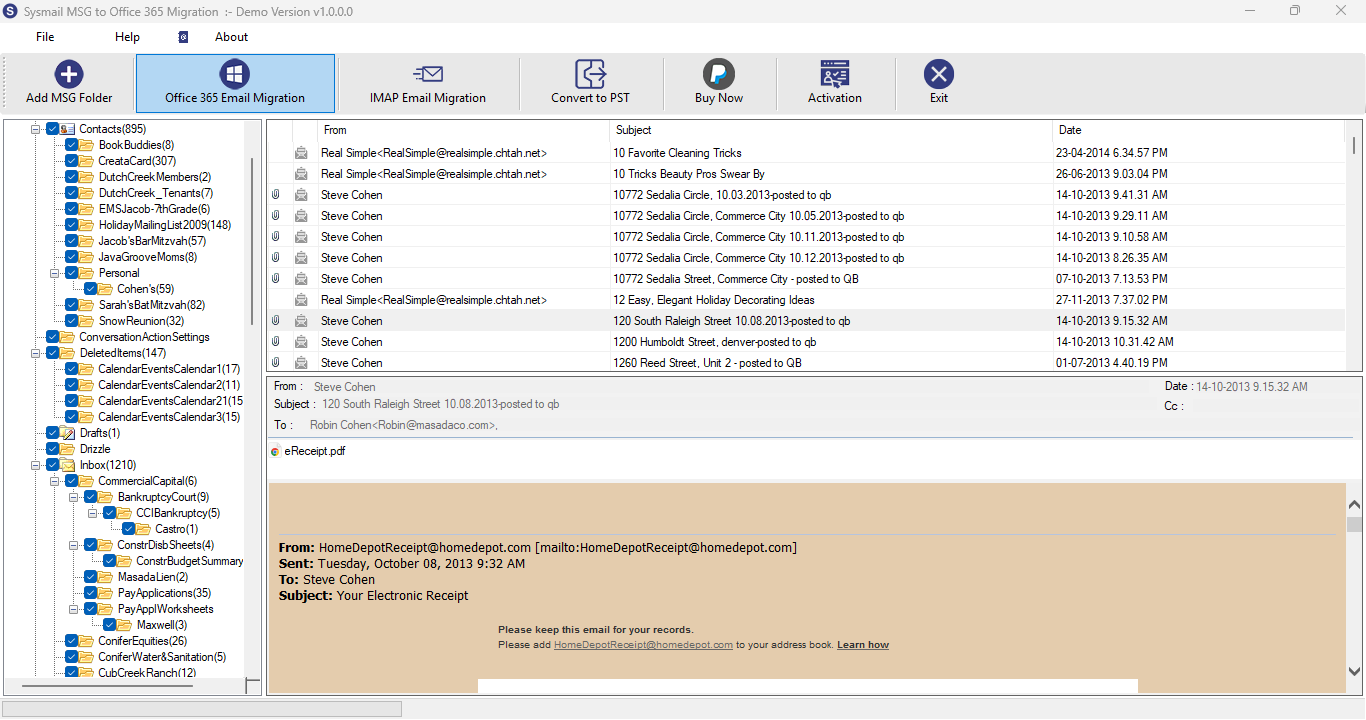
Step-2
View emails data
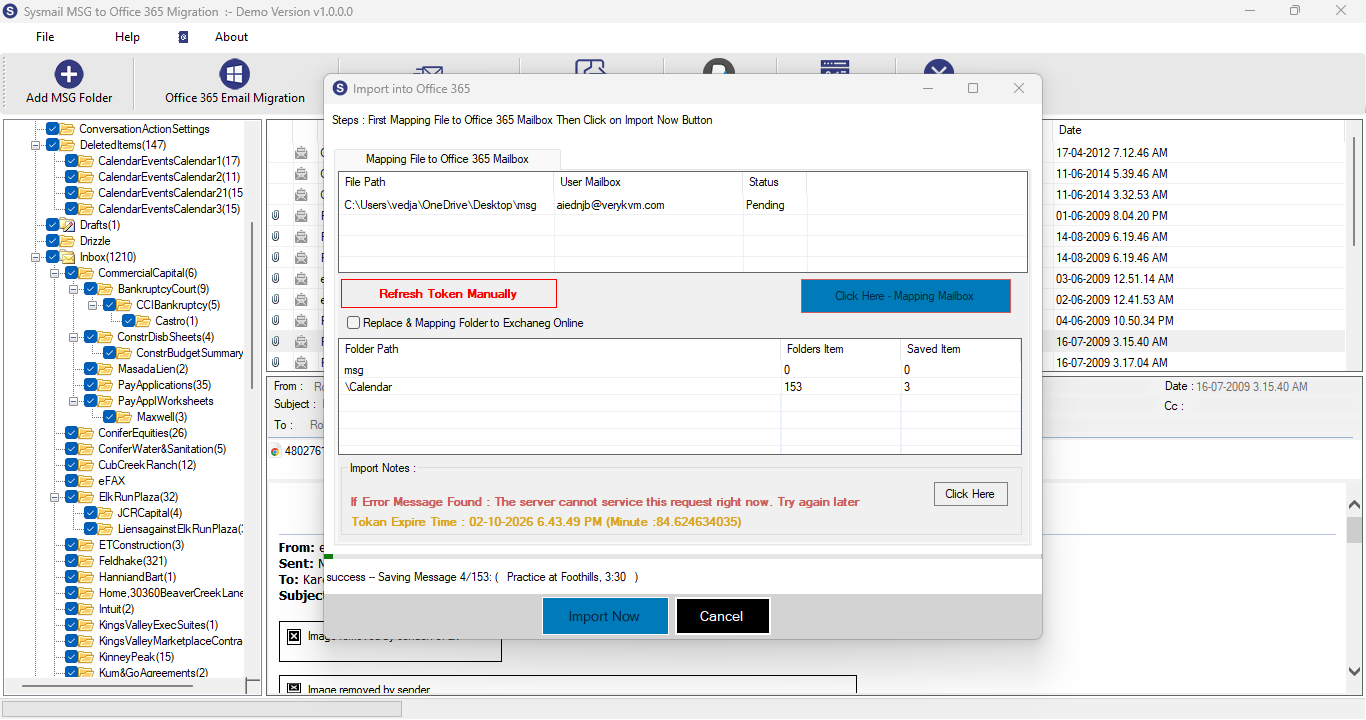
Step-3
Select Export Options
What Our Client Say
"It became very convenient to Migrate MSG to Office 365 mailbox. The option for selecting the folder was quite helpful."

Niamah Hower
Founder"Migration was quite easy, and everything about the emails such as properties and attachments were preserved. It was helpful for Migrate MSG to Office 365."

Alivin Corondo
Designer"I could also see a preview of my MSG emails prior to the migration and only select the required folders to migrate. The MSG to Office 365 Converter made the process easier."

Steph Kruse
FounderFrequently Asked Questions