SysMail Office 365 Duplicate Email Remover
SysMail Office 365 Duplicate Email Remover Tool
SysMails Office 365 Duplicate Email Remover Software is a powerful and reliable solution for remove duplicate office 365 emails and mailbox items in Office 365 accounts with complete safety. This software helps to delete the duplicate emails, contacts, calendars, tasks, and other items in the mailbox without having any effect on the original mailbox items. This is a sophisticated tool with the help of which one can add either a single mailbox or multiple Office 365 mailboxes and delete the duplicate items according to different conditions. This will help in removing unwanted items from Office 365 and will not affect the original mailbox setup.
- Remove Duplicates mails from office365 mailboxes on basis of Sender, Receiver, Subject, Body, and Contacts.
- Safely removes duplicates without modifying the original database of the mailbox.
- Supports deleting identical mail items, contacts, calendar items, tasks, notes, and journals.
- Delete duplicate emails by Sender Name and Email Address.
- Remove duplicate contacts based on Email Address, Name, and Company Name.
- Remove repeated events from the calendar using Start Date and End Date.
- Latest date filter feature that eliminates redundant data in a specified date period.
- Supports Office 365 mailboxes of any size.
- Supports Primary, Archive, Shared mailboxes, and Exchange Server mailboxes.
- Entirely supports Exchange Server 2019, 2016, 2013.
- Supports Windows 11, Windows 10, Windows 8.1, Windows 8, and Windows 7.
Remove Duplicate Emails in Office 365 / Exchange
This software has the capability to remove duplicates in both Office 365 and Exchange environments. Users are provided with several delete options, such as Soft Delete, Hard Delete, or Move to Deleted Items Folder, thus allowing complete control over deletion procedures of duplicates.
Option to Exclude Duplicate Folders
Additionally, SysMails Office 365 Duplicate Email Remover Software has the ability to exclude standard folders such as Contacts, Calendars, Journals, Notes, and even custom folders from the duplicate removal process, which makes it totally safe and impossible to accidentally lose data.
Remove Duplicate Emails Automatically
SysMails Office 365 Duplicate Email Remover automatically scans the items in a mailbox using advanced parameters like Sender, Receiver, Subject, Date, and Size for appropriately identifying and removing duplicate emails without manual effort.
Secure Process of Duplicate Removal
The SysMails Office 365 Duplicate Email Remover Software performs a completely secured process in removing duplicates from Office 365 and Exchange mailboxes. Email formatting, metadata, and folder structure remain preserved with this O365 duplicate email remover tool during the entire process.
Batch Deletion of Duplicate Entries
SysMails Office 365 Duplicate Email Remover Software supports batch deduplication, process so you can use it for removing duplicate emails and items from several mailboxes or folders in one go without affecting the original database.
Compatible with All Versions of Windows
SysMails Office 365 Duplicate Email Remover Software is supported by completely editions of Windows operating systems, including Windows 11, 10, 8.1, 8, and 7. So, the software can be installed easily and efficiently.
SysMail Office 365 Duplicate Email Remover: Screenshots
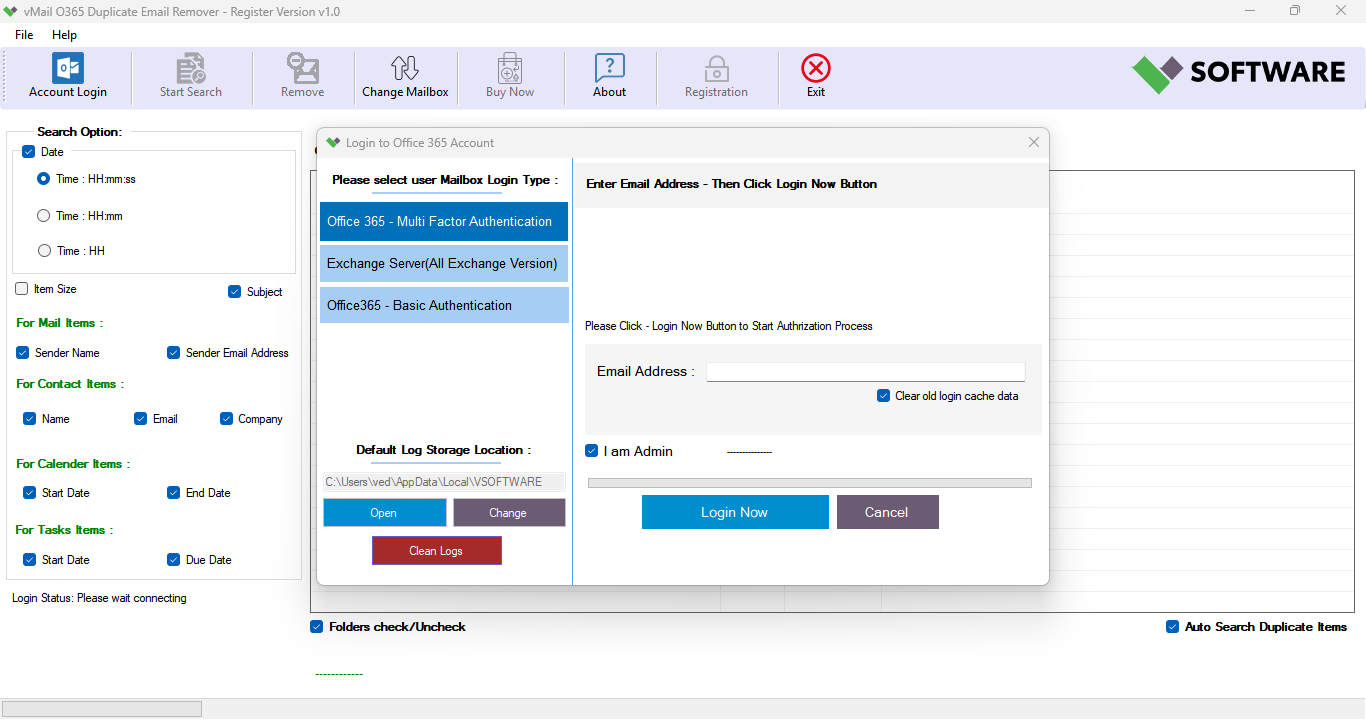
Step-1
Select Office 365 Email

Step-2
View emails data
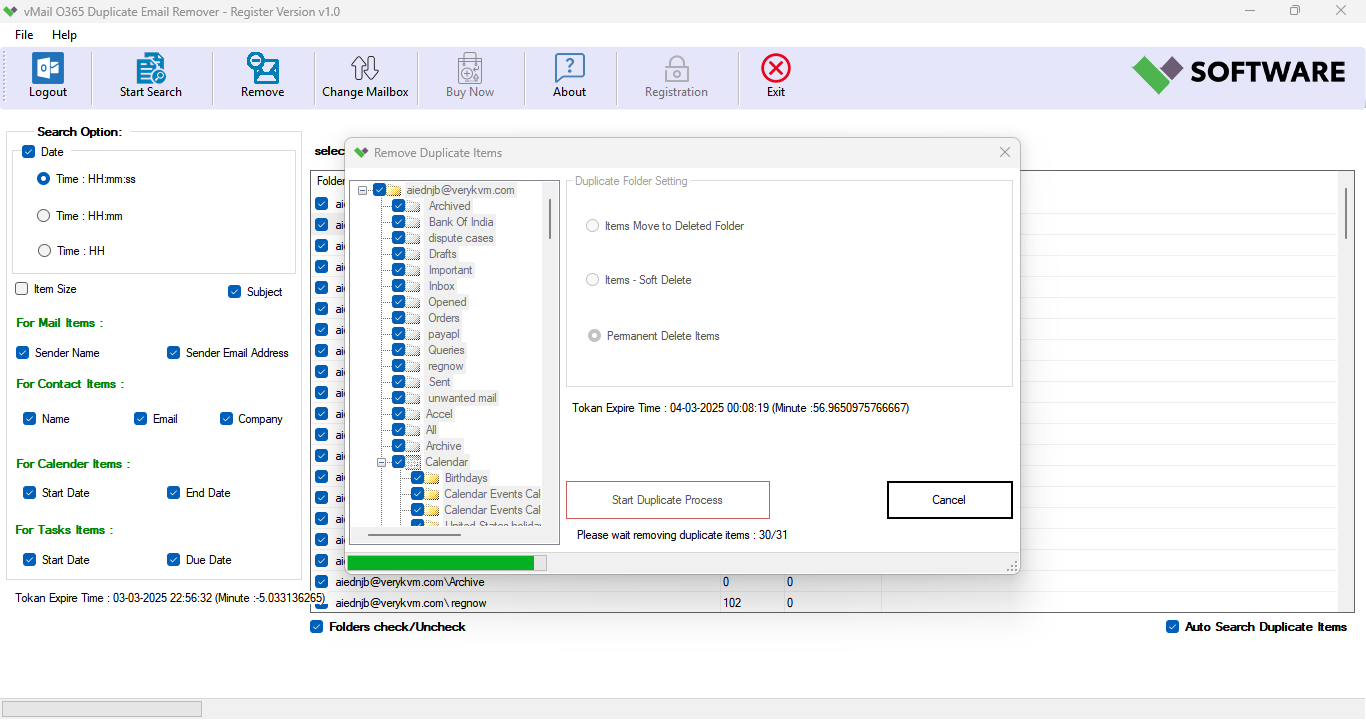
Step-3
Select Export Options
What Our Client Say
“I found SysMails Office 365 Duplicate Email Remover Software to be very easy to use and highly effective. The software successfully eliminated duplicate emails without any risks to my data.”

Niamah Hower
Founder‘‘What I really appreciated is the possibility to exclude folders during the deduplication process. It ran perfectly on Windows 10, and it really saved me a lot of time.’’

Alivin Corondo
Designer“I’ve tried various tools earlier, but SysMails Office 365 Duplicate Email Remover Software is the most error-free. The software deleted the duplicates from various mailboxes in a short span without deleting any data.”

Steph Kruse
FounderFrequently Asked Questions