Sysmail PST File Import Tool
Sysmail PST File Import Tool helps you to easily add and import selective single and multiple outlook PST Files into their Outlook profile. With using this wonderful PST File import to outlook software, you can import corrupted, damaged and password protected OST File and PST file without losing any data or emails properties. Software is completely tested and ensures that your emails, contacts, calendars and journals are exported accurately with secure folders structure intact. It is best for managing PST File multiple PST Files in one outlook profile.
- Software allows you add single and multiple PST Files to import them into single outlook profile.
- It automatically searches .pst file and import PST Files to Outlook with emails and attachments.
- Software capable to import outlook PST or OST Files into Outlook selected profiles.
- It supports batch conversion you can import multiple files in one go to save time.
- Software users to add ANSI and UNICODE PST Files simultaneously.
- Software supports all MS Outlook versions included-2024, 2021, 2019, 2016, 2013, 2010, 2009, 2007 and below versions (32 and 64 Bits).
- It previews of Outlook emails, contacts, calendars, task, notes, journals before importing data.
- Software supports Import PST to Mailbox outlook 2016 without problem.

Automatically search PST File
SysMails Import PST to Outlook Software automatically search .pst file from your systems and add your PST file to import PST files to Outlook 2016 and other versions of MS Outlook with emails, contact, calendars, task, notes and etc.
Import PST files to outlook 2016
Make use of the best PST File import to outlook software to recover data from PST File and Import PST File to Outlook supported all versions. Software allows you import PST file into existing PST file or new created PST File.
Maintains Data Integrity
This software will not harm your outlook data during import PST to Mailbox Outlook. It preserves all folders structure, emails formatting and properties- to, bcc, cc, time, subjects and from etc during import PST Files to Outlook.
No File Size Restriction
SysMails Import PST to Outlook software supports all size of PST file. It means a user can extract and import any size of the file with without issue. All MS Outlook user need to do is to select files from the systems directory and process them to import.
ANSI and UNICODE Support
The PST File Import to Outlook Software is 100% safe and supports both ANSI and Unicode PST File. You can import any versions of MS Outlook included all emails, contacts, calendars, task, notes into existing profile and new PST File.
Windows and MS Outlook Compatibility
You can use the Import PST Files to Outlook software on all versions of Windows, including Windows 11. It is also compatible with all versions of Microsoft Outlook, such as 2019, 2016, 2013, 2010, and earlier. Therefore, if you need to add or import a PST file into Outlook on Windows, this tool is an excellent choice.
SysMail Import PST to Outlook: Screenshots
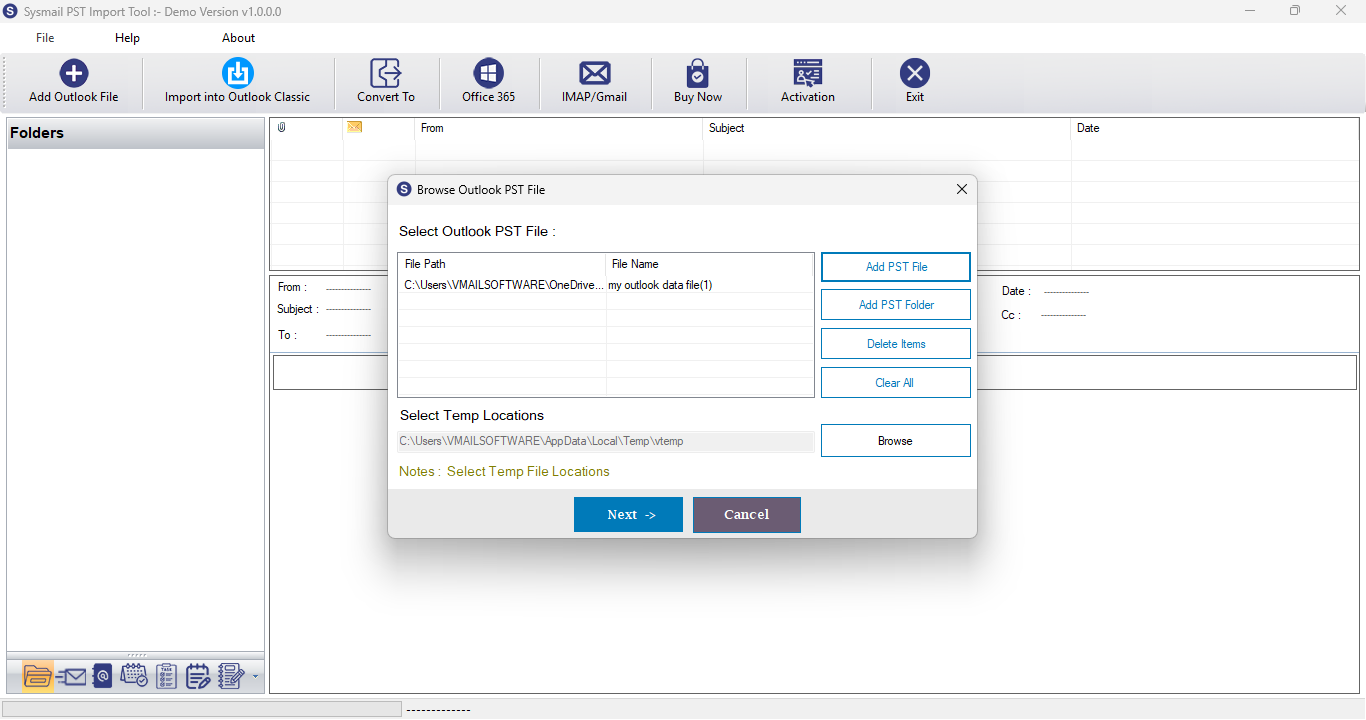
Step-1
Select Outlook file
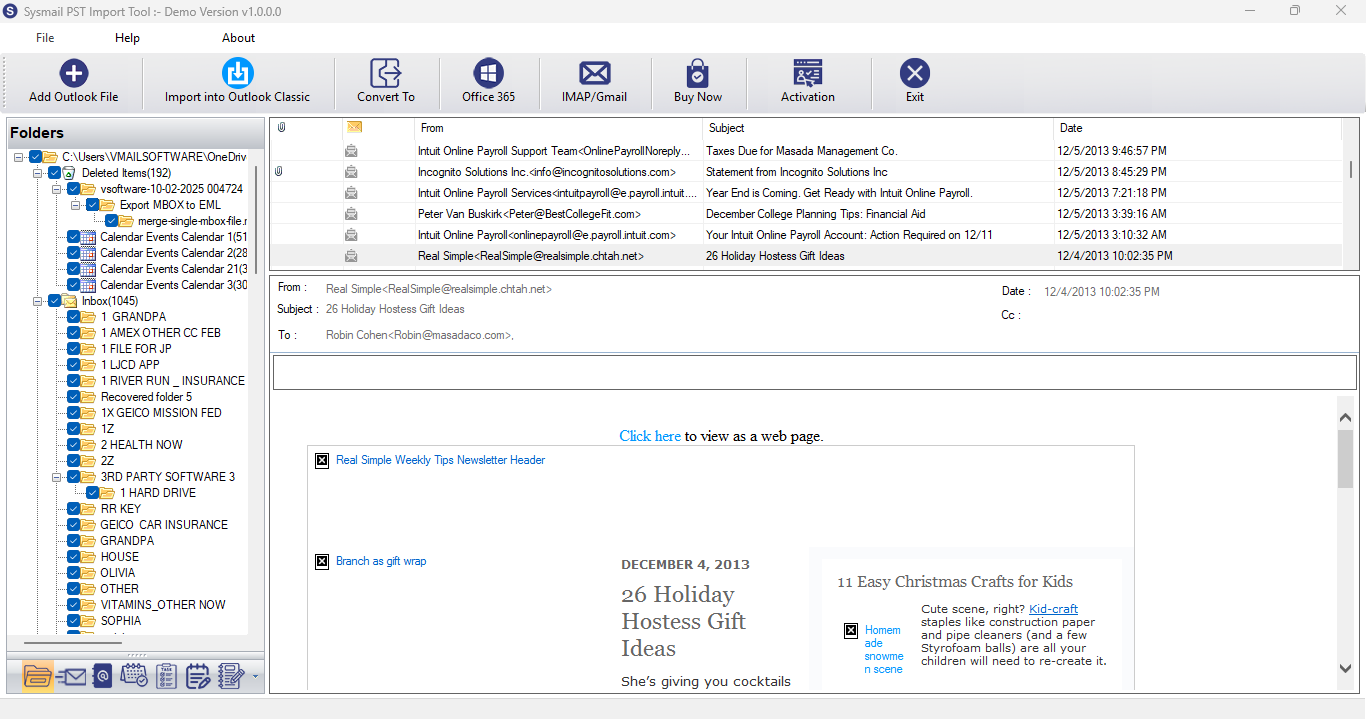
Step-2
View emails data
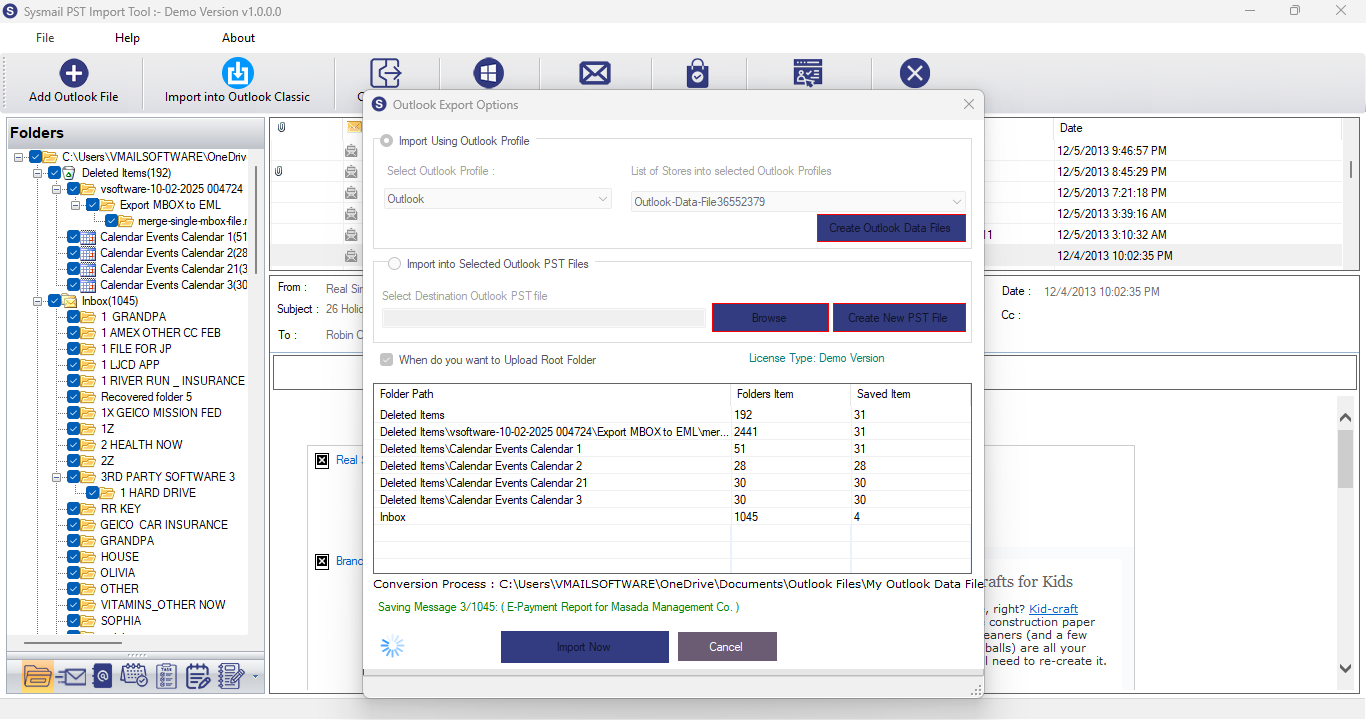
Step-3
Select Export Options
What Our Client Say
“Outstanding utility! I used SysMails Import PST to Outlook Software to recover data from PST File and import PST files into multiple Outlook accounts, and it worked perfectly every time. The batch import option saved me hours.”

Niamah Hower
Founder“I’ve tried other PST import tools, but none matched the simplicity and accuracy of SysMails. Everything was transferred without duplication or corruption.”

Alivin Corondo
Designer“Good software for both technical and non-technical users. The step-by-step process is clear, and the import speed is impressive. Worth every penny!”

Steph Kruse
FounderFrequently Asked Questions