SysMail MBOX to PST Converter
Get the SysMails MBOX to MSG Converter Software to move MBOX mailboxes and emails to MSG files with attachments. This offers the best way for users who need to convert their MBOX file data, including emails, calendars, tasks, notes and other items, to MSG format while keeping all the info. The MBOX to MSG Migration Software aims to meet all user needs when they want to import MBOX files into MSG format without Microsoft Outlook in large numbers.
- Effortlessly Import MBOX files to MSG files in batches.
- Let’s you Migrate selective single and multiple emails from MBOX files to MSG file format.
- Shows full views of all MSG files from many folders.
- Doesn't need MS Outlook to be installed to Export MBOX to MSG files.
- Simple to set up and get on all Windows systems.
- Lets you add MBOX files and folders to Convert data into MSG files.
- While changing data, it keeps folder structure, email layout and details like to, bcc, cc, time, subjects and more.
- Before MBOX to MSG Conversion, preview MBOX emails, calendars, task, notes and etc.
- Works with all MBOX file email tools like Apple Mail, Thunderbird, Entourage, PocoMail, Eudora, Netscape, SeaMonkey and others to MSG files.
Batch Export MBOX Files to MSG
Download SysMails MBOX to MSG Converter Software is a standalone solution that let you Convert the multiple MBOX File, even in bulk, with the entire emails and attachments, directly to MSG format. You have the flexibility to Convert all MBOX File to Separate MSG File or combine all data into single consolidated MSG Files.
Selective Email Conversion
Instead of converting the entire MBOX Folders, you can selectively Convert only specific emails to MSG format by downloading MBOX to MSG Migration Software. This selected migration feature is very beneficial when only a portion of data is needed, reducing both times.
No Outlook Required
The SysMails MBOX to MSG Converter Software operates self-sufficiently and does not need Microsoft Outlook installation to Export MBOX files to MSG format. Users virtuously need to install the MBOX to MSG software and start the conversion process instantly—no external dependencies required.
Full Compatibility with All Windows Versions
The SysMails MBOX to MSG Conversion Software is well-matched with Windows 10, Win8.1, Win8 and below versions. And also supports both 32-bit or 64-bit system, users can effortlessly install and run the software to perform smooth and error-free file conversions.
Maintains Original Folder Structure
During the conversion data from MBOX to MSG File, the Software ensures all complete preservation of the original folders, sub-folders hierarchy. All the emails extracted from MBOX Files are exactly saved to MSG format with maintains their folders and sub-folders structure, ensuring organized access.
Supports 30+ Email Clients
The software is designed with broad compatibility, the MBOX to MSG Migration Software supports more than 30 MBOX-based clients, including Eudora, Thunderbird, Apple Mail, Opera Mail, and others. Software is accomplished of processing. mbox, .mbx, and related extensions from any supported mail application.
SysMail MBOX to MSG Converter: Screenshots
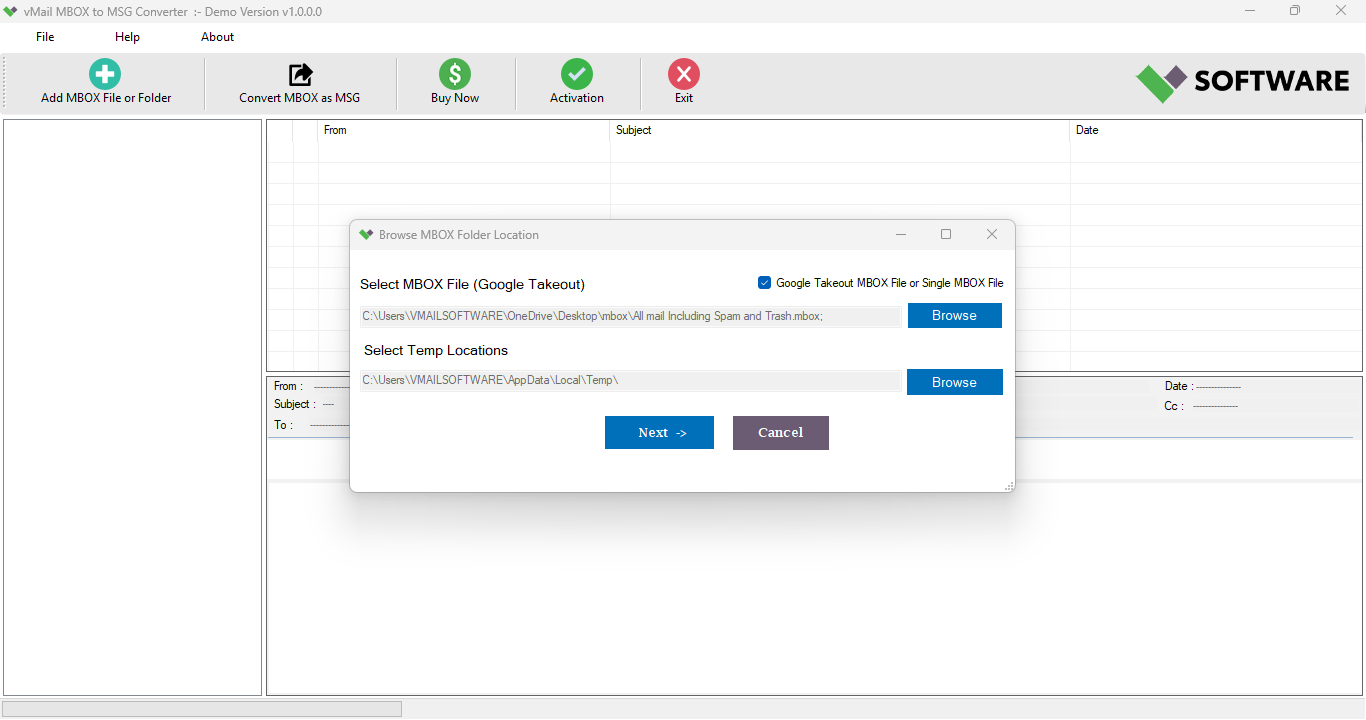
Step-1
Select MBOX file
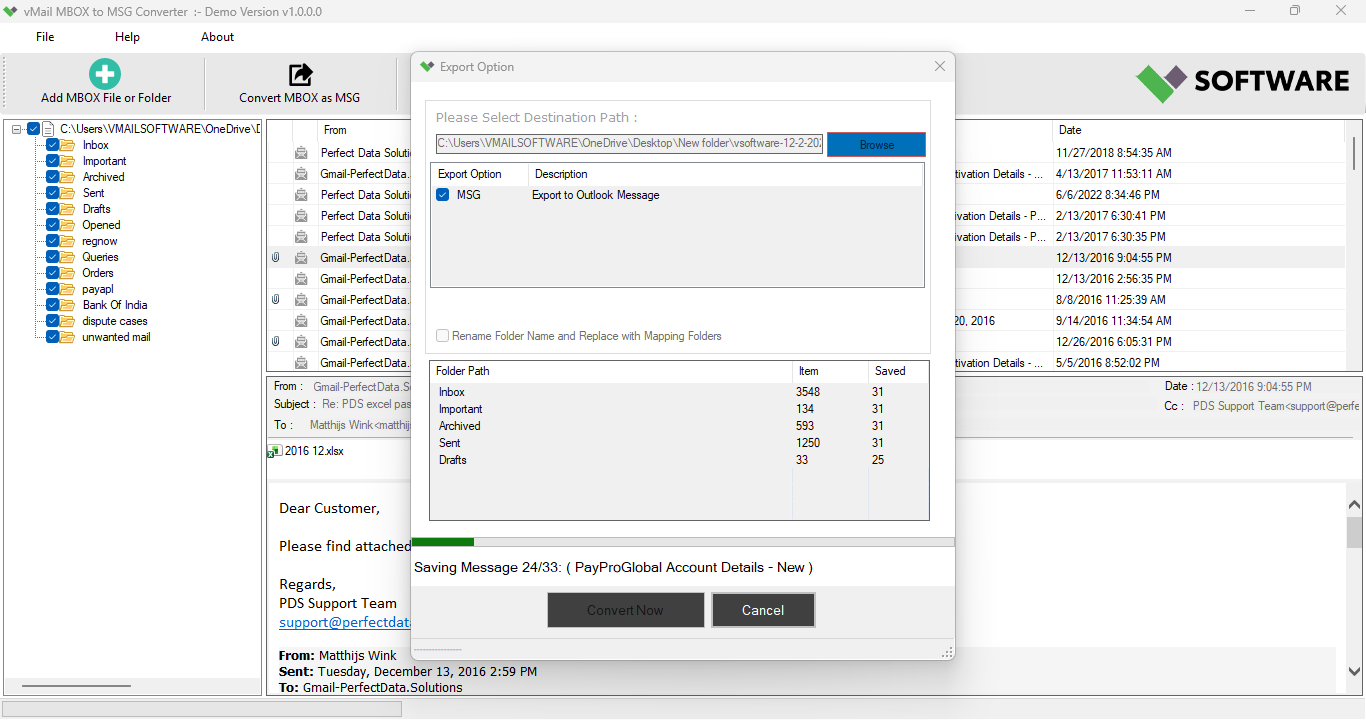
Step-2
View emails data
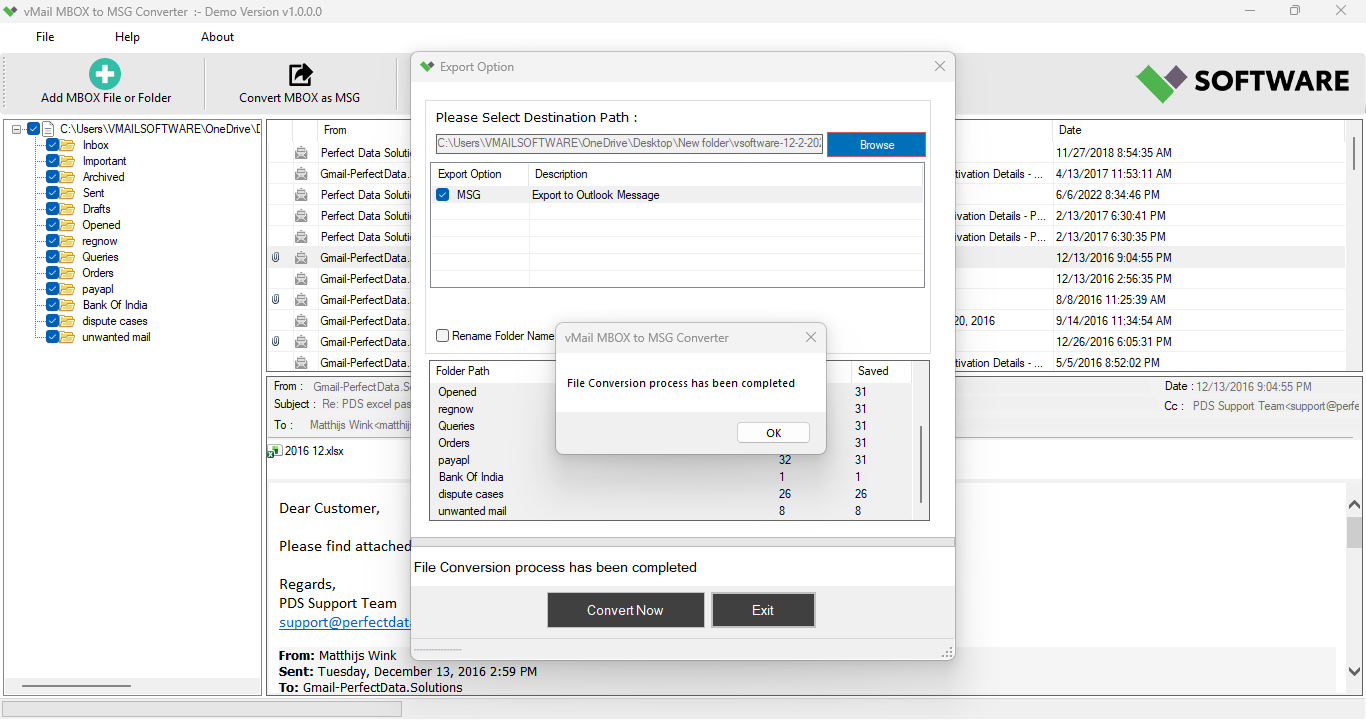
Step-3
Select Export Options
What Our Client Say
“I was able to selectively import only the most significant emails without exporting unnecessary data. This SysMails MBOX to MSG Converter tool is very useful for professionals.”

Niamah Hower
Founder“The software preserved the original folder hierarchy exactly as promised. The output was well-organized and highly reliable.”

Alivin Corondo
Designer“SysMails MBOX to MSG Converter Software saved me a important amount of time while converting my Thunderbird emails to MSG. The process was accurate and very user-friendly.”

Steph Kruse
FounderFrequently Asked Questions