SysMail DBX to MSG Converter
SysMails DBX to MSG Converter is one of the best and easy to use software which helps you in converting DBX files of Outlook Express in MSG format very easily. SysMails DBX to MSG Converter allows you to access your archived emails of Outlook Express in MSG format without losing any important data of your mailbox. This tool will help you to convert DBX to MSG without making loss of any information of email like contents of email, attachments, header, and all other details of your emails. This software is very helpful for those who need DBX to MSG conversion for backup purposes.
- Conversion of DBX files into MSG without loss of email content.
- Conversion of multiple DBX files to MSG in one go.
- Preservation of email attachments, formatting, headers, and other attributes.
- Preview of DBX emails prior to conversion.
- Preservation of original folders/sub-folders structure.
- Converting each email into a separate MSG file.
- Preservation of To, From, Subject, Date, CC, BCC, and other email attributes.
- Compatibility with Outlook Express 5.0, 5.5 and 6.0.
- Storage of converted MSG files at user-defined location.
- Compatible with Windows 11, 10, 8.1, 8, 7, Vista, and XP.
- Provides options for Selecting File and Selecting Folder.

DBX to MSG Converter Features & Uses
Convert DBX Files to MSG with Attachments
The SysMails DBX to MSG Converter Software ensures that the process of conversion of DBX files into MSG format along with their attached files is carried out with efficiency. In the process of conversion, the attachments of various files including documents, images, pdfs, spreadsheets, etc., are preserved in association with their corresponding emails.
Preserve Original Folder Structure
The importance of keeping your mailbox well-organized is significant while migrating from a huge bunch of emails in Outlook Express. The SysMails DBX to MSG Converter Software makes sure that the existing mailbox and its sub-folders remain intact while you migrate from DBX to MSG files.
Batch DBX to MSG Conversion
Batch conversion is another option for users that helps to work with several DBX files at once. It does not require the user to choose and convert each file individually because multiple files and even folders can be selected for conversion from DBX to MSG at once. This option will save lots of time for processing many mailboxes.
Maintain Complete Email Properties
It is necessary for users to keep email metadata intact when converting Outlook Express DBX to MSG. The application keeps critical email attributes like sender name, recipient name, To, From, CC, BCC, subject, date, time, and any other available details of the messages.
Preview Emails Before Conversion
Preview is provided within the SysMails DBX to MSG Converter software, which gives the user the ability to browse through the contents of the mailbox before carrying out the process of conversion. Users get a chance to browse through the emails available and ensure that the necessary information is saved in MSG format.
Standalone and Easy-to-Use Utility
This tool is built as an independent DBX to MSG software and offers a user-friendly interface that caters to people with varying degrees of technical expertise. The software does not need Outlook Express to be installed on the computer for the conversion of DBX files. Users just need to select a DBX file/folder, browse the email messages in the selected DBX files, pick the destination folder, and convert DBX to MSG.
SysMail DBX to MSG Converter: Screenshots
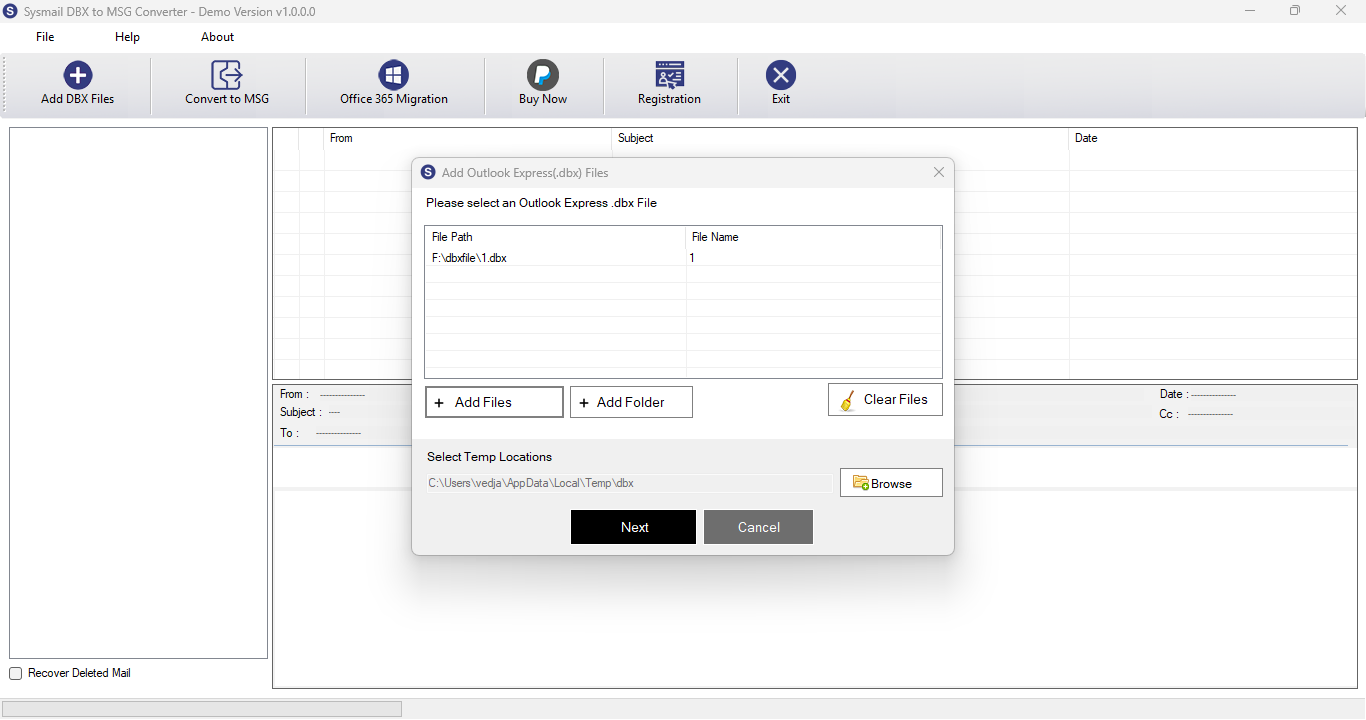
Step-1
Select DBX file
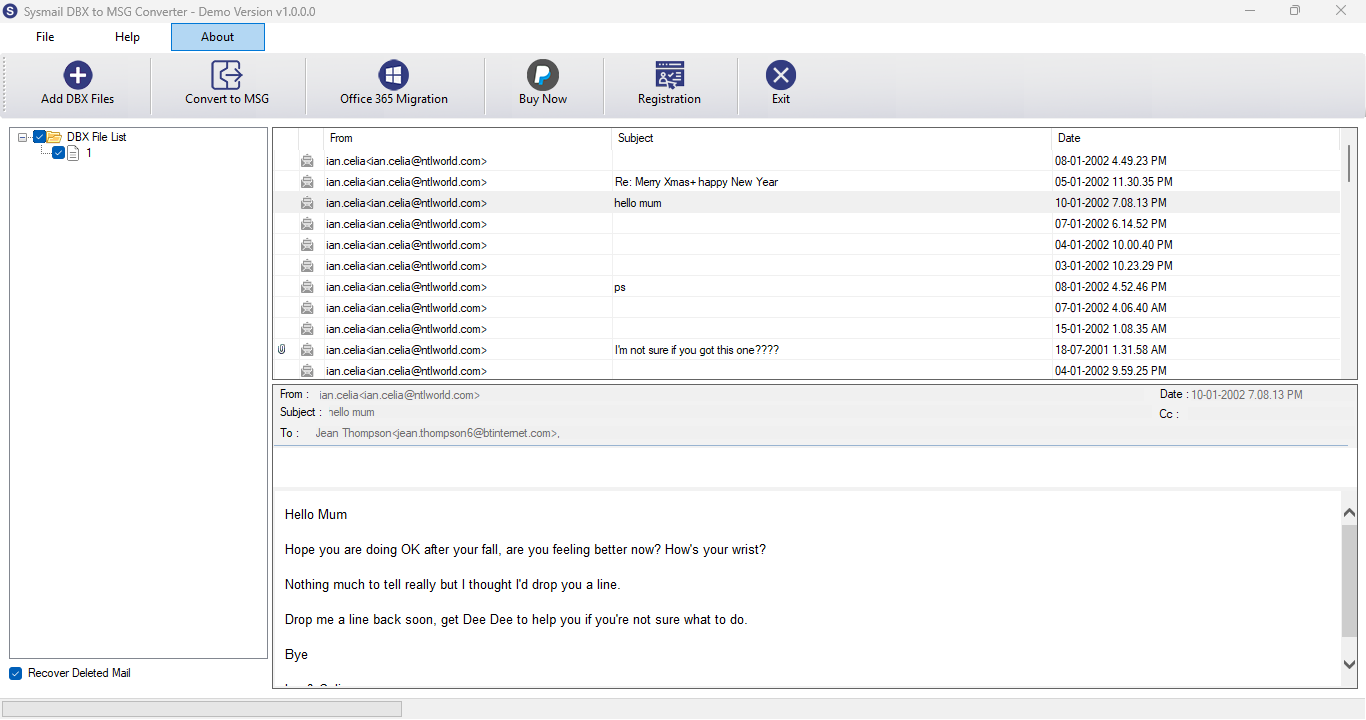
Step-2
View emails data
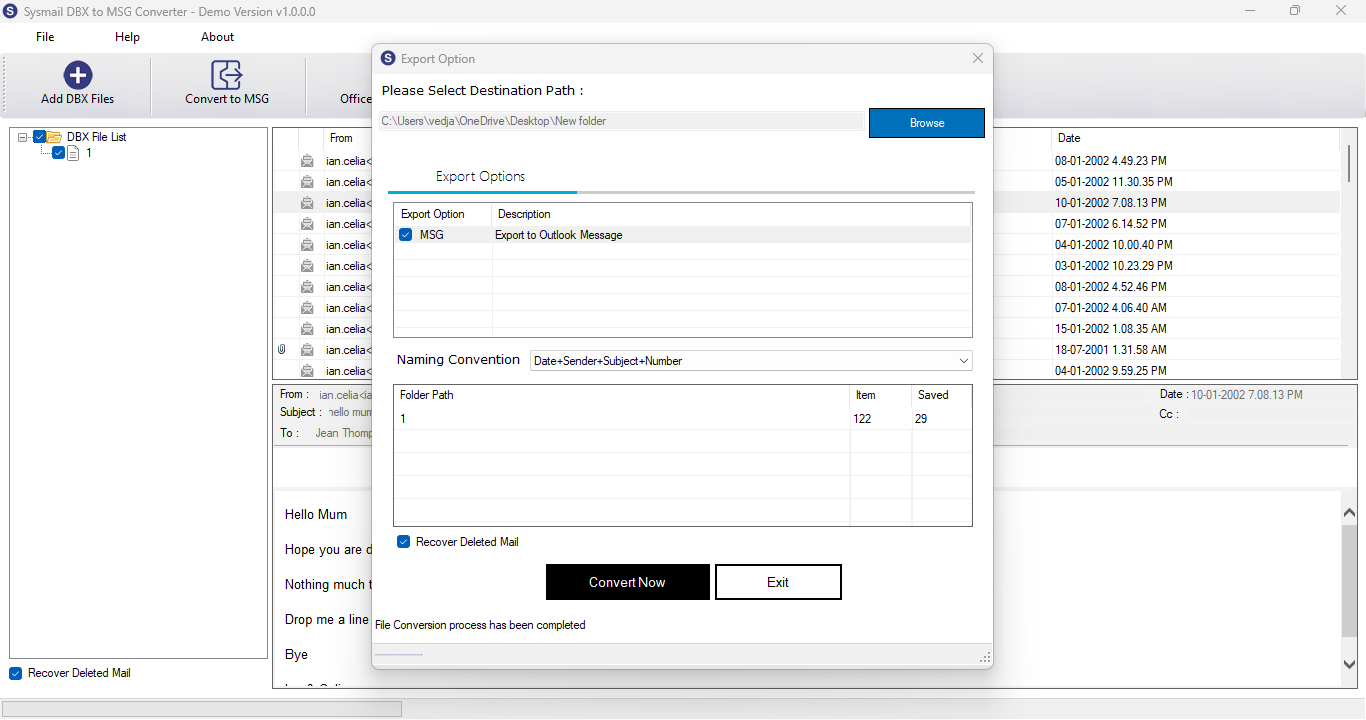
Step-3
Select Export Options
What Our Client Say
"SysMails DBX to MSG Converter Software assisted in converting a number of Outlook Express mailboxes into MSG format where all the emails, attachments, and important message information were converted precisely."

Niamah Hower
Founder"This software is easy to use and its batch conversion facility made it easy to convert many DBX files altogether. This conversion procedure was fast and convenient."

Alivin Corondo
Designer"This is a good way out for those who want to convert their Outlook Express mailbox data into MSG format. The preview, folder, and metadata facilities make the entire procedure easy."

Steph Kruse
FounderFrequently Asked Questions