How SysMail OST to O365 Migration Works
A step-by-step guide to using SysMail OST to O365 Migration Tool offers fast, secure, and error-free convert of OST files into Office365 File Format
STEP 1 : Open SysMail OST to O365 Migration
NEXT STEP
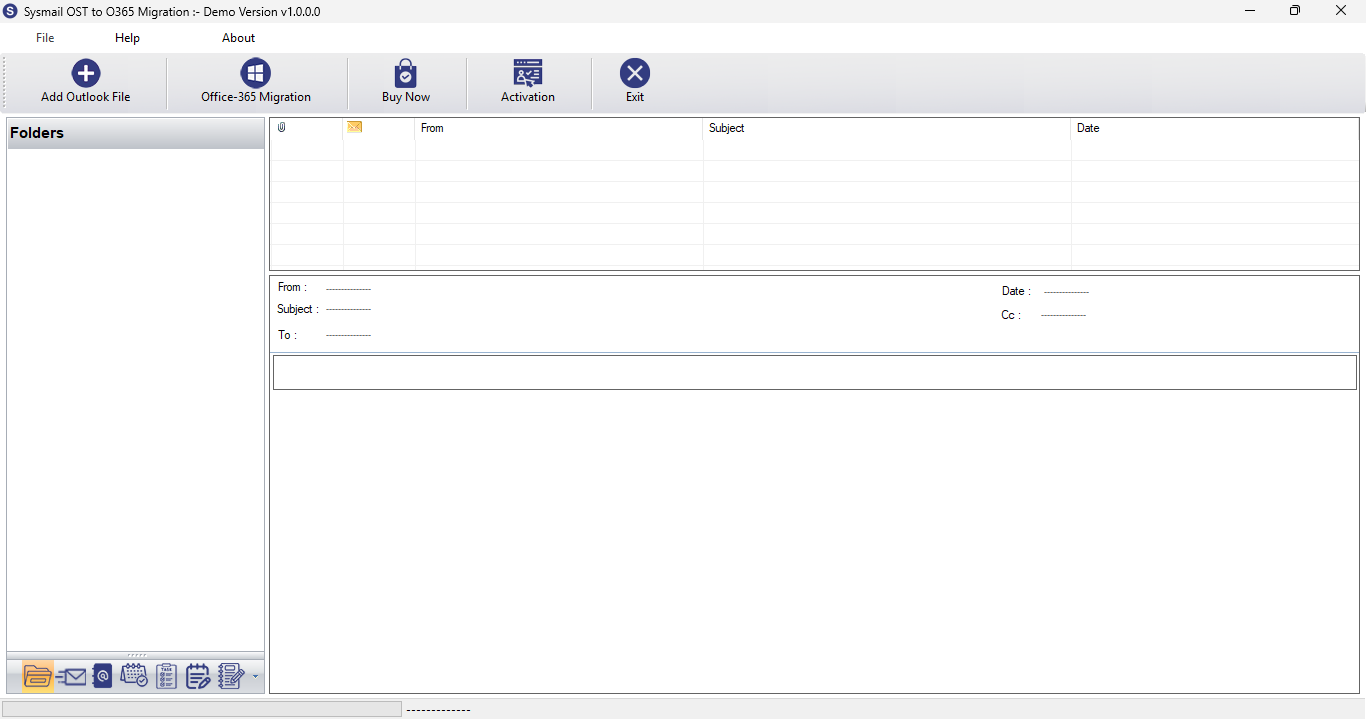
Download and Install SysMail OST to O365 Migration. Run the software, click on Next Button Start Software. If you want to buy software click on "Buy Now" Then Open directly Software Purchase Page.
Overview
STEP 2 : Browes & Select OST File
PREVIOUS STEP NEXT STEP
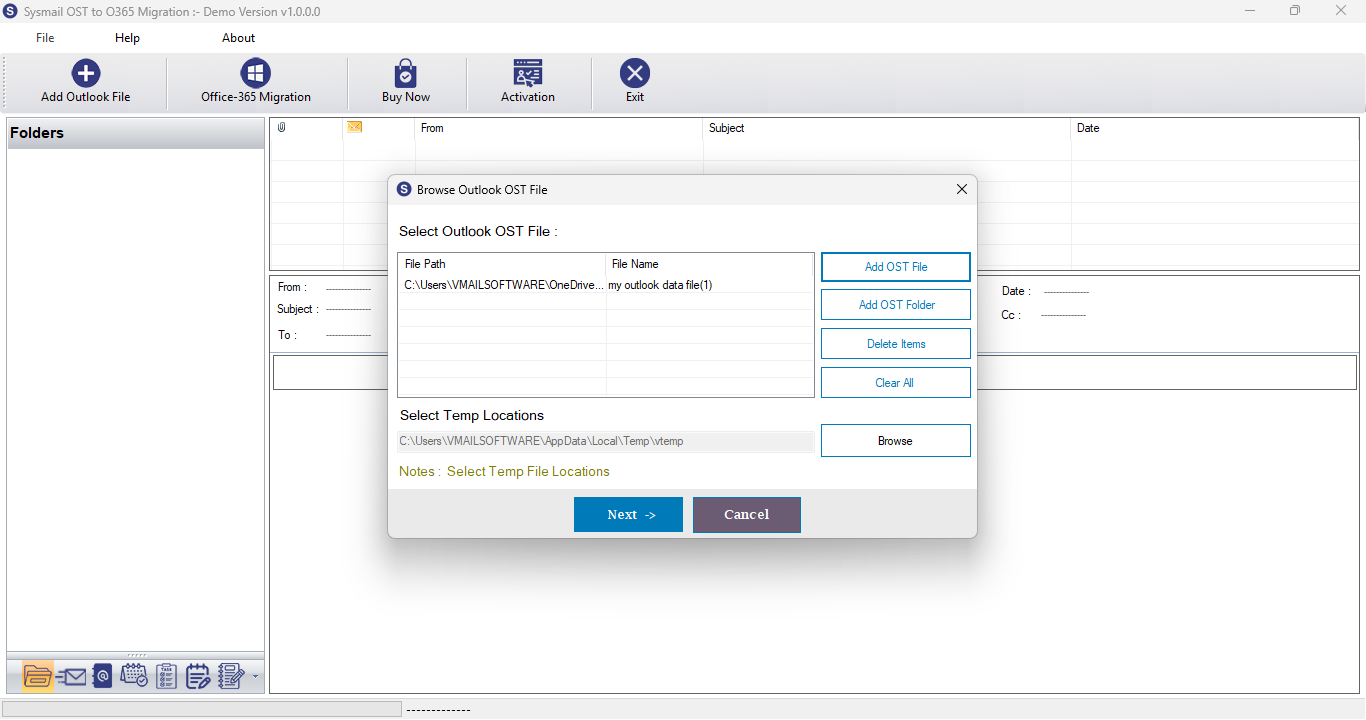
After Opening SysMail OST to O365 Migration Then Click on Browse Button then Open Dialog. here users can select and add Outlook (*.ost, *.pst) file then click on "Add File" Button for conversion.
Overview
STEP 3 : Preview of Outlook OST File
PREVIOUS STEP NEXT STEP
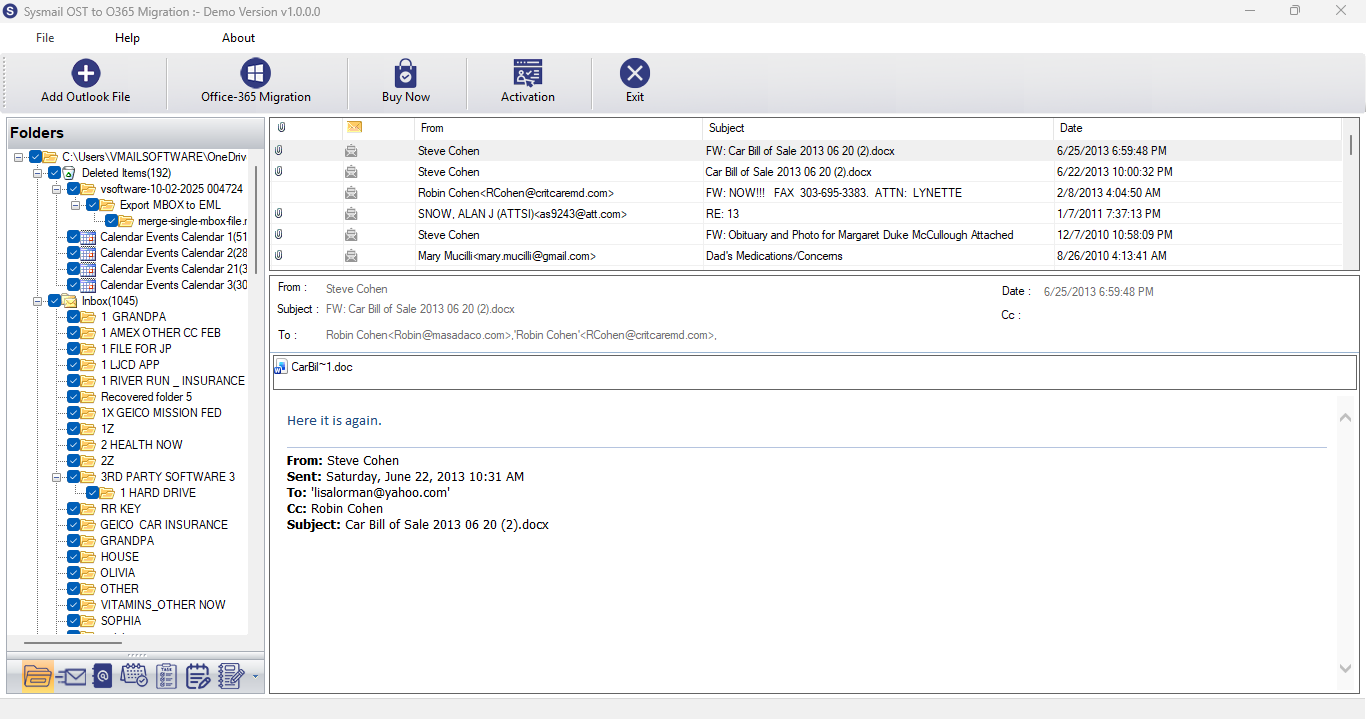
You can click on Office365 Button Then Software will be Open Dialog for Office 365.
Overview
STEP 4 : Export Email File
PREVIOUS STEP NEXT STEP
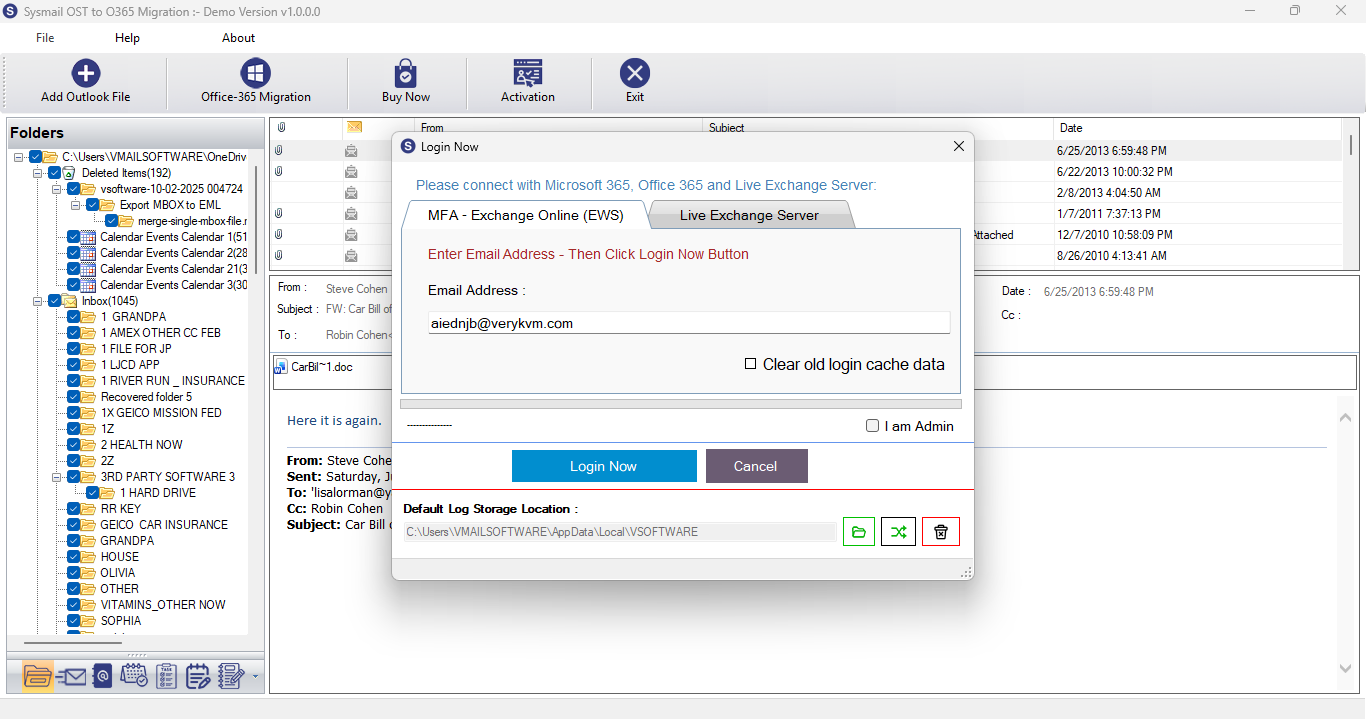
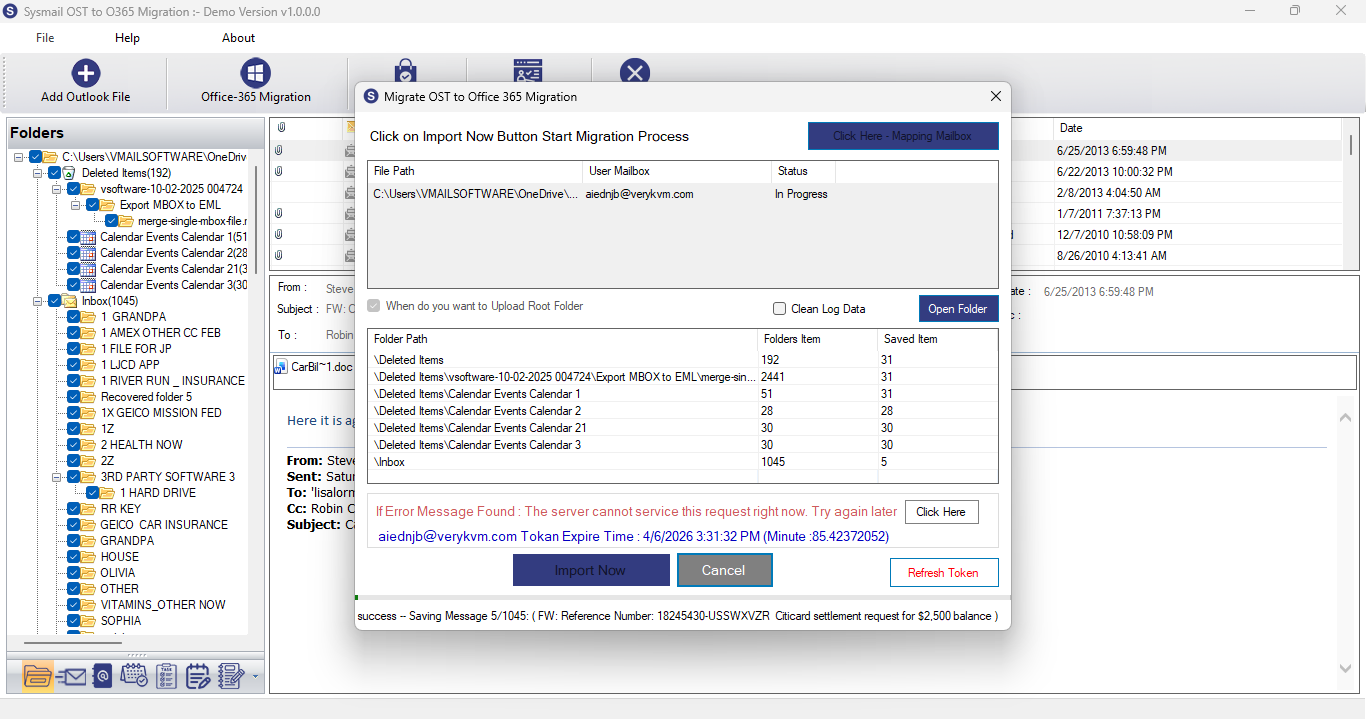
Here users can Login to Office365 or Live Exchange Server Mailboxes Account. After Login Process Complete then Open Migration Process Dialog - Do Mapping Outlook OST File to Office 365 User Account if you are global admin user. Then click on Import Now Button to Start Migration Process. After Few Min/hours Complete Migration Process
Overview
STEP 5 : Start Migration or Conversion Process
PREVIOUS STEP
Click on "Import Now" or "Convert Not" Button to Start Migration or Conversion Process. After Few Min/hours Complete Migration or Conversion Process