How SysMail NSF to MBOX Converter Works
Basic requirement : Lotus Notes must be installed on the system otherwise you won't be able to perform the migration process of NSF files
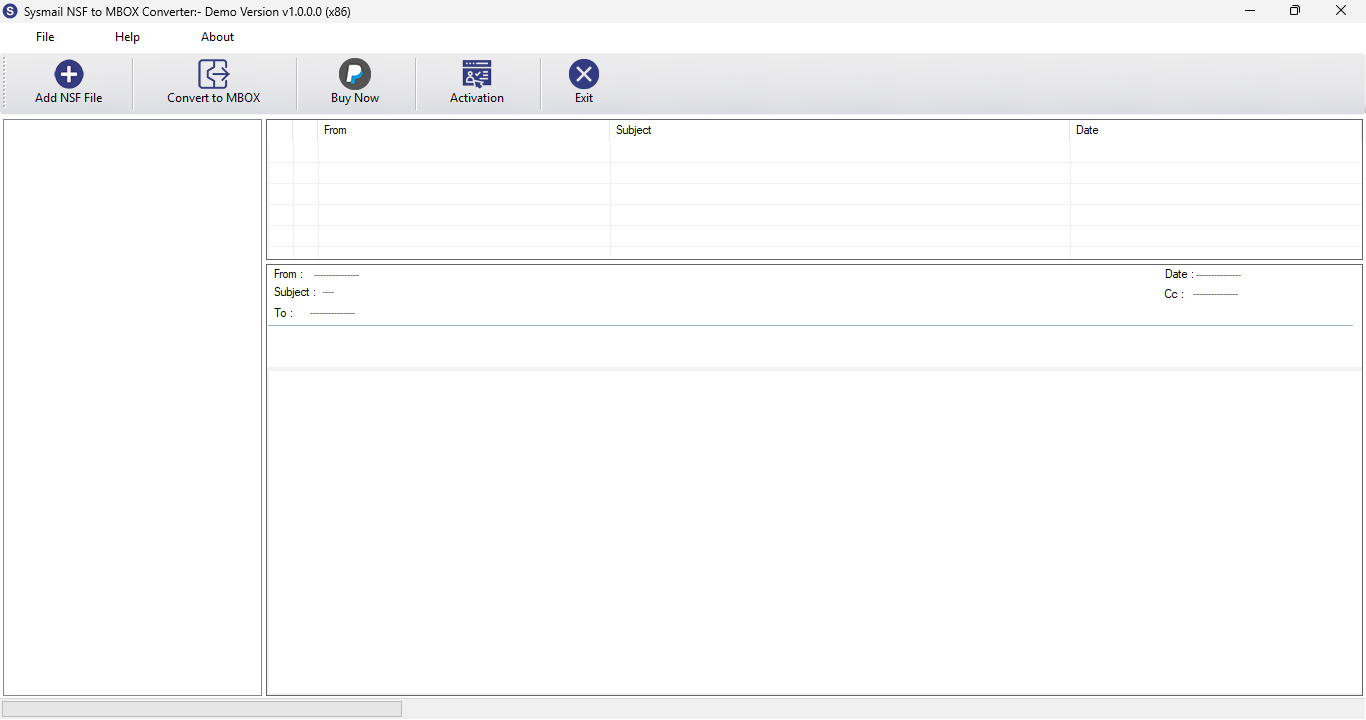
STEP 1 : Open SysMail NSF to MBOX Converter
NEXT STEP
Download and Install SysMail NSF to MBOX Converter. Run the software, click on Next Button Start Software Installing and Open SysMail NSF to MBOX Converter If you want to buy software click on "Buy Now" Then Open directly Software Purchase Page.
Overview
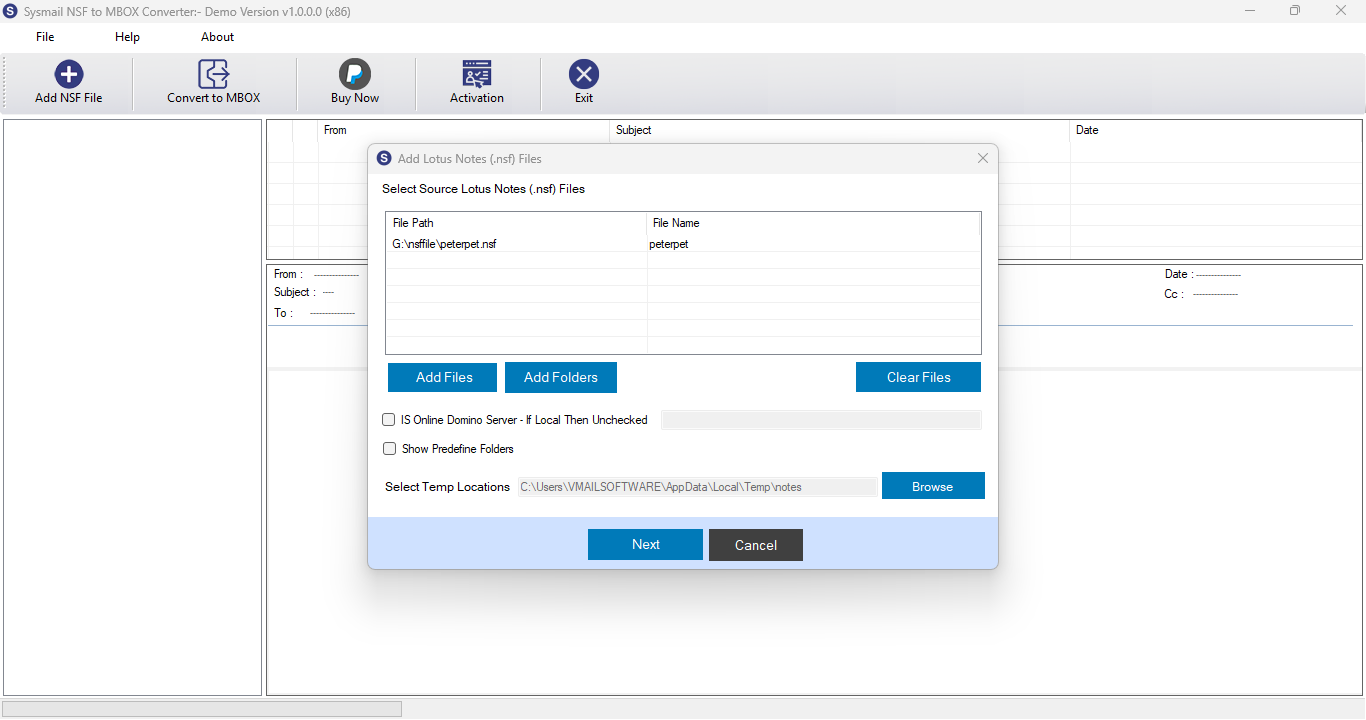
STEP 2 : STEP 2 : Browse & Select Lotus Notes (*.nsf) multiple file
PREVIOUS STEP NEXT STEP
After Opening SysMail NSF to MBOX Converter Then Click on Open PST Button then Open Dialog: First You can choose Lotus Notes (*.nsf) file. then click on Open Button.
Overview
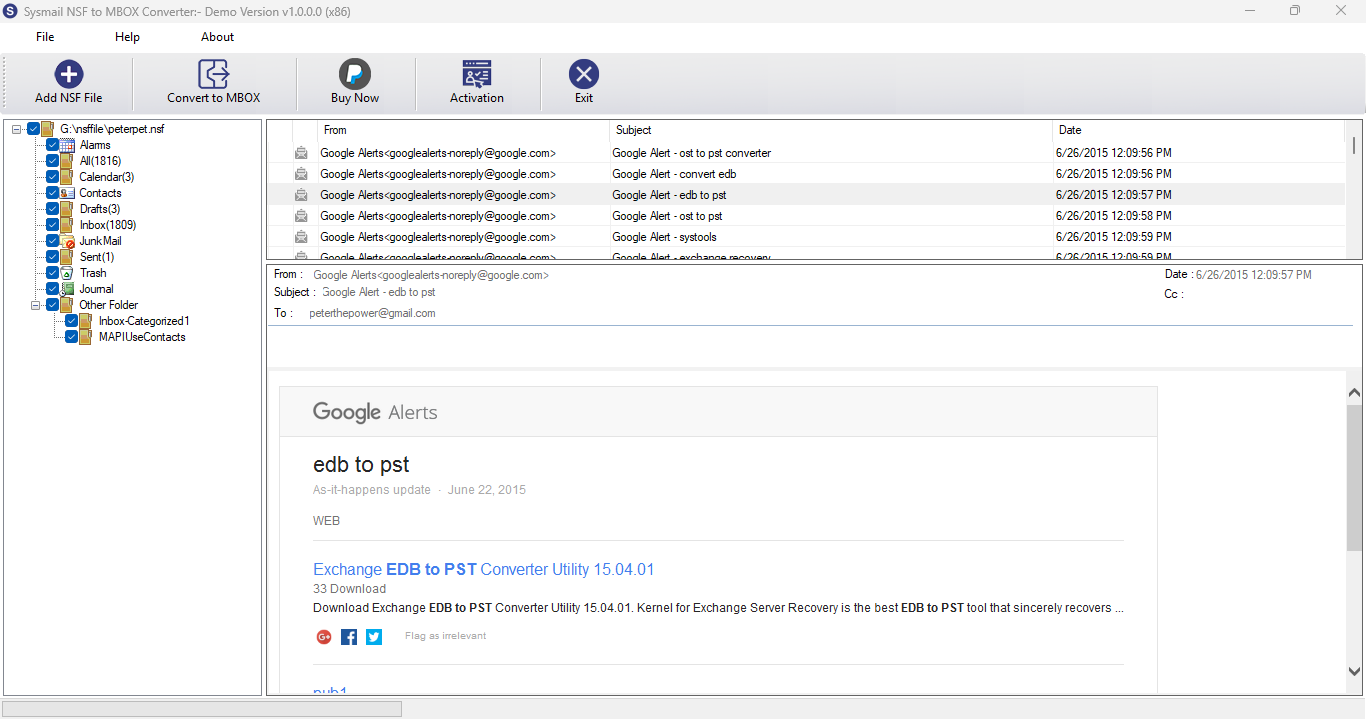
STEP 3 : Message Preview of Lotus Notes (*.NSF) Files
PREVIOUS STEP NEXT STEP
User click left side pane on folder then software will be loading folder message into list & click on any message then software is showing message preview with attachment
Overview
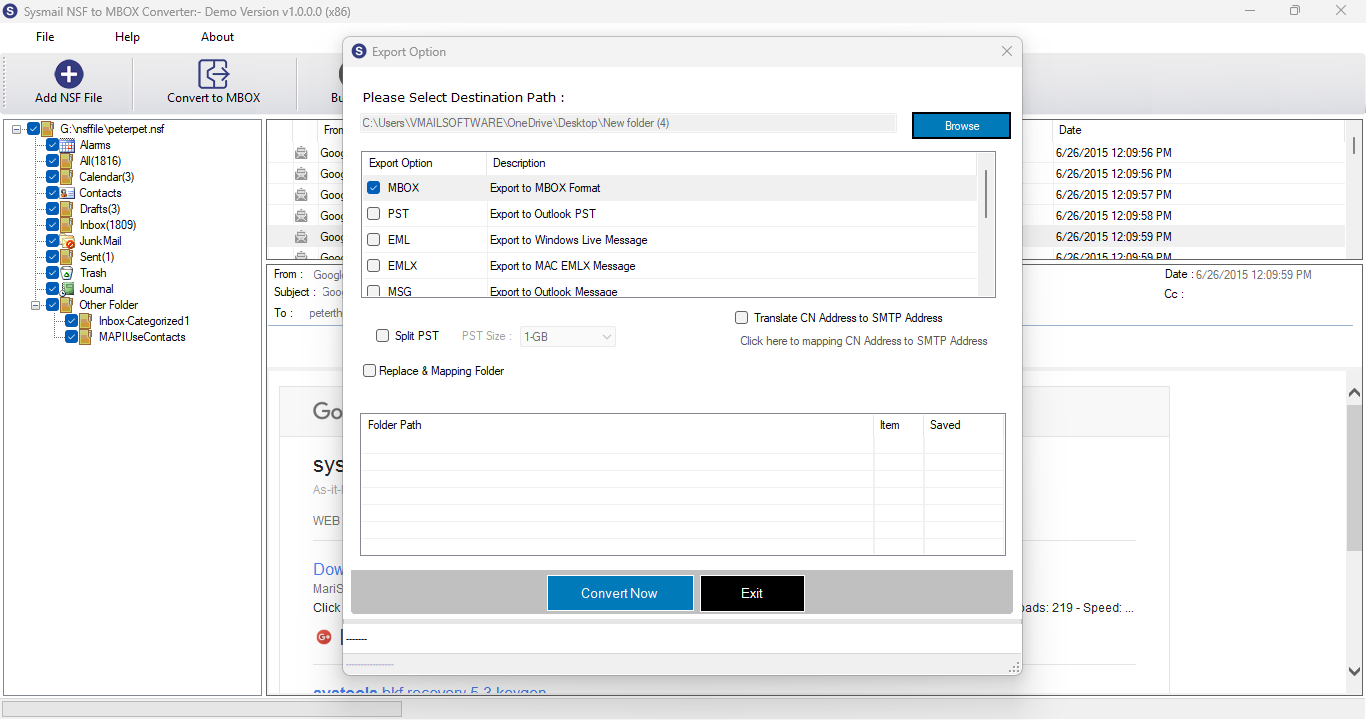
STEP 4 : Export Option
PREVIOUS STEP NEXT STEP
After scanning process complete Then Click on Convertbutton to Open Dialog for Saving Process.
Overview
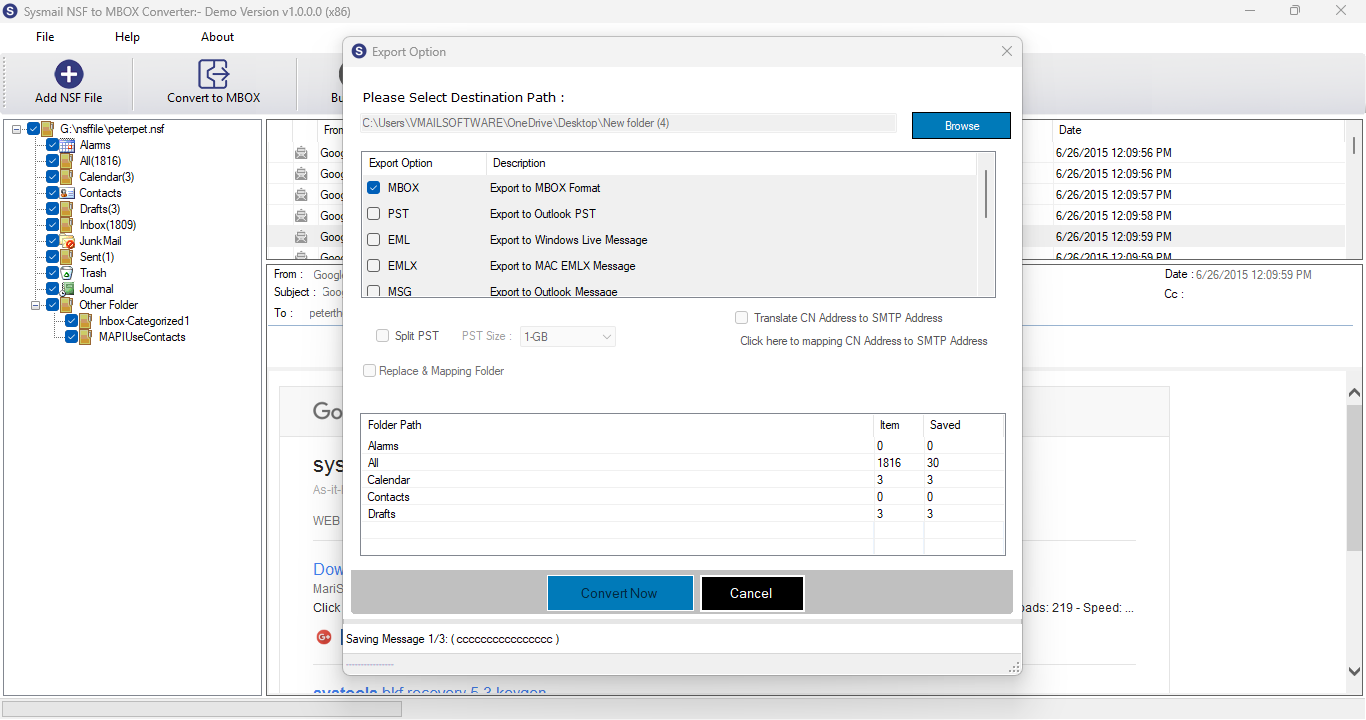
STEP 5 : Export Option - Settings
PREVIOUS STEP NEXT STEP
You can click on Brouse Button Then Select Destination Path where you want to save Converted Email Message and Select Export Option Then click On "Convert Now" Button.
Overview
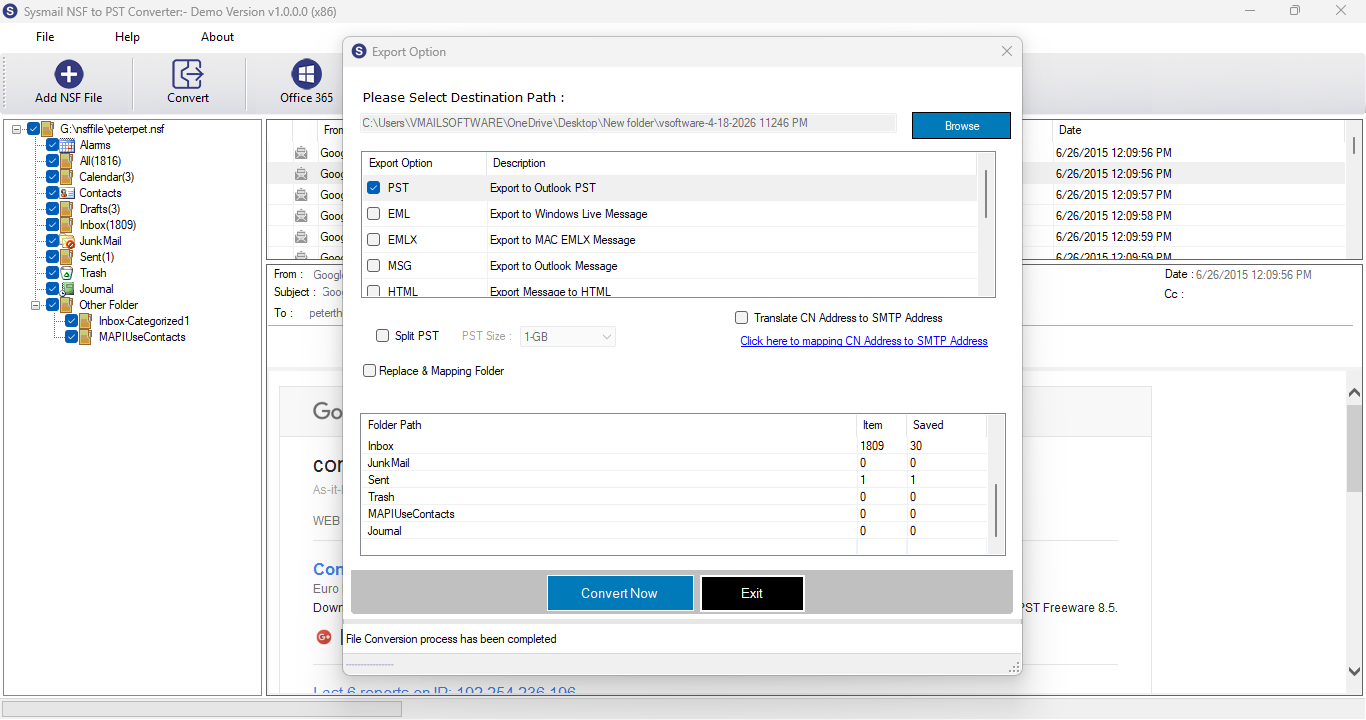
STEP 6 : Start Conversion Process
PREVIOUS STEP
After Few Mins - Software will be complete Saving Process lotus notes message to selected format with store into destination path.