How SysMail MBOX File Split Tool Works
Presented step by step guide to use SysMail MBOX File Split Tool to Split and Merge Large MBOX File into Smaller Files by dates, folder, size, date range, years and emails ID.
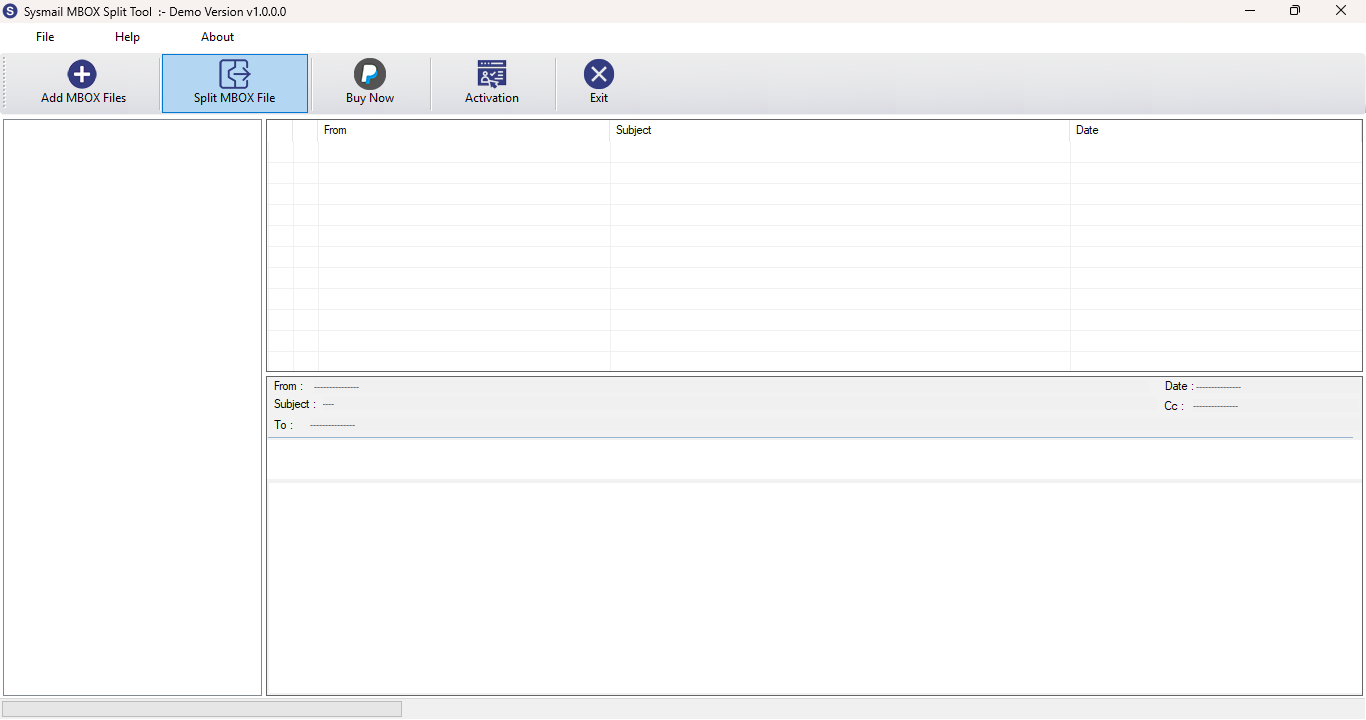
STEP 1 : Open SysMail MBOX File Split Tool
NEXT STEP
Download and Install SysMail MBOX File Split Tool. Run the software, click on Next Button Start Software Installing and Open SysMail MBOX File Split Tool If you want to buy software click on "Buy Now" Then Open directly Software Purchase Page.
Overview
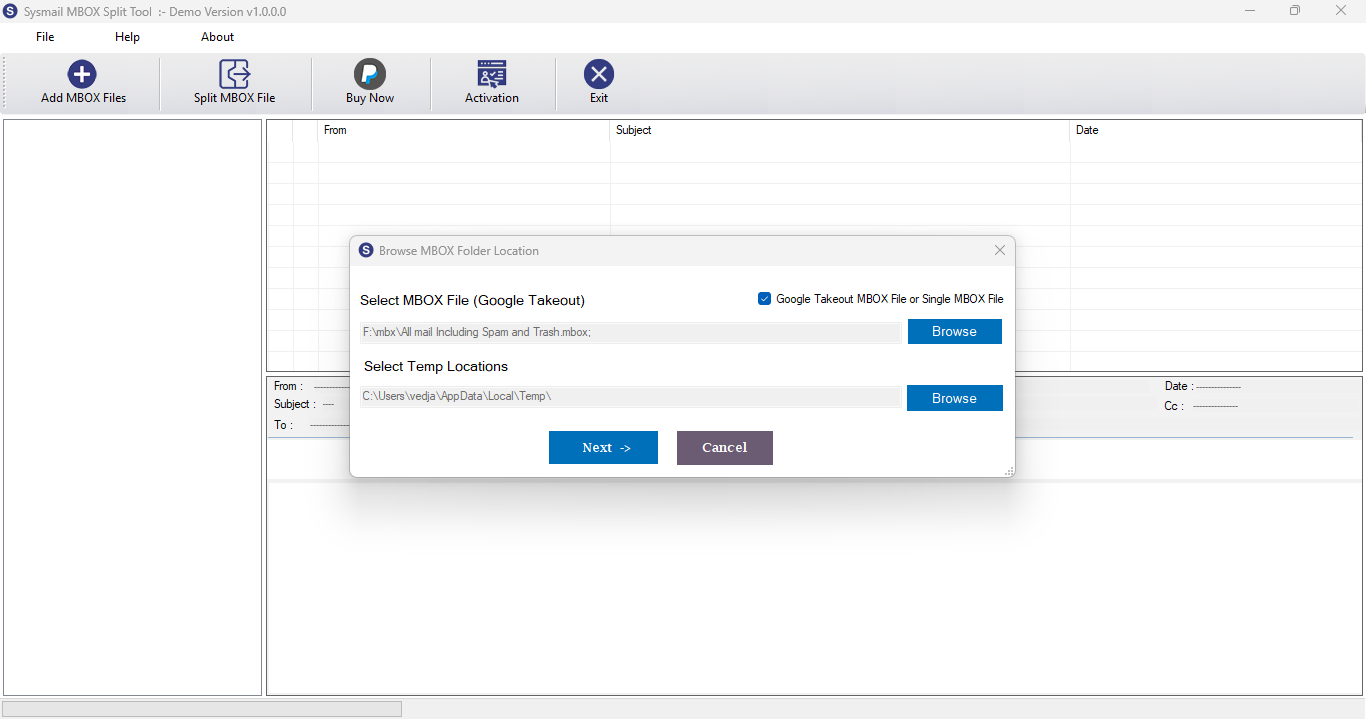
STEP 2 : Browes & Select MBOX File
PREVIOUS STEP NEXT STEP
Click the "Add File" button and browse to select the MBOX file you wish to split
Overview
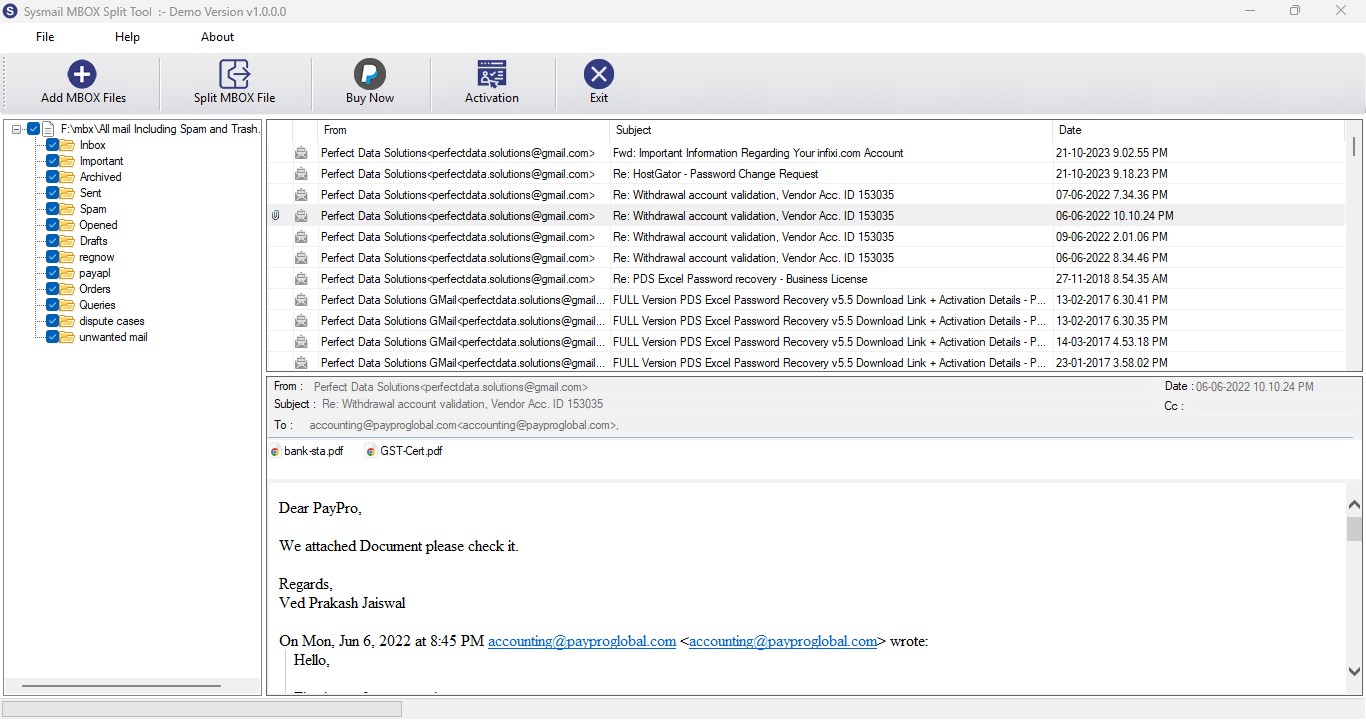
STEP 3 : Preview of MBOX File
PREVIOUS STEP NEXT STEP
The tool scans the file and displays its contents in a structured preview panel
Overview
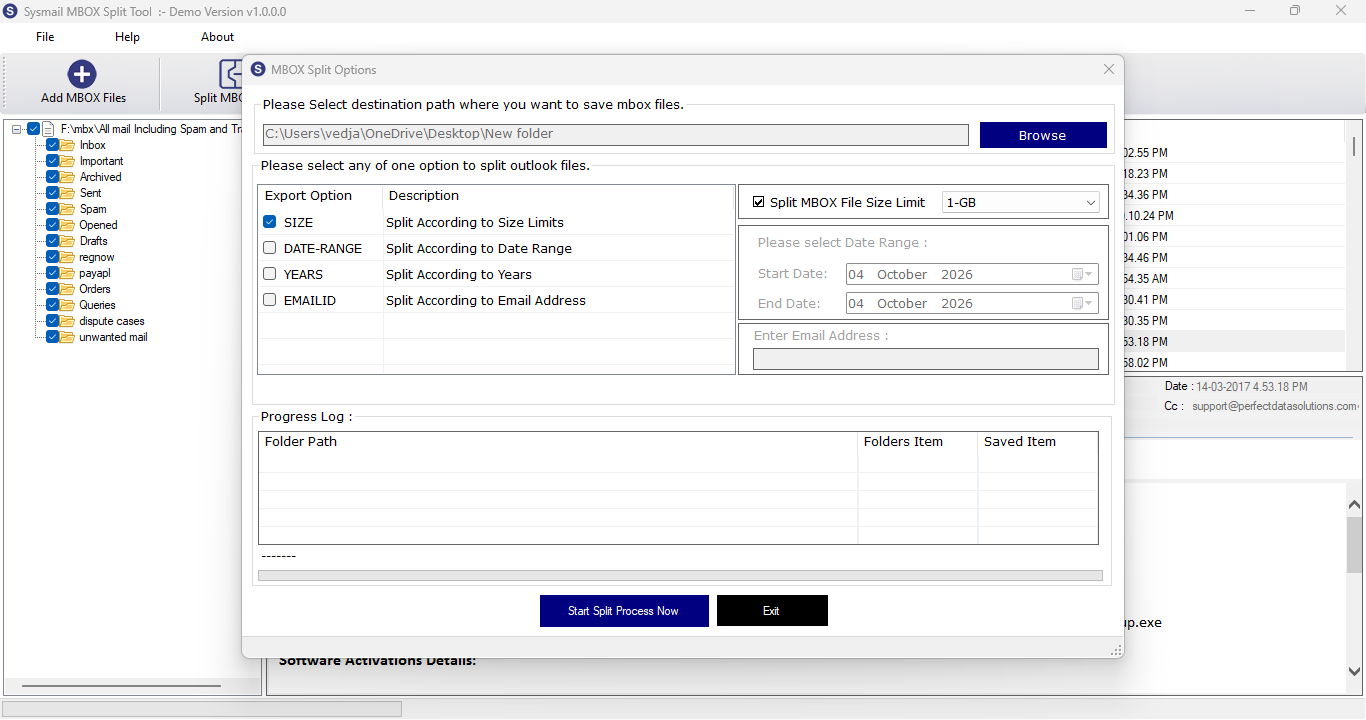
STEP 4 : Specify Output Location
PREVIOUS STEP NEXT STEP
Select the destination folder where the split MBOX files will be saved
Overview
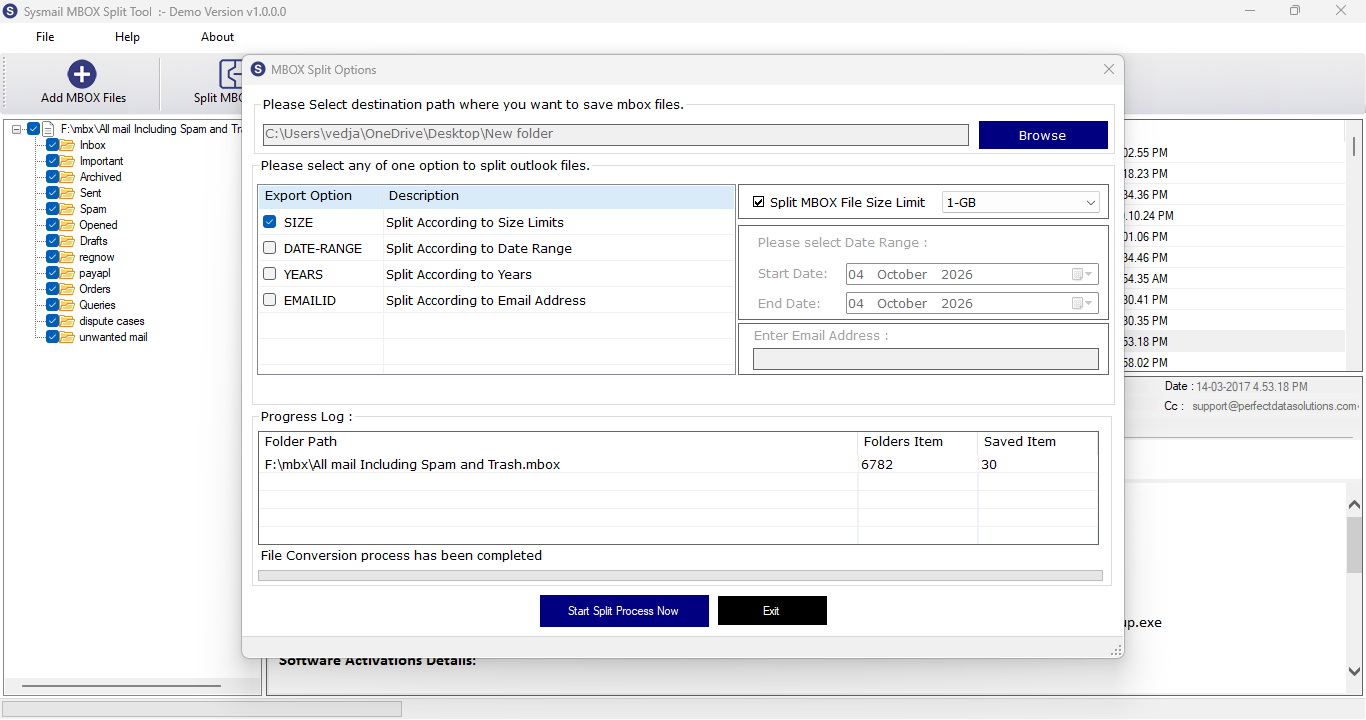
STEP 5 : Completion and Output
PREVIOUS STEP
Once the process is complete, the tool shows a confirmation, and the split files are saved in the specified folder.